Keyword SERP Tracking: How to Read Rank Changes
Learn keyword SERP tracking for Shopify stores: what to monitor, why ranks shift, and how to separate a real drop from measurement noise.
Published 11 min read
In this article
A Shopify merchant opens a ranking report, sees a reassuring number, then searches the same phrase and gets a completely different result. That mismatch doesn't automatically mean the report's broken or the page's failing. Keyword SERP tracking only becomes useful once a merchant treats every position as an observation made under specific conditions, then checks whether real shoppers saw and clicked the result.
Table of Contents
- Why Keyword SERP Tracking Feels Unreliable
- How Keyword SERP Tracking Became Measurable
- What to Monitor in Every Rank Check
- How to Read Volatile Ranking Changes
- When Position Stops Explaining Traffic
- How to Choose a Tracking Workflow
- Start a Reproducible Tracking Routine
Why Keyword SERP Tracking Feels Unreliable
A merchant checks Google Search Console on a laptop and sees a healthy average position for a product guide. Minutes later, the same words typed into a phone produce a results page where the guide is nowhere in sight. The first reaction is often to rewrite the article, change its title, or assume a penalty arrived overnight.
That reaction treats rank like a sticker attached to the page. It isn't. A position is closer to a foot-traffic count taken at one store entrance, at one hour, in one city. Search Console, by contrast, averages many entrances, hours, devices, and locations into a single figure.
One Number, Two Different Questions
Search Console records the topmost position of a property only when a result receives an impression, then averages those observations across searches, locations, devices, and dates, which helps explain cases where Search Console shows a good average position that a merchant can't reproduce in a manual search. A shopper who never scrolls far enough to trigger an impression leaves no trace in that average. A searcher in another country may see a different set of competitors entirely.
A controlled rank check answers a narrower question. It asks where a specific URL appeared for one keyword, one device, one language, and one location at one moment. Neither answer is fake. They're measuring different things, and confusing them is where needless rewrites begin.
Practical rule: A rank that can't be reproduced under stated conditions isn't a decision yet. It's a prompt to check the conditions.
Three separate outcomes need separating before any page changes happen. First, there's the controlled position from a repeatable check. Second, there's Search Console's impression-weighted average from real searches. Third, there's the business result, meaning clicks, product views, and conversions. When those three disagree, the disagreement itself is the useful information, because it points to measurement variance, local differences, or a genuine visibility loss.
How Keyword SERP Tracking Became Measurable
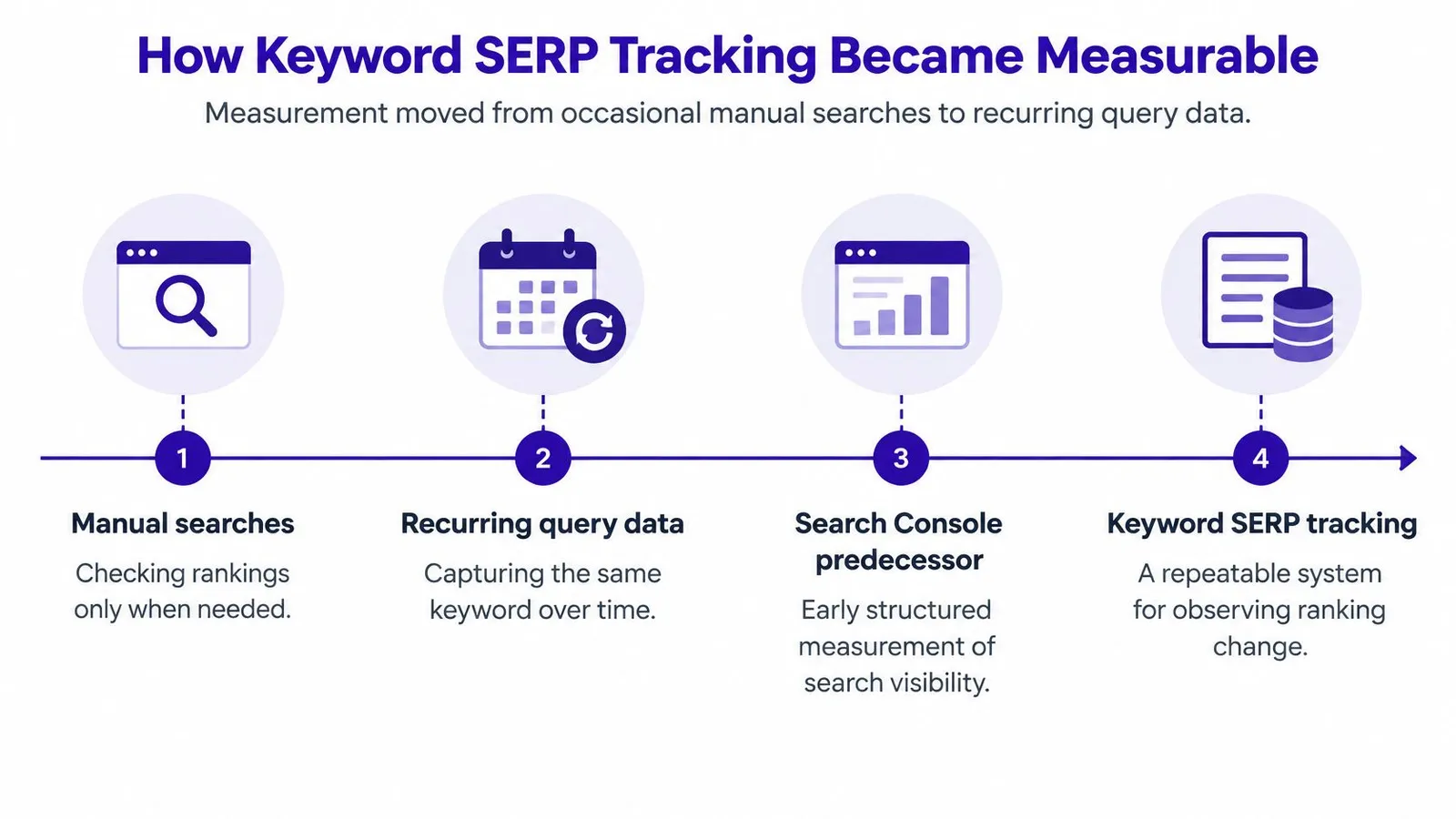
Early rank checking meant typing a query into Google, scanning the page, and writing down the result. That method couldn't be repeated reliably, couldn't be scaled across a catalog, and told a merchant nothing about searches happening in other places. Modern tracking exists because Google gradually started handing site owners structured query data instead of leaving them to guess.
The timeline below shows how that shift unfolded.
From Sitemaps to Query-Level Reporting
Google's predecessor to Search Console launched as Google Sitemaps on 2 June 2005, added query, crawl, and index statistics by November 2005, became Google Webmaster Tools on 24 August 2006, and was renamed Google Search Console on 20 May 2015, with the Search Analytics API arriving in August 2015 so tools could pull performance data on a schedule rather than through occasional manual inspection, and the 2018 redesign later expanded accessible history from approximately 90 days to 16 months, as documented in this history of Google Search Console's evolution. That longer history matters for Shopify stores because seasonal collections, gift guides, and sale content can finally be compared against the same period a year earlier.
The API milestone deserves emphasis. Once performance data could be retrieved programmatically, recurring tracking became practical for stores without an analyst exporting spreadsheets every week. Keyword selection also improved, since merchants could plan around real queries, a process covered in this step-by-step keyword research guide.
The following walkthrough shows the reporting environment those milestones produced.
What Search Console Actually Returns
Search Console reports impressions, clicks, click-through rate, and average position, split by query, page, country, device, and search appearance. That's native measurement from real searches, not a simulation. What it doesn't provide is a fixed rank for a keyword in a specific city at a specific moment, which is the gap a controlled rank checker fills.
Adjacent disciplines face the same measurement problem. Resources on helping software agencies get found through AI show how visibility tracking now extends beyond classic blue links, but the underlying lesson stays the same for a store. A merchant needs to know which signals come from Google's own impression data and which ones require a deliberately staged check.
What to Monitor in Every Rank Check
A rank tracker and Search Console can both be right while reporting different numbers for the same article. The tracker stages a search under fixed conditions and records what it sees. Search Console waits for real shoppers, records impressions, and averages whatever positions occurred. Putting those two methods side by side prevents most false alarms.
Search Console calculates average position across real impressions and query variants, using the highest-ranking URL from the property for each impression before averaging, as explained in Google's documentation on Performance report metrics. A near-match query typed by a shopper, such as a plural or a misspelling, folds into that average even though a tracker never checked it. That's why a store's non-branded guide can look stable in a tracker and weaker in Search Console during the same week.
| Question | Controlled rank check | Search Console average position |
|---|---|---|
| What's observed? | One staged search with fixed settings | Real searches that produced impressions |
| Which location counts? | The chosen country or city only | Every location in the selected data |
| Which URL gets credit? | The target landing page being tracked | The highest-ranking URL from the property |
| What does the number mean? | Position seen under those exact conditions | An impression-weighted average across conditions |
| Best use | Reproducible comparisons over time | Real demand, clicks, and query discovery |
The Dimensions Worth Storing
Every observation needs its conditions attached, or later comparisons become meaningless. A position recorded without a device or location can't be checked against next week's result.
- Country or city: National data hides local variation that matters for delivery areas and regional stores.
- Device and language: Mobile and desktop results differ, and language settings change which pages compete.
- Search mode and date window: A single day's snapshot shouldn't be compared against a month-long average.
- Landing page, not domain: A collection page ranking instead of the intended article signals an internal linking or intent problem.
- SERP feature presence: Ads, shopping units, and AI answers change what a position is worth.
Like-for-like comparison is the discipline that ties this together. Mobile gets compared with mobile, one city with the same city, branded terms with branded terms. Once those dimensions match, position can be read alongside impressions and clicks instead of standing in as the result by itself.
How to Read Volatile Ranking Changes
Daily positions bounce even when nothing on a store has changed. A single observation can move for three different reasons, and each calls for a different response, so reading volatility means working out which reason a merchant is looking at before touching a page.
The first reason is measurement variance, the ordinary noise between checks. The same query run under the same conditions can return slightly different orderings from one crawl to the next. Each rank check works like a photo taken with the same camera settings: when one frame comes out blurry, the photographer shoots another before blaming the subject.
The second reason is local volatility, movement confined to one city or one device while every other market holds steady. The third is displacement, where the page barely moves but something new claims the space above it, such as extra ads, a shopping unit, or an AI-generated answer. A dip caused by noise fades on its own. A dip caused by displacement may never show up as a rank loss at all.
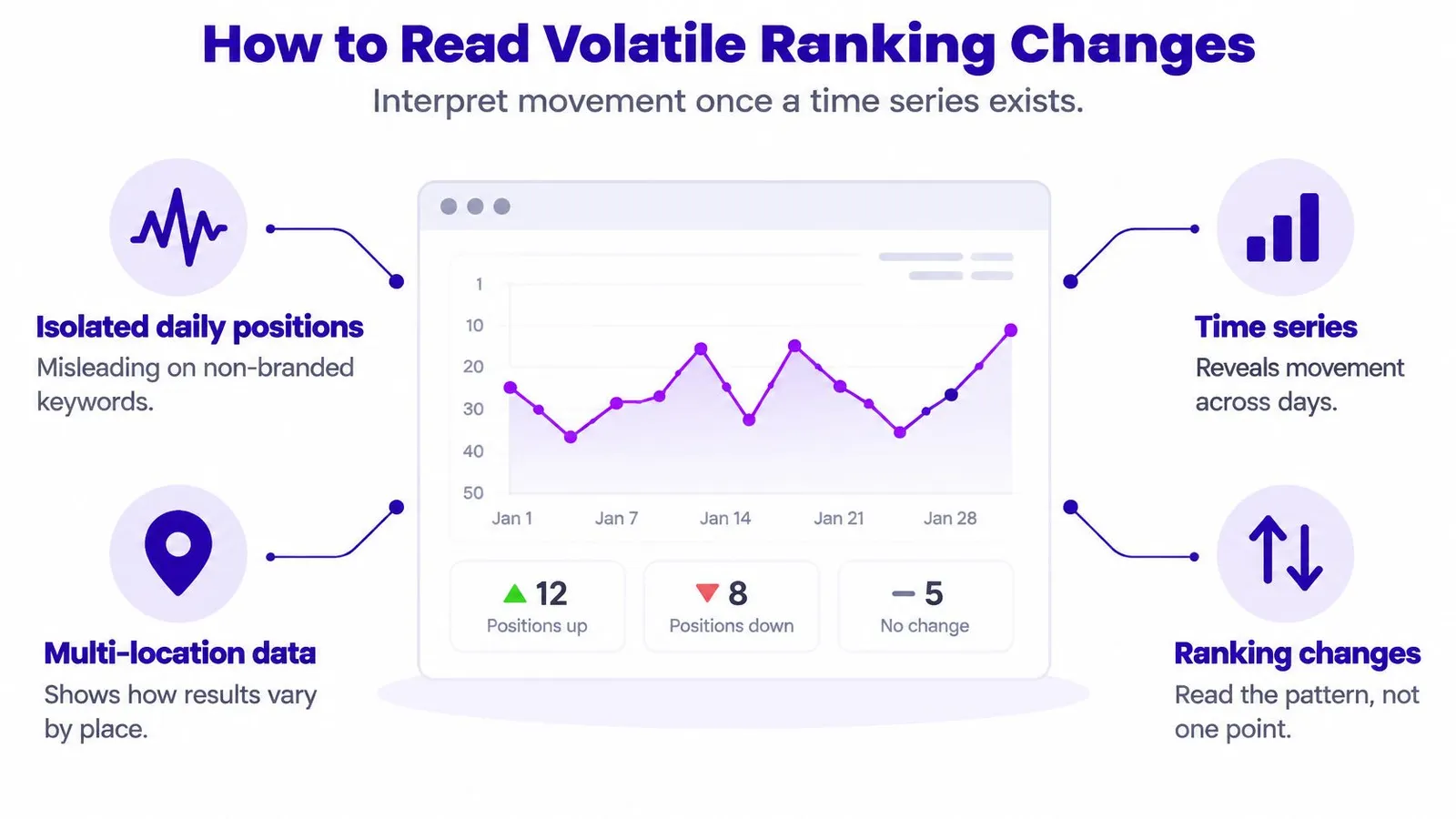
The infographic below summarizes how a time series changes that reading.
Reading a Pattern Instead of a Point
A useful workflow keeps the full series, calculates a rolling median or a percentile band, and flags movement only after it repeats across several observations. One strange crawl becomes a note in the log. The same drop appearing day after day becomes a work item.
Say a collection guide falls sharply in one city on mobile while desktop results and other markets stay flat. That pattern points to a market-specific cause, such as a local competitor gaining ground, and checking how the store compares with competitors in that city tells a merchant more than a sitewide rewrite would. If every market and device falls together and stays down, the problem is more likely page-level or site-level. If the position holds while a new feature takes over the screen above it, the problem sits in that space rather than in the page's wording.
A single-day drop is weather. A repeated drop across matched conditions is climate, and climate is what deserves a content change.
Segmenting branded and non-branded terms keeps those judgments clean. Branded volatility usually traces back to ads, resellers, or layout changes around the store name. Non-branded terms move in a noisier crowd, which is where the rolling median earns its keep.
When Position Stops Explaining Traffic
A product-care article holds position four for weeks while its clicks keep sliding. Nothing in a traditional rank report explains the loss, because the ranking didn't change. What changed was the page above the organic results, where an AI-generated answer now handles the question before a shopper scrolls.
Merchants running controlled checks keep reporting the same pattern: a query's organic positions stay stable, yet the traffic they used to produce shrinks because an AI Overview or another SERP feature now absorbs the click first. Rank trackers still read the position correctly. The position stopped being the whole story, so a merchant can rank first and watch the click go to an answer quoted above the blue links.
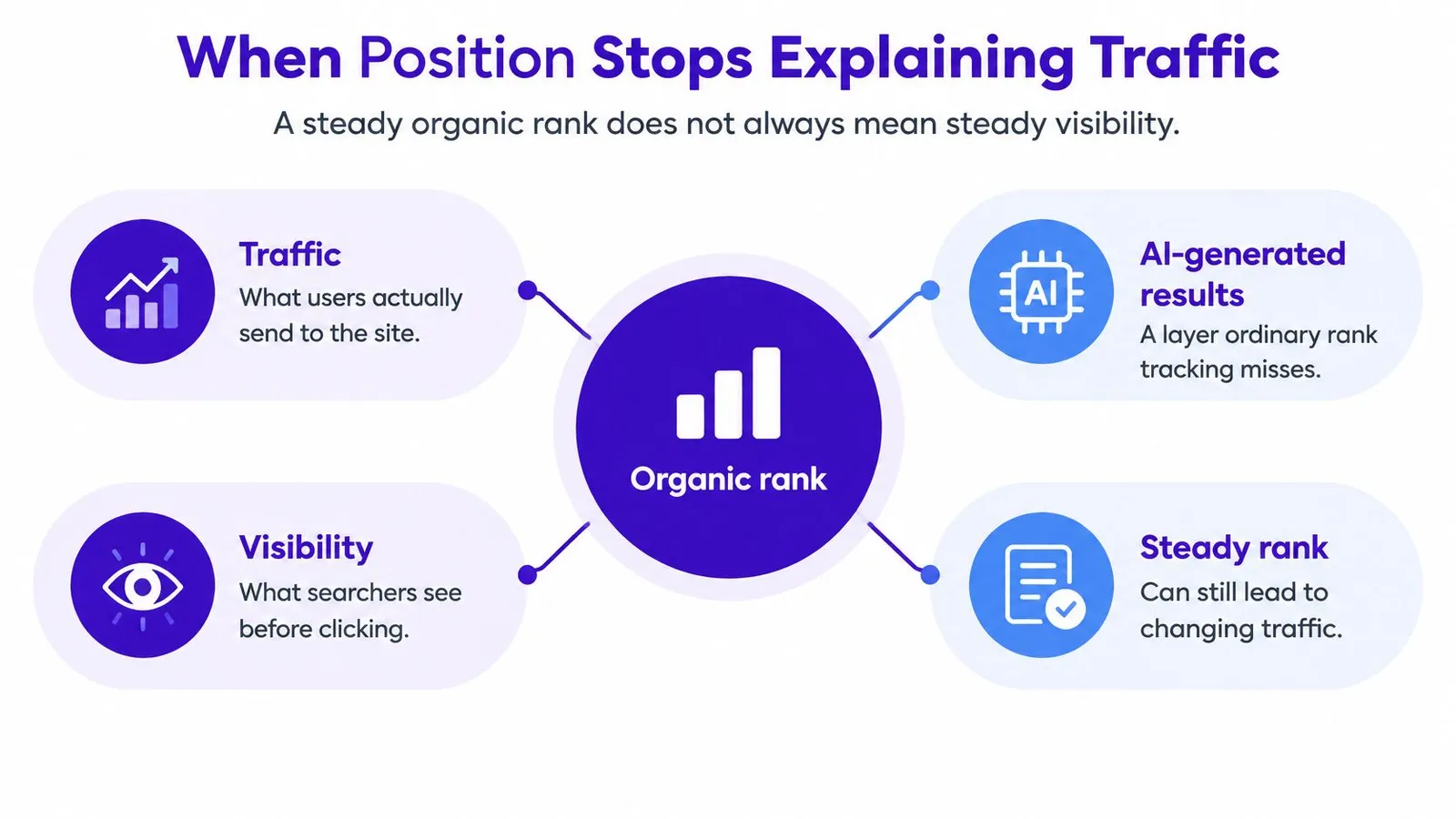
The concept map below shows why rank alone can't carry the full explanation.
Three Outcomes, Tracked Separately
Merchants need three distinct measurements where one used to suffice. The first is conventional organic position under controlled conditions, meaning the same market, device, and timing the article's earlier checks used. The second is SERP real estate, meaning whether an AI Overview or another feature sits above the result and intercepts the click. The third is the outcome that pays bills: clicks and assisted conversions.
A quick diagnostic order keeps the reading clean. Confirm the controlled rank first, then check whether a feature appeared above it, then look at clicks for that query in Search Console. If rank held and a feature appeared, displacement explains the drop better than any page-level failure would.
That separation also clarifies competitive questions. Come Together Media's search share guide addresses how branded demand gets measured against rivals, and the related concept of share of voice in SEO reporting helps a store see whether lost clicks went to a competitor or evaporated into an on-page answer. A ranking loss and a visibility displacement look identical in a traffic chart, while the responses they demand are very different.
When an AI answer is the culprit, a refresh should target citation-worthiness over keyword density. Firsthand product testing, clear answers tied to the actual merchandise, and recognizable brand and entity signals give an article a reason to be quoted. Chasing a move from position six back to position four does nothing if the answer box still absorbs the click.
How to Choose a Tracking Workflow
Three setups cover most Shopify stores, and the right choice depends on how many keywords, markets, and articles a merchant manages. Each setup answers the trust question differently, meaning which ranking justifies refreshing an article, changing internal links, or commissioning a new page.
Manual checks plus Search Console cost nothing and work for a handful of money keywords. A merchant records controlled checks in a spreadsheet and reads impressions and clicks from Search Console for the same window. The weakness is discipline, since skipped weeks break the time series that volatility reading depends on.
Dedicated Stack Versus Shopify-Native Workflow
A separate rank-tracking stack suits stores selling into many cities or countries. It can stage checks at city level, on both devices, on a fixed schedule, which Search Console can't reproduce on demand. The trade-off is another dashboard, another login, and data that still needs joining to the articles and products it describes.
A workflow that stays inside Shopify fits merchants whose bottleneck is content production rather than measurement depth. In that model, keyword research draws on store data, competitor analysis, and Search Console queries, with search volume and difficulty guiding the plan. A calendar schedules articles, drafts wait for review or publish automatically, and reporting on clicks, impressions, and search positions sits beside the content it measures. Internal links to products and collections get added during generation instead of as a separate chore, which supports the broader goal described in this guide to increasing blog traffic.
Decision test: If the store's problem is knowing exactly where it ranks in one city on one device, a dedicated tracker wins. If the problem is publishing consistently and seeing search results in one place, a bundled Shopify workflow wins.
Neither setup removes the need for the reproducible protocol. Tools record observations, but a merchant still decides which conditions define a trustworthy comparison. Budget and team size should follow that decision, not replace it.
Start a Reproducible Tracking Routine
One money keyword and one Shopify article are enough to build the habit. A broad rollout across the whole catalog usually collapses under its own spreadsheet, while a single tracked page teaches the method within a week.
Day one is paperwork. The merchant writes down the country or city, device, language, exact keyword wording, and the landing page that's supposed to rank. Branded or non-branded status goes on the same line.
Day two pairs the two measurements. A controlled rank check under those exact conditions sits next to Search Console's average position, impressions, and clicks for the same window, plus a note on whether an AI Overview or shopping feature appeared. The gap between the two numbers becomes the baseline rather than a surprise.
The Rest of the Week
Observations accumulate without intervention. Each new check uses identical conditions, and single-day swings get logged but not acted on. By week's end, the rolling picture shows whether movement is global, market-specific, or a measurement artifact.
One move follows, and only if like-for-like checks agree on the direction. A sustained slide justifies refreshing the article. A stable position with falling clicks points toward SERP features and citation-worthiness. Flat results everywhere mean leaving the page alone and watching another week, a patience that fits naturally inside a longer SEO content marketing program.
Stores without a content owner can put the keyword on a publishing calendar inside Shopify and keep the article as a draft until the checks agree on what it should say. After publication, clicks and position get reviewed together. The merchant ends up with a decision that can be explained to anyone, instead of a screenshot that stops making sense the next morning.
Merchants who'd rather run keyword research, scheduled publishing, internal linking, and search position reporting inside Shopify admin instead of juggling separate tools can do that with Rankira. Its workflow keeps the controlled checks, Search Console data, and the articles themselves in one place, so the next ranking question gets answered with matched conditions rather than guesswork.
Keep reading
All articles
Shopify SEO
SEO Content Writing Principles for Readers and Search
Learn the principles of SEO content writing that balance search relevance, clear structure, and real reader value, with examples for online stores.
10 min read
Shopify SEO
Internal Linking Audit That Actually Improves Rankings
Run a practical internal linking audit to find orphan pages, fix broken links, and prioritize fixes that move revenue on your Shopify store.
10 min read
Shopify SEO
Share of Voice SEO: A Practical Measurement Guide
Learn how share of voice SEO works, how to calculate it, and how to use intent-based metrics to assess search visibility and business impact.
12 min read
Put your Shopify blog on autopilot
Rankira researches keywords, writes SEO articles, adds internal links, and publishes them to your store — every week. Start with a 7-day free trial.