Title Tags SEO: How to Write Titles That Earn Clicks
Title Tags SEO explained: what a title tag is, how Google picks the title shown in results, and how to write titles that earn clicks.
Published 10 min read
In this article
Why do some store pages pull clicks out of Google while stronger competitors sit ignored? The difference often comes down to a single line of text: the title tag. Titles earn clicks when they lead with what the page delivers, stay short enough to survive a phone screen, and match the heading a visitor lands on, even though Google often rewrites title tags in search results.
So here is the question that exposes the gap in most title advice. If a title was specific, honest, and matched the page, and its clicks still fell, was the title ever the problem?
Shopify store owners who assume it was tend to rewrite on instinct. They see a dip in Search Console, rewrite the title, wait, watch another dip, and rewrite again. Each pass makes the page slightly less recognizable to the system deciding what it should rank for.
The better mental model is simpler. A title tag is a claim, and the page has to back it up. Two very different things cause a title to underperform, and only one of them lives in the title.
Table of Contents
- What a Title Tag Is and Where Searchers See It
- Title Tag Rules and the Mistakes That Undo Them
- How to Write a Title Tag, Step by Step
- Title Tag Patterns for Products, Collections and Blog Posts
- Diagnosing Titles That Stop Earning Clicks
- Audit Your Store Titles Before Your Next Publish
What a Title Tag Is and Where Searchers See It
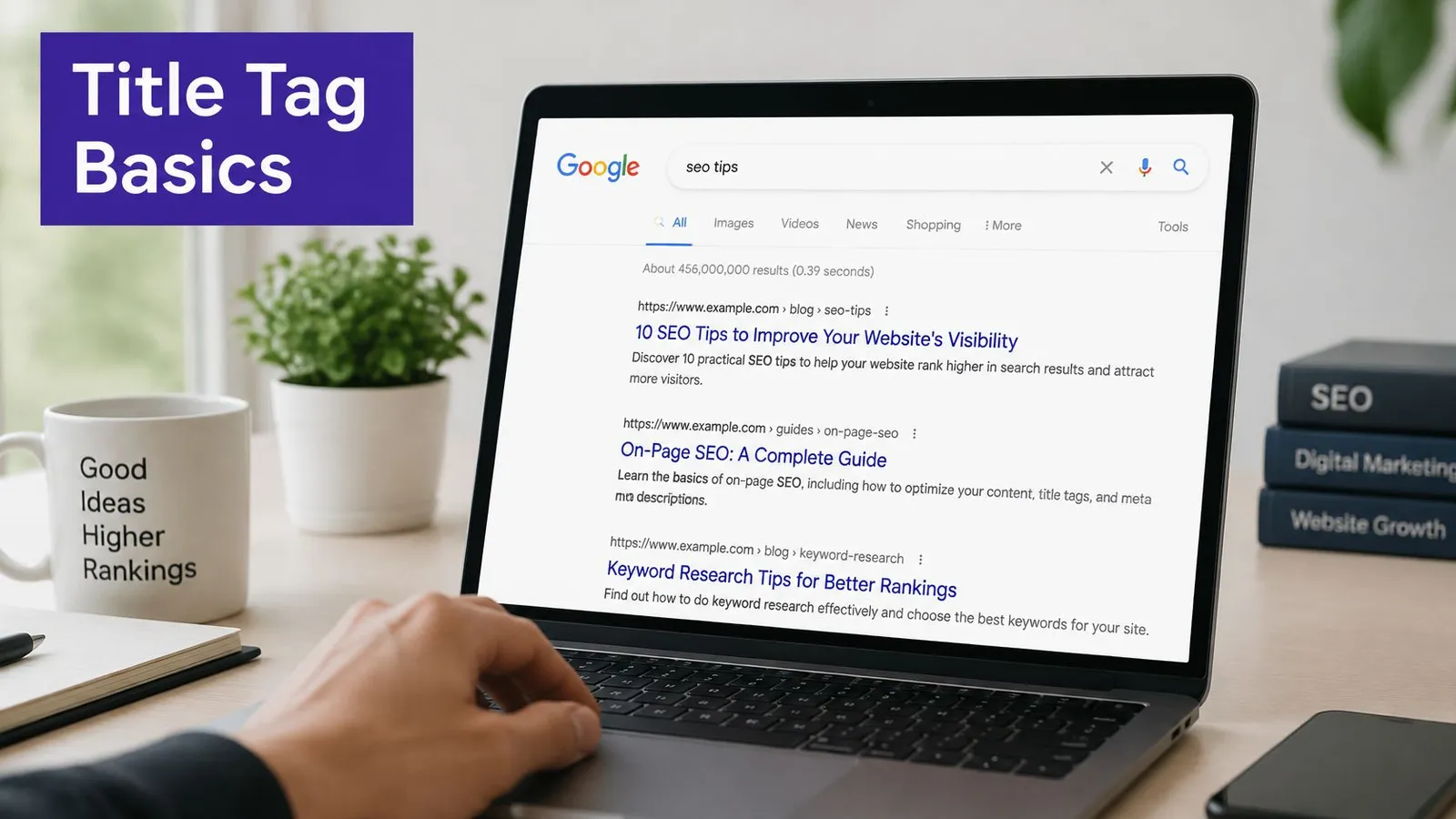
Every page in a store carries one line of text in its code that acts as the page's name. That line is the title tag, the HTML <title> element sitting in the page's head, telling browsers and search engines what the page is about. It appears in three places a merchant cares about: the tab at the top of the browser, the clickable headline in a Google result, and the SEO title field in Shopify admin for products, collections, pages, and blog posts.
The headline in a result is often the only thing a shopper reads before deciding whether to click.
Think of it as the label on a filing folder. Anyone pulling open the drawer can tell what's inside before lifting a single sheet. A folder marked "Invoices 2026" gets opened. One marked "Stuff" gets pushed back.
Google treats the title tag as an input, not a command
Google's documentation on title links describes the title as an important input that doesn't guarantee the exact text will display. The visible headline may be built from the title element, or combined or replaced with the page's main visual title, an H1 heading, prominent styled text, anchor text, or other on-page content. The same guidance asks for titles that are unique, descriptive, concise, and accurate, and warns against vague labels such as "Home," repeated boilerplate, and keyword stuffing.
That reframes the job. Optimizing isn't dropping a keyword into metadata and walking away. It's making the claim and the page agree. A title that reads "Organic Cotton Baby Blankets" over a page that opens with a heading about muslin swaddles invites a rewrite from Google and a bounce from the shopper.
There's also no universal character limit in the underlying element. Title links get truncated to fit the width of the device, which makes front-loaded meaning more durable than a fixed count. The same snippet thinking applies to how a meta description works alongside the title in the result.
What you now know is the foundation for everything else. A title tag is a claim about a page, and only an accurate claim earns the click.
Title Tag Rules and the Mistakes That Undo Them
Five rules cover almost every title a store will write. Scan the table, then read the mistakes that cancel the work.
| Rule | What to do | Weak example | Stronger example |
|---|---|---|---|
| Make it unique | Give every page its own title | Home | Handmade Ceramic Mugs for Daily Coffee |
| Stay accurate | Describe what the page delivers | Best Deals Ever | Cotton Bed Sheets, 400 Thread Count, Free Returns |
| Front-load the subject | Put the main topic first | Our Shop Has Great Products | Linen Bed Sheets in Queen and King Sizes |
| Match the visible H1 | Align title with page heading | Collection | Linen Bed Sheets in Queen and King Sizes |
| Avoid repeated boilerplate | Vary the wording per page | Shop Online | Organic Cotton Baby Blankets, Machine Washable |
The H1 rule carries more weight than it looks, and this guide to H1 tags in SEO explains why the heading and the title should say the same thing.
Why the order matters more than the wording
Front-loading isn't a stylistic preference. A narrow phone screen cuts the tail off a long title, so whatever sits last may never be read at all. Put the product, category, or question in the first few words and the meaning survives even a harsh trim.
Length has a natural center of gravity too. In 2024, the median title tag contained 12 words on both desktop and mobile pages, according to the HTTP Archive's Web Almanac. If a store's titles run to twenty words, they're well outside the norm, and the surplus is usually filler rather than information.
The four mistakes that undo good titles
- Keyword stuffing: repeating variations of the same phrase makes the page read like a spam trap. Use the target phrase once, then describe the thing.
- Boilerplate on every page: brand plus keyword on all 200 products flattens the catalog into one impression. Say what's different about this item.
- Chasing an exact character count: a title trimmed to hit a number tends to lose the noun that made it specific. Write the claim, then trim the filler.
- Changing the URL to fix a title: the title field and the web address are separate, so fix the title alone. Once an article is live, treat its address as permanent, because changing it sends existing links to a page that's no longer there and the ranking strength they were passing goes with it.
The sixty-second check: read the title with no other context and ask two questions. Would a stranger know what the page offers? Is it obviously different from the next title in the store?
How to Write a Title Tag, Step by Step
Writing a title takes about as long as writing a product description, provided the order is right. The sequence below moves from intent to finished claim.
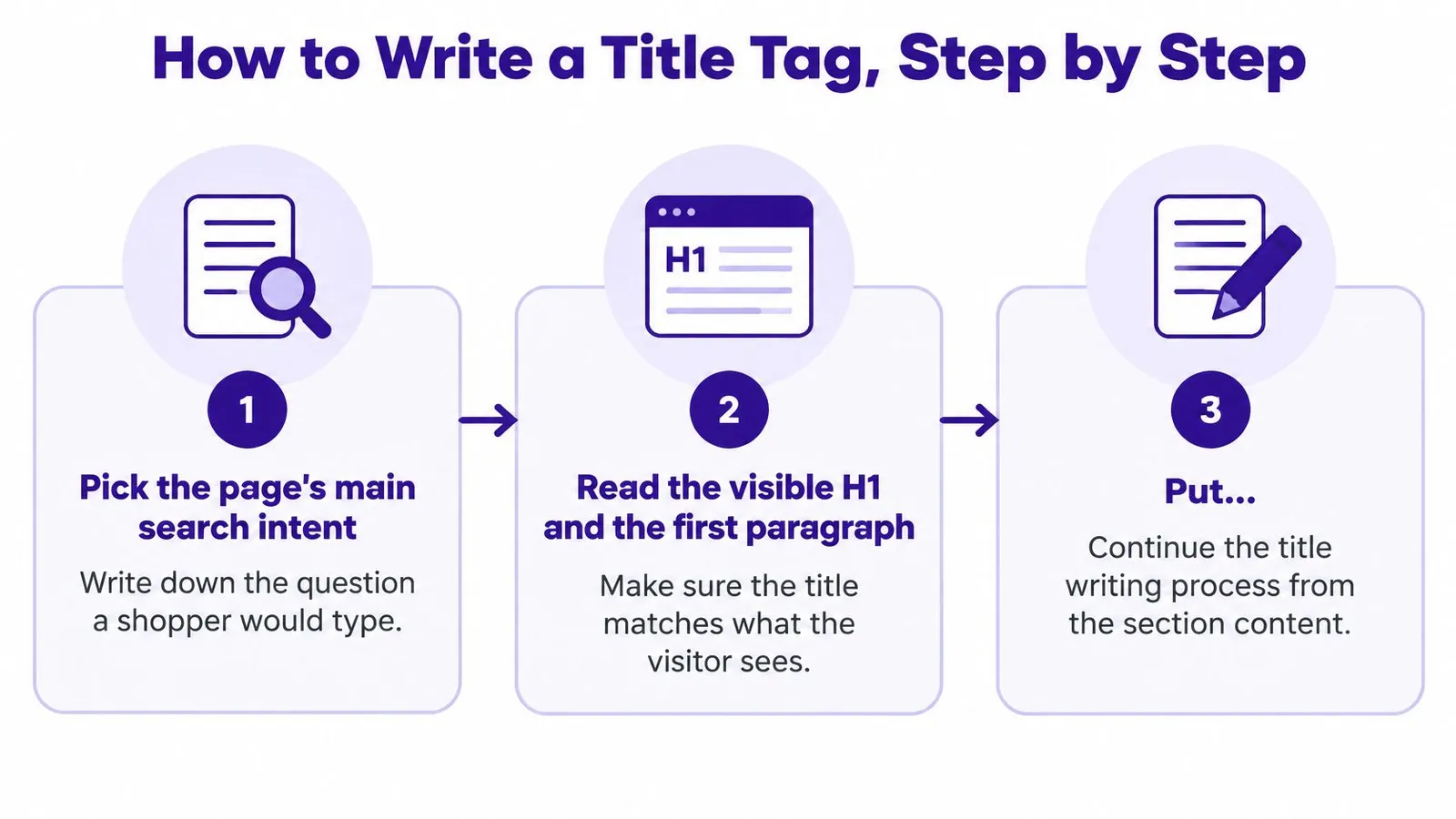
- Name the search intent. Write down the question a shopper would type. "Linen sheets queen" is a purchase; "how to wash linen sheets" is a question. The title has to answer whichever one this page serves, because a title aimed at the wrong intent attracts clicks that bounce.
- Read the visible H1 and opening paragraph. The claim in the title must be visible within a second of landing. If the H1 says something else, one of the two is wrong, and rewriting the title is usually cheaper than rewriting the page.
- Put the main subject first. Front-loading protects the meaning when the display truncates, and it tells a scanning reader instantly whether the page is relevant.
- Add one differentiator. Material, size, pack count, location, or the year 2026 where it is accurate. One attribute beats three, because three turn into a list.
- Cut the filler. Words like Best, Top, and Our rarely describe a verifiable feature. Removing them buys space for something a shopper can confirm.
- Compare against the rest of the catalog. Duplicate titles compete with each other for the same impression. Change every duplicate so each page has one distinct claim.
- Run the finished-thought test. Read the title as a standalone search listing. If it needs the surrounding sentence to make sense, it isn't finished.
The target phrase itself belongs in the title once, which is the same discipline set out in this guide to SEO keyword optimization. Service businesses folding a city into the first few words can borrow the structure from these title tag tips for Prescott businesses, where location does the work of a differentiator.
For store owners who prefer a walkthrough over a checklist, this short video covers the same ground visually.
A finished title is specific, accurate, and complete within its first few words.
Title Tag Patterns for Products, Collections and Blog Posts
Different page types make different claims. The pattern changes with the page, but the discipline doesn't.
| Page type | Pattern to follow | Good example | Weak example |
|---|---|---|---|
| Product | Product name, key attribute, brand | Ceramic Pour-Over Coffee Dripper for 1-4 Cups | Dripper Product 2 |
| Collection | Category plus a qualifier | Linen Bed Sheets in Queen and King Sizes | Collection |
| Blog article | Question or outcome the post answers | How Long Should a Title Tag Be for a Shop Blog | Tips for Shop Blogs |
| Homepage | Brand plus what you sell | Northwind Tea: Loose-Leaf Teas Shipped Fresh | Welcome |
Products carry the most search value per word, so the item name and one distinguishing attribute do the heavy lifting. A model number belongs only when shoppers search for it.
Collections need a qualifier to separate them from sibling collections. Two pages titled around bed sheets will compete with each other unless one names the material and the other names the size range.
Blog articles work best as the question a reader typed or the outcome they want. A post titled after its subject rather than its answer reads like a filing category, not a promise.
Homepages are the one place the brand leads, followed immediately by what the store sells. "Welcome" tells a searcher nothing and wastes the most valuable line on the site.
Language, region, and the capitalization question
The structure travels well across languages and regions, but the wording shouldn't. Translating a title word for word produces phrasing that reads like a translation. Each regional version needs its own native phrasing with the same front-loaded shape.
Capitalization is worth a deliberate test. A 2024 controlled SEO test found that changing capitalization in title tags produced an estimated 8.5% increase in organic traffic, according to SearchPilot's capitalization case study.
Test casing on high-traffic pages only, change one variable at a time, and let the result run long enough to separate a real lift from normal fluctuation.
Copy the pattern from a strong example. Never copy the exact title, because two identical claims split the same audience.
Diagnosing Titles That Stop Earning Clicks
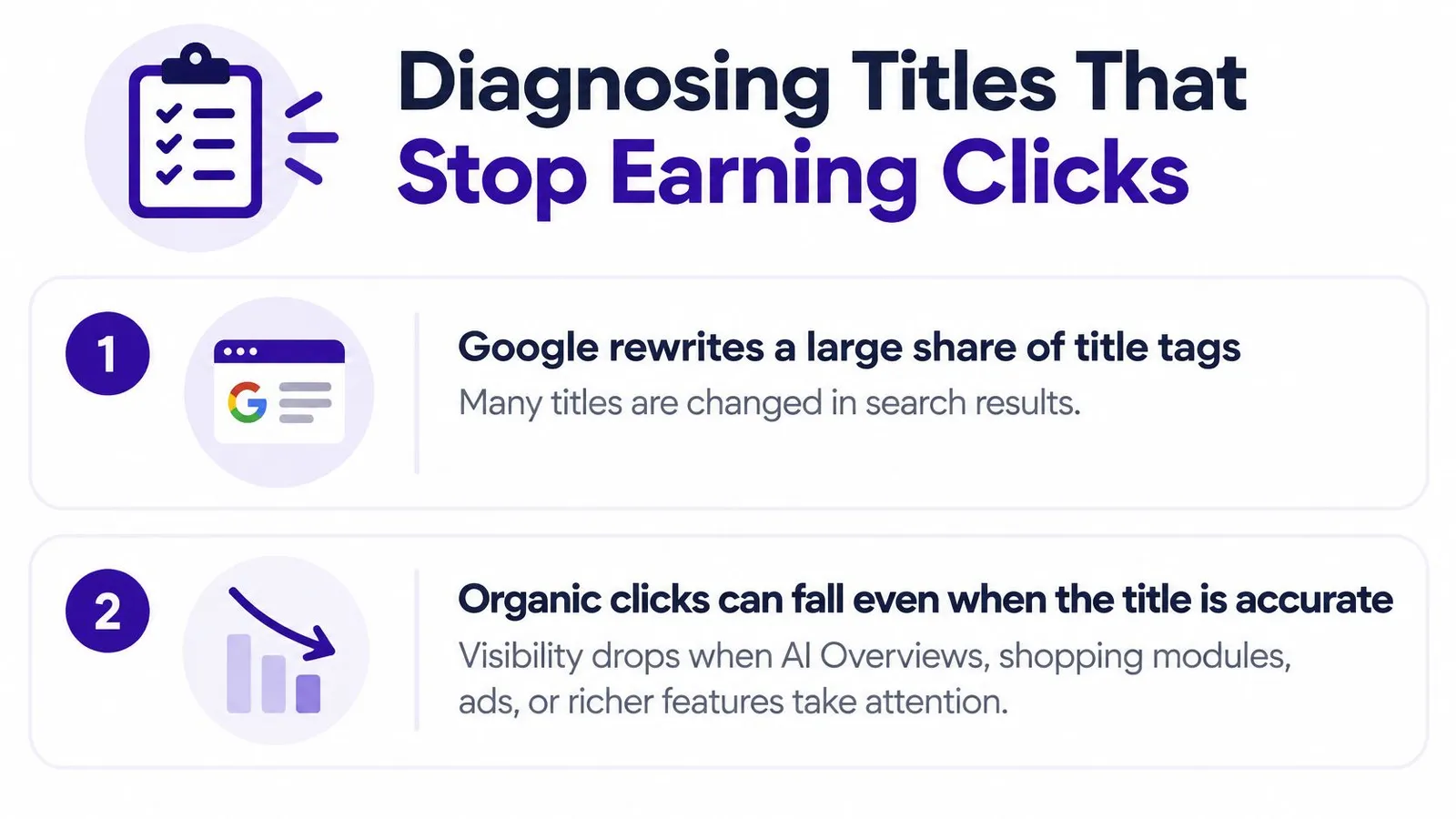
The reflex is to rewrite any title attached to a falling click-through rate. Challenge that reflex with a question first. Did the title stop matching the query, or did the results page around it change shape?
| Symptom | Likely cause | Response |
|---|---|---|
| Impressions rise, clicks fall | AI Overviews or shopping modules take attention | Keep the title if it still matches the query |
| Google shows a different title | Google rewrote it from on-page text | Align the H1 and opening copy with the title |
| Clicks drop after a title change | Title now matches a different intent | Restore the closer match and allow several weeks |
Segment before you edit
Search Console holds the evidence needed to tell these apart. Split the data by query, device, country, impressions, clicks, and CTR, and note where an AI Overview appears on the results page. A drop that follows a query-level change points at the results environment. A drop concentrated on one device often points at truncation. A drop that starts the week after an edit points at the edit.
The scale of rewriting is larger than most merchants expect. Third-party reporting summarized a 2025 to 2026 study in which Google rewrote 76.04% of measured title tags, rising to about 79.23% for queries above 100,000 monthly searches, and the same report cites Seer Interactive measurements of organic CTR at 0.61% when AI Overviews appeared in September 2025, against 1.76% before the decline, with partial recovery to 2.4% in February 2026 versus 3.8% for queries without AI Overviews, as summarized in this title tag glossary entry.
Decision rule: rewrite when the title is mismatched, generic, or rewritten in a way that misstates the page. Leave it alone when it still matches the query and the drop lines up with a change in what the results page shows.
Constant churn has a cost. Every rewrite resets what the page is known for, and a page whose title changes monthly never builds a stable association with its query. Track the outcome with a small set of search engine optimization metrics rather than a feeling about the new headline.
Audit Your Store Titles Before Your Next Publish
An audit doesn't need a spreadsheet marathon. It needs the ten pages that already matter, checked once, properly.
Start in Search Console and export the ten pages with the most impressions. For each one, compare the title against the visible H1 and the opening paragraph, confirm it's unique across the store, and read it as a standalone listing. Mark any title that fails two or more of those checks, and rewrite only the marked ones. Leave every URL untouched while doing it. The wider checklist for that comparison sits in this guide to on-page optimization.
Then write down a baseline for each rewritten page: date, impressions, clicks, average position. Without that record, there's no way to tell whether the change helped or whether the season shifted under it.
A finished Rankira article already arrives with a full-length structured piece, a generated featured image, and a meta description saved to Shopify's SEO meta description field and the Excerpt, so a new post starts with a description that matches its title instead of being bolted on later.
Give the work two to three months of consistent publishing before judging results, because SEO compounds slowly and single edits read as noise over a fortnight.
Rankira exists for the merchant who understands the rules but doesn't have hours to spend applying them to every product, collection, and post. It researches keywords, writes long-form articles in the tone you choose, saves a matching meta description to Shopify, and links each piece to the products and collections it mentions, so the claim in the title and the page beneath it stay in step. Visit Rankira to see how a store's existing catalog becomes a publishing plan.
Keep reading
All articles
Shopify SEO
10 Proven Ways to Increase Traffic Site in 2026
Discover 10 proven ways to increase traffic site visits through search, content, and email, with practical steps for Shopify stores.
15 min read

Shopify SEO
Meta Description Check: How to Audit and Fix Yours
Run a meta description check in page source or an SEO editor, judge length and query fit, and rewrite only the descriptions that mislead or repeat across pages.
10 min read

Shopify SEO
10 Best Blog Topics Shopify Stores Should Publish
Discover the 10 best blog topics for Shopify stores, from buying guides to FAQ articles, with practical tips to turn readers into customers.
16 min read
Put your Shopify blog on autopilot
Rankira researches keywords, writes SEO articles, adds internal links, and publishes them to your store — every week. Start with a 7-day free trial.