H1 Tags SEO: What They Do and How to Use Them Well
H1 Tags SEO explained: what the main heading does, how it differs from H2 to H6, and how to write and check yours on any page.
Published 10 min read
In this article
If a page contains an H1 tag, but visitors can't tell which headline is its main title, has the SEO check passed? Counting tags won't reveal whether a promotional banner competes with the article title or an app hides the heading that matters.
Good H1 tags SEO starts with page clarity. For Shopify merchants, it also means identifying which template generates the title before changing the copy or adding another heading.
Table of Contents
- H1 Tags at a Glance and How They Differ From H2 to H6
- Why the H1 Matters for Search Engines and Screen Readers
- How to Write an H1 That Matches the Page
- H1 Examples That Work and Those That Fail
- Finding Which Template Owns Your H1
- Confirm Your H1 Before Your Next Publish
H1 Tags at a Glance and How They Differ From H2 to H6
An H1 is an HTML heading element that identifies the page's main subject. The W3C HTML headings specification defines six heading levels, from H1 at the highest rank to H6 at the lowest, and explains that a heading briefly describes the section it introduces.
That makes a heading different from text that merely looks large or bold. In <h1>Trail Running Shoe Sizing Guide</h1>, the tags identify the text as a primary heading; CSS controls its font, spacing, and appearance.
Heading levels and their jobs on a page
| Heading level | Job on the page | How often to use it | Typical example |
|---|---|---|---|
| H1 | States the main subject of the whole page | Once per page as the visible title | Article title or product name |
| H2 | Marks a major section under the main subject | Several per page | How to choose a size |
| H3 | Marks a subsection inside an H2 | As needed under an H2 | Size chart under a sizing section |
| H4 to H6 | Marks narrow subdivisions | Rare on most pages | Fabric details under a product specification |
The table describes a practical editorial pattern, not a requirement to fill every level. A short product page might need a product-name heading and a few major sections. A detailed support guide might need nested subsections.
Structure isn't the same as styling
Subtitles, taglines, and decorative text don't automatically deserve heading tags. A seasonal slogan above a product name can remain a paragraph, even when the designer gives it a prominent typeface.
Likewise, choosing H3 because it looks smaller than H2 confuses structure with design. The appropriate fix is to change the heading's CSS while preserving its place in the outline.
A useful article structure lets readers understand how topics relate before reading every paragraph. Sections at the same level should cover comparable ideas; a subsection should belong naturally beneath its parent.
Read the outline without the design
Chrome DevTools can reveal the markup: right-click a heading, select Inspect, and examine the highlighted element. For a broader view, the Headings tab in the WAVE browser extension can display the page's heading structure.
Read that outline as a set of labels. If a sizing subsection appears beneath a delivery heading, or a promotional slogan interrupts the article's topic hierarchy, the outline needs attention even if the page looks polished.
Why the H1 Matters for Search Engines and Screen Readers
An H1 helps communicate meaning and structure, but it isn't a standalone ranking lever. Replacing an unclear headline with an accurate one improves the page's explanation of itself; it doesn't guarantee higher rankings.
Accessible navigation makes that structural role easier to understand.
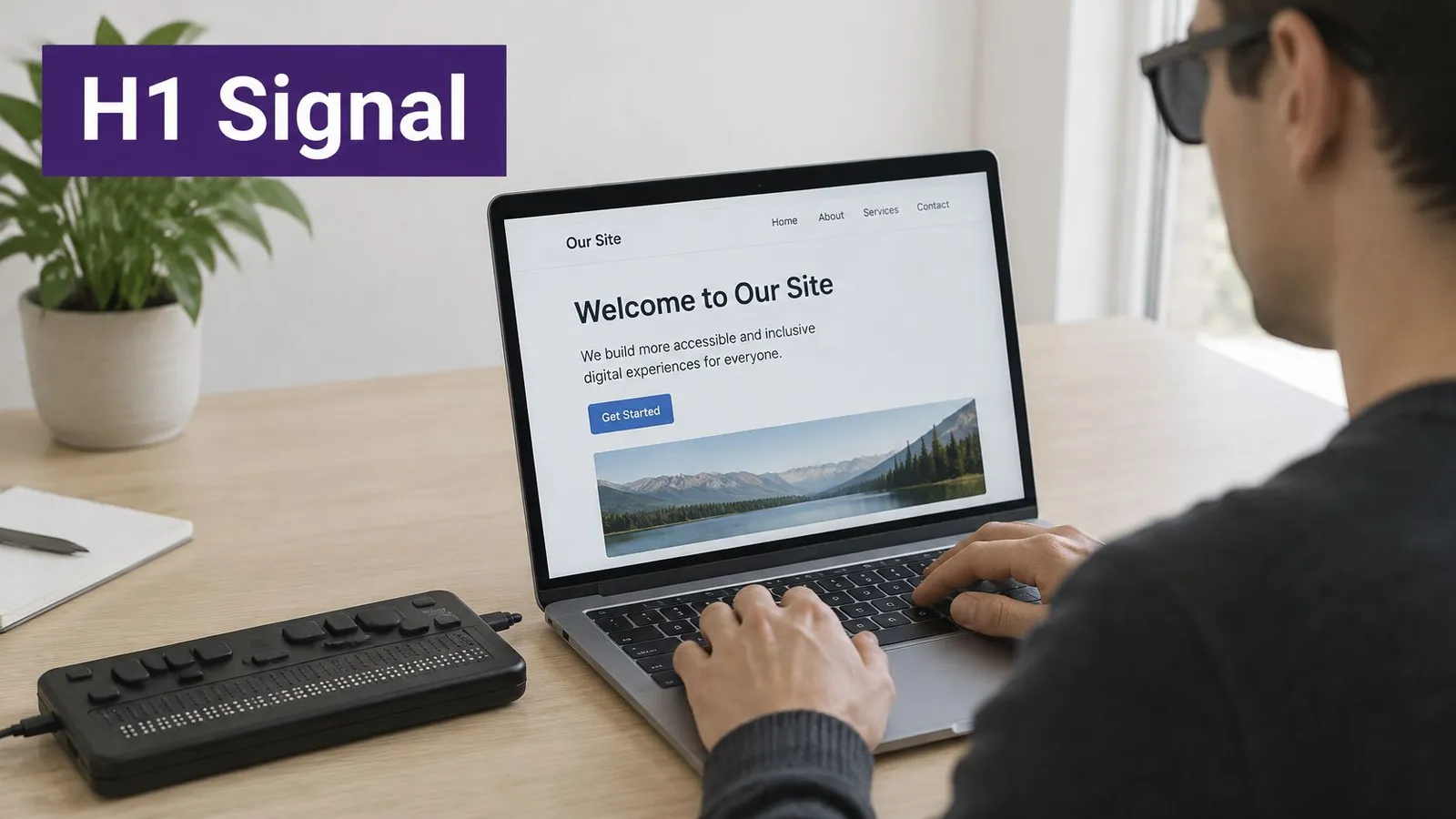
The W3C guidance on headings in HTML explains that screen-reader users can move between headings and that the primary heading should have a non-empty accessible name describing the page's topic. A heading that contains no meaningful text offers little help when someone encounters it outside the surrounding visual layout.
Search titles draw on more than markup
Google's title-link documentation explains that Google considers the visual title, heading elements, and other prominent text when generating search-result titles; when headings have similar prominence, it may select the first. The H1 therefore works within a broader presentation, not in isolation.
In HTTP Archive's 2025 Web Almanac SEO chapter, H1 elements appeared on 71% of desktop pages and 70% of mobile pages in its dataset. Presence alone leaves an important question unanswered: does the heading accurately identify the content?
Practical rule: A useful primary heading should still make sense when separated from the page's photographs, navigation, and promotional copy.
For a page offering that specific footwear, Waterproof Trail Running Shoes for Wide Feet identifies both the product category and its intended buyer. Our Favorite Picks leaves readers guessing about the subject.
The video offers another way to follow the heading discussion.
H1 work belongs within on-page optimization, alongside useful body content and consistent page metadata. The writing decision starts with what the visitor expects to find, not with a keyword repetition target.
How to Write an H1 That Matches the Page
An effective H1 describes the content that exists. Drafting it before reviewing the page can produce an attractive promise that the article or product information doesn't fulfill.
The process below keeps the wording tied to the reader's task.
Draft from the reader's task
Start from search intent. Identify the question, category, or product name a reader is looking for. A shoe-sizing article should promise sizing help rather than imply that it's a product collection.
Name the main subject naturally. Use a readable phrase rather than a string of related searches. Trail Running Shoe Sizing Guide communicates a topic more clearly than Trail Shoes Size Running Shoes Fit Guide.
Align the H1 with the page title. The HTML title, usually visible in the browser tab, and the on-page heading should describe the same content, though their wording needn't be identical. Matching them doesn't mean printing the title again as another visible heading.
Check the heading's scope. Read the introduction and major sections against the proposed H1. If the article covers fit, width, and terrain, a heading about width alone understates its subject.
Make the title visually distinctive. Give the primary heading a clear position, readable styling, and enough surrounding space. Promotional banners shouldn't appear to be equally important page titles.
Keep a clear visible primary H1. For ordinary Shopify articles and product pages, this is a manageable publishing convention. It also makes template errors easier to spot during review.
These choices are part of SEO content writing, not a separate exercise performed after the article is finished. The heading and body should describe the same useful answer.
How many H1s are allowed?
The W3C heading usage guidance calls for one perceivable H1-type heading while acknowledging that a document may contain additional H1 elements when only one is visible or exposed in the accessibility tree at a time. That distinction makes a raw source-code count an incomplete diagnosis.
Responsive themes, for example, can contain alternate title elements for different layouts. Their visibility and accessibility behavior need inspection before anyone deletes markup solely to clear a warning.
More H1 elements in the code call for investigation, not an automatic conclusion that the page has failed.
H1 shouldn't be used merely to enlarge text, and hiding competing titles isn't a substitute for resolving their purpose. Supporting topics should follow as H2 headings, with H3 headings for genuine subsections, rather than skipping levels to obtain a preferred font size.
H1 Examples That Work and Those That Fail
A weak heading often reveals the wrong priority: selling harder, squeezing in keywords, or accepting a generic template label. A stronger version tells readers what the page contains without requiring them to interpret the surrounding design.
Weak and stronger H1 examples by page type
| Page type | Weak H1 | Stronger H1 | Why the stronger one works |
|---|---|---|---|
| Product page | Best Shoes Cheap Buy Now | Waterproof Trail Running Shoes for Wide Feet | Names the product and the buyer in natural language |
| Blog article | Tips | How to Choose a Trail Running Shoe Size | States the question the post answers |
| Collection page | Collection | Trail Running Shoes Compared by Terrain | Names what the collection contains |
| Banner plus article title | Banner H1 and article H1 both visible | One H1 for the article, banner text styled as a paragraph | Leaves one clear primary subject |
The product-page example needs a catalog-specific adjustment. If the store sells a named shoe model, the heading should preserve that product identity rather than replace it with a broad search phrase.
The collection example also makes a promise: visitors should be able to compare shoes by terrain. If the page contains only an undifferentiated product grid, Trail Running Shoes would be more accurate.
Test the presentation, not just the words
A technically valid H1 can still be ineffective when the page gives a slogan and an article title equal visual weight. An excellent heading hidden from sighted visitors also fails to provide the visible orientation that a page needs.
The quick visual test is to squint at the page or reduce its zoom until fine detail disappears. Which headline still appears primary? If the banner and article title seem equally dominant, the layout presents competing candidates for the search-result title.
- Banner correction: Keep promotional text as a styled paragraph when it doesn't introduce a genuine section.
- Article correction: Let the article template display the title rather than repeating it at the top of the body.
- Collection correction: Describe the actual assortment and organization, not an editorial comparison that isn't present.
The same evaluation helps when reviewing blog writing examples: a compelling headline must remain faithful to the article beneath it. Specificity is useful only when the content supports it.
These examples are patterns to adapt, not headings to paste across a catalog. A merchant should retain meaningful model names, distinguish related pages, and remove qualifiers that the product or article can't substantiate.
Finding Which Template Owns Your H1
On Shopify, the H1 often exists before the merchant formats any body content. Shopify's SEO guidance says product, collection, webpage, and blog-post H1 elements are normally generated from page titles, and that Online Store 2.0 themes and Shopify-built theme-block themes should provide a valid H1 by default.
A missing heading therefore warrants checking custom code and apps before adding another title manually. The useful starting point is the page type and its assigned template.
Where Shopify H1s come from and where to check them
| Page type | Usual H1 source | Where to check | Frequent cause of a problem |
|---|---|---|---|
| Product page | Product template page title | Theme editor product template and the browser DOM | A custom section or app adds a second large heading |
| Collection page | Collection template title | Collection template in the theme editor | A banner or filter app outputs a competing heading |
| Blog post | Article template title | Article template and the post title field | A page builder places a heading inside the body |
| Webpage | Page template title | Page title field and page template | A title is hidden with CSS so no visible H1 remains |
Trace the rendered heading to its owner
Open the affected live page and inspect its title in Chrome DevTools. The DOM, the browser's current representation of the document, includes changes made after scripts and apps run, so it can differ from the initial page source.
Compare the heading's text and surrounding section with the assigned template in Shopify's theme editor. A product using a custom template should be checked there, rather than only in the default product layout.
- Inspect the wrapper: Nearby section identifiers and classes can help locate the theme section or app block responsible.
- Check visibility: Examine computed styles for
display: none,visibility: hidden, or off-screen positioning, then inspect the accessibility tree. - Compare a working page: Another page using the same template can help distinguish a shared template issue from content inserted into an individual page.
- Test app involvement: On a duplicate theme, disable the suspected app block and compare the rendered heading again.
A CSS-hidden element isn't necessarily exposed to screen readers; its actual behavior matters. Adding a hidden H1 merely to satisfy a crawler warning can leave the visible problem unresolved or introduce another accessible title.
Diagnostic question: Which template generated this heading, and what changed recently?
The answer determines whether the repair belongs in the title field, article body, theme section, or app configuration.
Confirm Your H1 Before Your Next Publish
A publishing check should examine the rendered page, not just the editor preview. Desktop and mobile layouts both deserve attention because a theme can display different title elements at different viewport widths.
The checklist keeps content review separate from template troubleshooting.
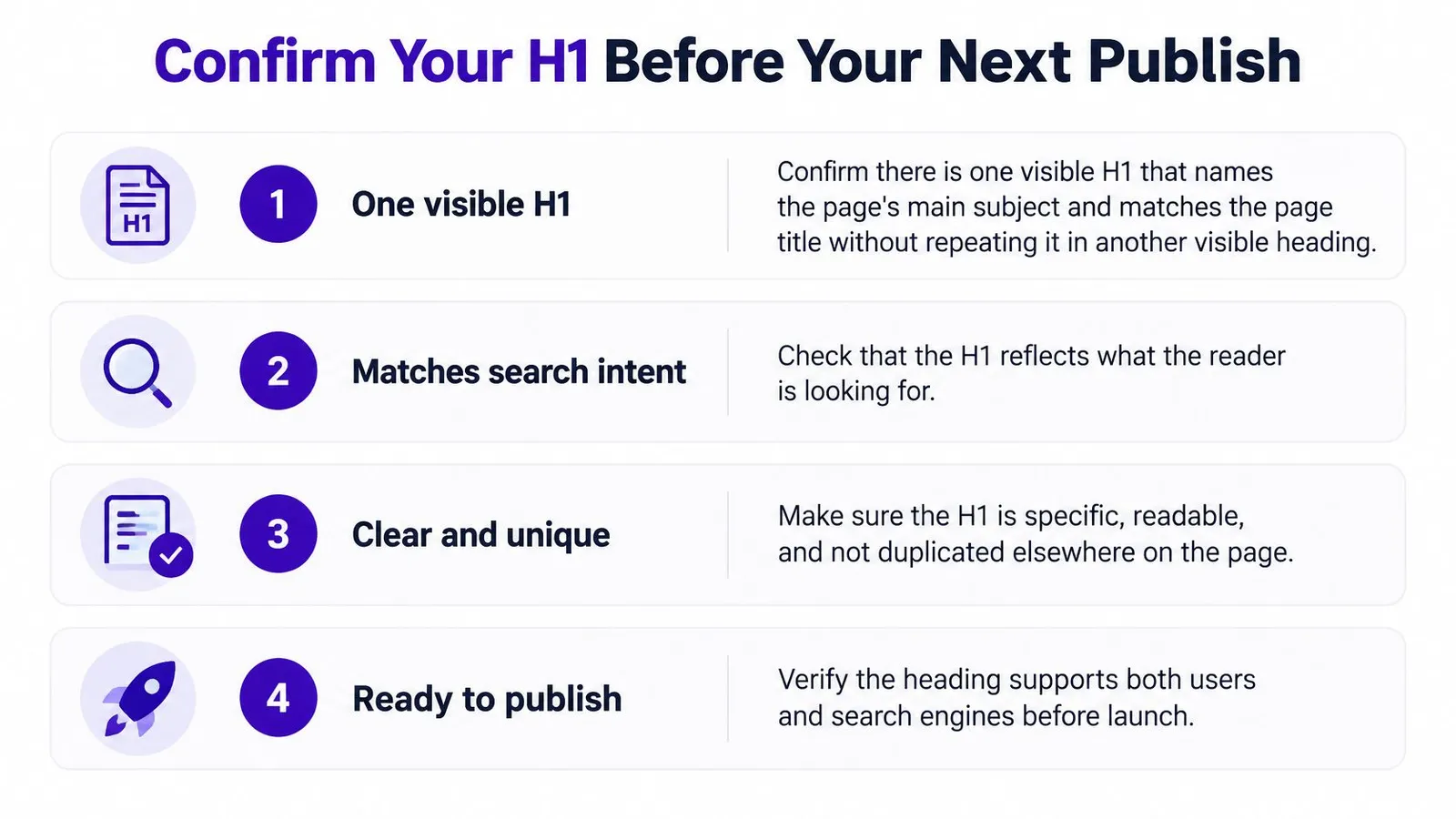
- Confirm the primary title: The visible H1 should identify the page's subject and agree with the page title without being repeated as another displayed heading.
- Review the hierarchy: H2 and H3 headings should describe their sections and nest logically, rather than use levels selected for appearance.
- Investigate competing elements: Remove unnecessary decorative, hidden, or app-injected headings at their source.
- Compare editor and browser: Verify that the live heading outline matches the intended template output, including after apps finish loading.
Keep copy edits separate from address changes
Editing a published article's title, body, images, or meta description is safe and doesn't change its URL; only changing the handle changes the address. If a handle must change, prepare the redirect from the old address before making the change, then verify that the old URL reaches the intended page.
A copy review can address vague wording or keyword stuffing, but it can't repair a template that suppresses the title. When a heading check fails, fix the generating template or app behavior before repeatedly rewriting the text.
The next practical action is to select the store's most important pages and record each page type, visible H1, assigned template, and any competing title element. That record gives the merchant or agency a clear repair list instead of an unexplained collection of crawler warnings.
Rankira creates structured Shopify articles with headings, a featured image in the selected style, topic tags, a clean URL handle, and internal links to relevant products, collections, and pages. It also saves the meta description to Shopify's SEO meta description field and Excerpt, with optional product cards and a call-to-action. Merchants seeking a more consistent content workflow can visit Rankira, while keeping rendered H1 and template checks part of publication review.
Keep reading
All articles
Shopify SEO
Search Engine Optimization Plan for Shopify: 2026 Guide
Build a search engine optimization plan for your Shopify store: set a baseline, pick keywords, publish in batches and measure results.
11 min read

Shopify SEO
10 SEO Software Platform Options for Shopify Stores
Compare 10 SEO software platform options by capabilities, use cases, and Shopify fit, from keyword research to publishing and reporting.
11 min read
Shopify SEO
Keyword Density SEO: How to Calculate and Use It
Keyword density SEO is a percentage, not a ranking target. See the formula, sample counts, and how to place phrases without stuffing.
12 min read
Put your Shopify blog on autopilot
Rankira researches keywords, writes SEO articles, adds internal links, and publishes them to your store — every week. Start with a 7-day free trial.