Structure of Articles: A Guide to Headings and Sections
Learn the structure of articles, from introductions and headings to body sections and conclusions, with examples you can apply to your store blog today.
Published 13 min read
In this article
- Table of Contents
- What Is the Structure of an Article
- Core Components Every Article Needs
- Writing Headings That Guide Readers and Search
- Opening Sections That Answer Early
- Building Body Sections Around One Question
- Choosing a Structure for Different Reader Decisions
- Ending Articles with a Conclusion and Next Step
A merchant opens a blank Shopify blog draft on a quiet afternoon. The topic is settled, the catalog sits in another tab, and the cursor blinks after one sentence. The stall isn't a lack of facts. It's the missing line between the end of that first paragraph and the start of the first heading.
That stall shows up in seasonal posts and product guides alike. A draft can hold accurate advice and still fail a shopper who needs a decision, or a search summary that lifts one sentence and leaves the rest unread. The structure of articles is the order of those parts, not a coat of larger type. It tells a person, and a summarizing system, which claim governs the page and which detail is only a qualification.
Rooms in a house can be furnished in different ways. The floor plan still has to show which door leads where. Article structure works the same way, and it should follow the reader's decision instead of a template copied from the last post that happened to rank.
Table of Contents
- What Is the Structure of an Article
- Core Components Every Article Needs
- Writing Headings That Guide Readers and Search
- Opening Sections That Answer Early
- Building Body Sections Around One Question
- Choosing a Structure for Different Reader Decisions
- Ending Articles with a Conclusion and Next Step
What Is the Structure of an Article
The structure of an article is the order and nesting of its parts, from the title and opening through major sections, subsections, and a close. Change the furniture, meaning the examples and the product mentions, and the layout can stay recognizable. Skip the layout, and a reader has to hunt.
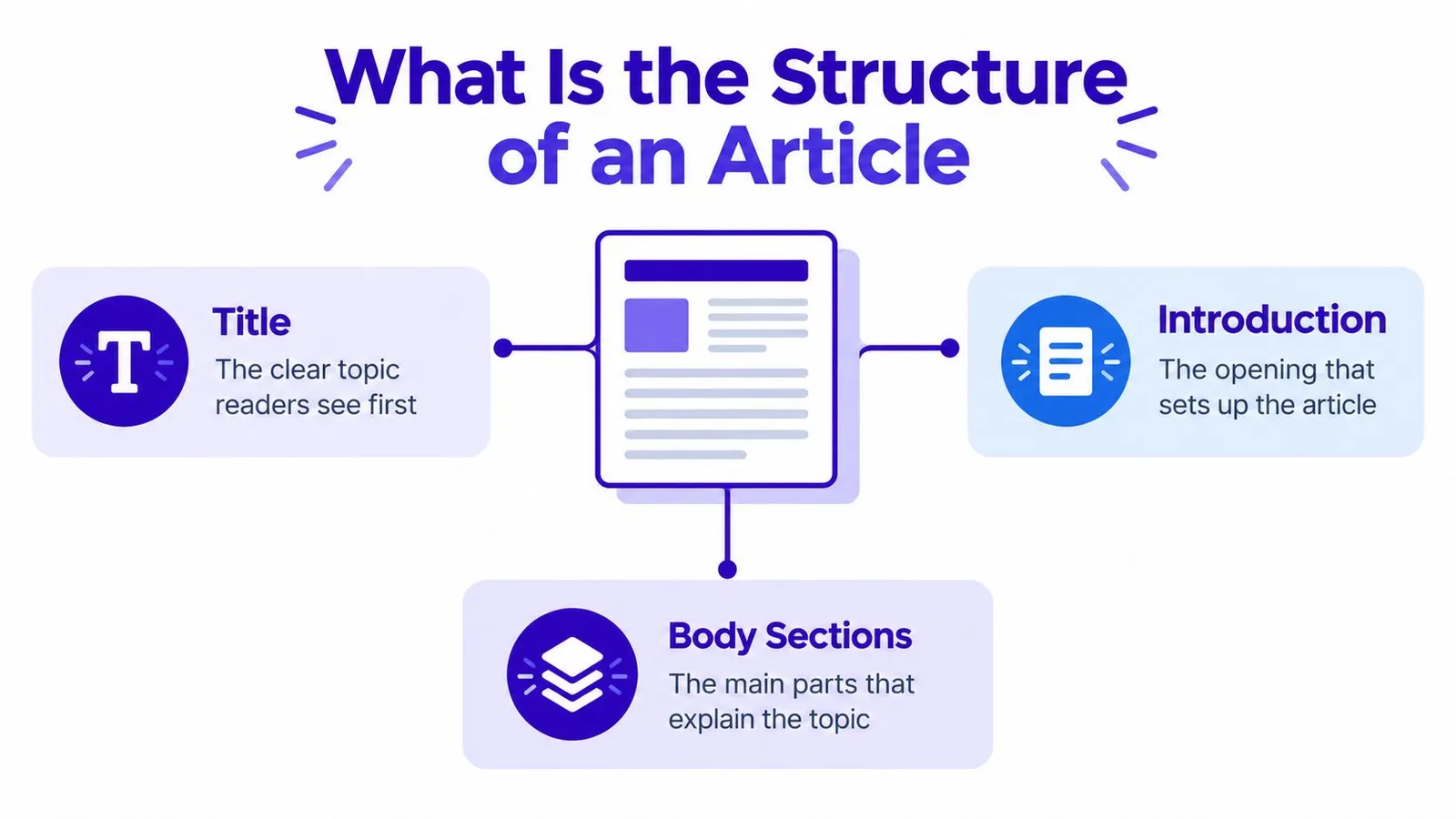
Picture the draft as a small floor plan with three connected rooms.
Title. This is the clear topic readers see first, in the results list and at the top of the page. It should name the decision, not hint at a surprise the body never pays off.
Introduction. The opening sets up the article. It confirms the reader is in the right place and sketches the path, without spending three paragraphs on atmosphere.
Body sections. These are the main parts that explain the topic. Each section owns one job. A subsection lives inside its parent, the way a pantry lives inside a kitchen rather than beside the front door.
Why the nesting exists
Readers scan the outline before they commit to a paragraph. If the headings form a sensible path, they can jump to the room that matches their question. Search systems and assistive tools need that same path in the markup, not only in bold styling. A heading that is just a larger font doesn't tell a screen reader that one block belongs under another.
Longer projects use the same parent-and-child logic. Writers who are organizing your dissertation chapters already treat each chapter as a parent and each subsection as a child of that chapter. A store article is shorter, but a note on return windows still belongs under shipping, not floating next to the title.
Practical rule: After publishing, open the rendered HTML and check that every major topic has a descriptive heading, every subsection sits under the right parent, and the label predicts the sentences that follow.
A writer who can name the title, the opening, the H2 sections, the H3 subsections, and the close already has the map. The next pass checks whether each layer does its own job.
Core Components Every Article Needs
Each component earns its place by doing a job the others can't. Drop one, and the page still looks finished while the decision gets harder.
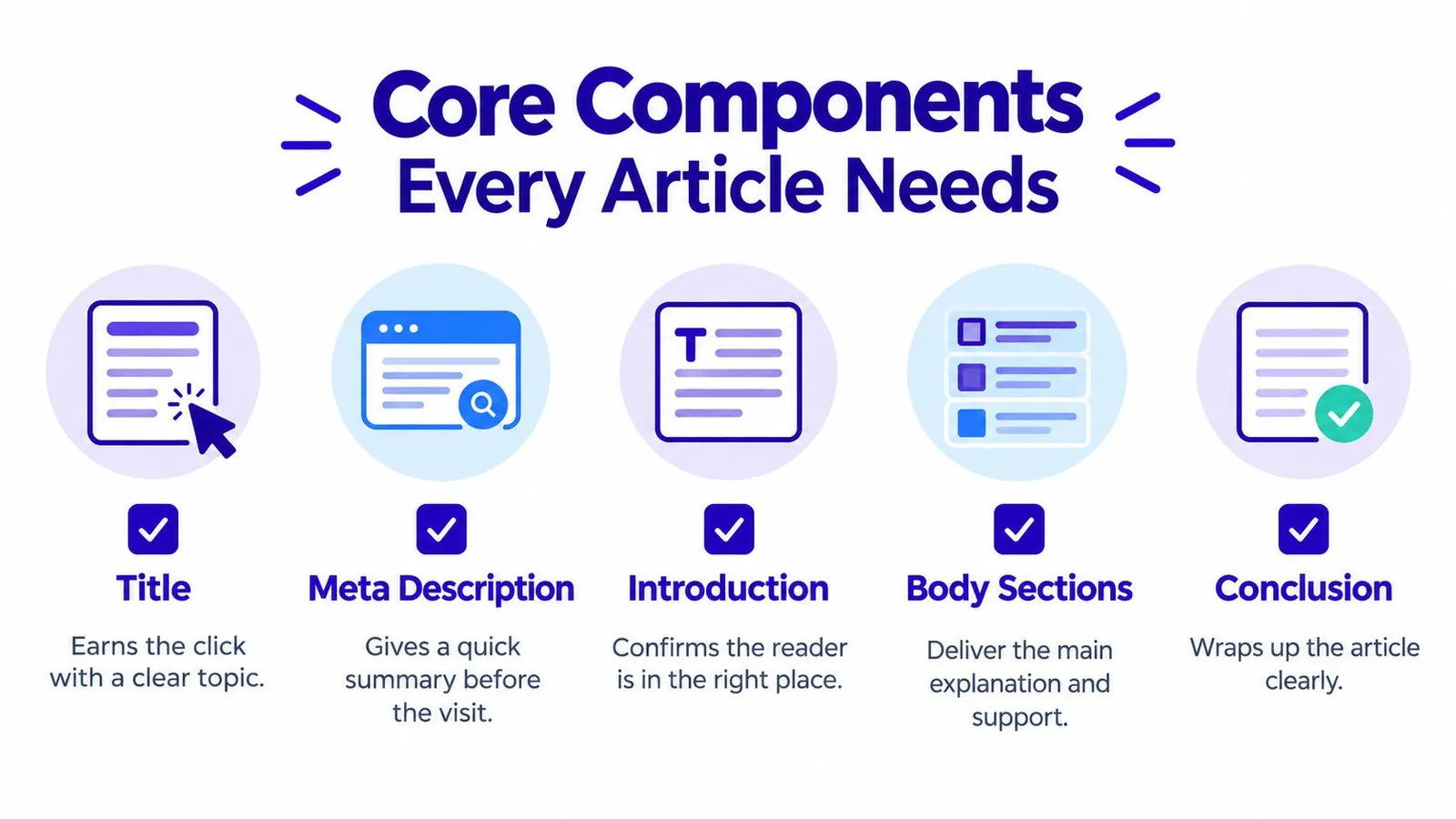
Title. It earns the click by stating a clear topic. A vague title forces the meta description to do repair work it can't finish.
Meta description. It gives a short summary before the visit. It isn't a second introduction, and it shouldn't promise a comparison the body never makes.
Introduction. It confirms the reader is in the right place, names the decision, and points at the constraint that matters, such as budget, climate, size, or language market.
Body sections. They deliver the explanation, the evidence, and the limits. They depend on the title staying honest. If the title promises a buying guide and the body only defines terms, the components are fighting.
Conclusion. It wraps the article by restating the governing answer and one next step. It doesn't replay every section.
Support that earns a spot
Tags, lists, tables, captions, and images are optional until a paragraph gets crowded. A list earns its place when items are parallel, such as three label sizes. A table earns its place when the reader must compare criteria across options. A caption earns its place when the image would otherwise be a decoration. An image earns its place when it shows hierarchy, a setup, or a choice the prose would take too long to stage.
A seasonal gift guide and a technical sizing post can share this checklist. The gift guide may need more scenarios. The sizing post may need a table. Neither needs every accessory on every page.
Before publishing, a writer can run this pass:
- Title present: The topic is specific enough that a stranger could predict the draft.
- Meta description present: The summary matches the body and doesn't invent a promise.
- Introduction present: The opening names the decision and the main limit.
- Body sections present: Each section has one job and enough support to trust the answer.
- Conclusion present: The close restates the answer and one action.
- Support checked: Lists, tables, captions, tags, and images appear only where they reduce hunting.
That checklist sits inside a wider publishing habit. Teams that treat each post as part of SEO content marketing can see whether the component set stays steady from a product guide to a seasonal note.
Writing Headings That Guide Readers and Search
Headings are the signposts. They fail when they label a mood instead of a destination.
A page gets one perceivable H1, the article title. H2 headings mark major sections. H3 headings mark subsections inside those sections. Levels aren't skipped. An H2 doesn't jump to an H4 because the type size looks nicer. Proper nesting lets browsers and assistive technologies identify how sections relate, and meaningful headings let people move straight to the relevant block. Google's documentation recommends dividing long content into paragraphs and sections with headings, while W3C technique G141 ties correctly marked headings to programmatic identification and accessibility conformance.
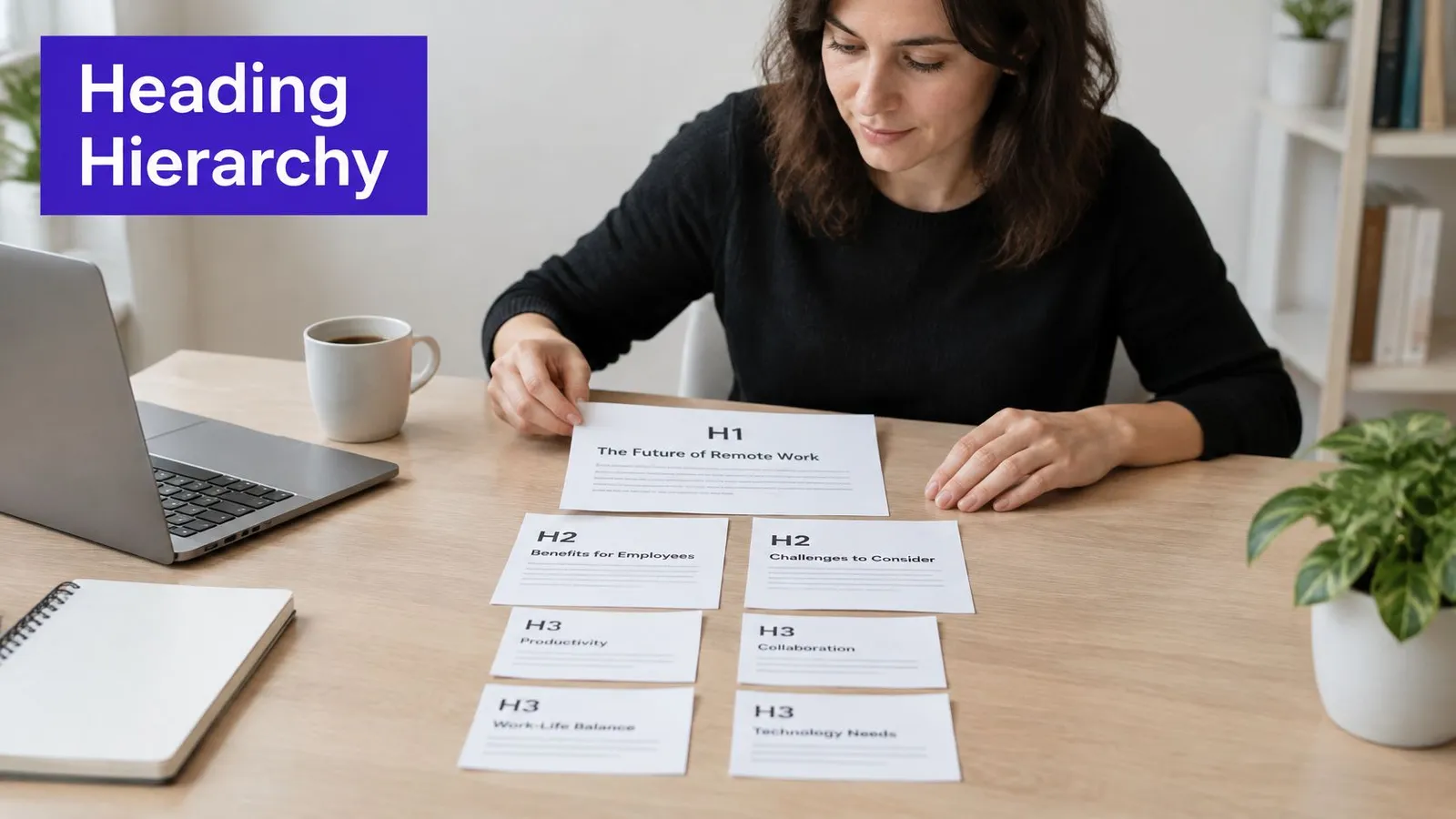
Visual styling isn't a substitute. A line set in bold 24-point type, with no heading element, looks like a section to a sighted reader and like another sentence to a screen reader. Article templates and AI drafts should keep the heading elements at publish time, not flatten them into styled paragraphs.
A vague heading and a useful one
| Weak heading | What the reader can't predict | Stronger heading |
|---|---|---|
| Things to know | Whether the section covers cost, timing, or setup | What a thermal label needs before checkout |
| More details | Which detail, and for whom | When a 4x6 label is the wrong size |
The stronger lines predict the paragraph. They aren't stuffed with every term from a keyword list. A term found during keyword research can appear when it is the subject of the section. Repeating it in every heading trains nobody and helps no scan.
The headings-only test
Read the headings in order and ignore the paragraphs. They should tell the story of the article: the decision, the options, the limit, and the close. If two headings could be swapped without anyone noticing, they aren't doing separate jobs. If a heading promises a comparison and the text only defines a word, rewrite the heading or the text. The label has to match what follows.
A heading is finished when a reader can decide to skip it or open it without guessing.
That test takes a minute and catches more drift than another pass for adjectives.
Opening Sections That Answer Early
An opening has two jobs, and suspense serves neither of them. It confirms relevance, and it gives an answer early enough that a skimming reader, or a summary, can carry it away intact.
Pew Research Center analyzed browsing from 900 U.S. adults in March 2025 and found that Google users clicked a traditional result in only 8% of visits when an AI summary appeared, compared with 15% when no summary appeared. Only 1% clicked a link inside the summary. Summaries appeared in about 18% of searches, and long, question-style queries triggered them substantially more often than short ones.
Delaying the answer to build tension is a poor trade. The summary can lift a vague sentence, while the nuance, the brand context, and the path to a product stay on a page fewer people open. The fix is an answer-first pattern. A short, independently understandable answer sits immediately after each descriptive heading. Evidence, exceptions, and product detail follow.
Two openings for the same label question
A suspenseful draft starts like this. "Shipping labels look simple until a merchant has already printed a stack that the carrier rejects, and the story of that Tuesday rush says a lot about preparation." A summary can extract the rush. It can't extract a choice.
A direct opening starts like this. "For most desktop thermal printers, a 4x6 inch label is the default, and a half-sheet label is the fallback when the printer is a standard office inkjet. The rest of this section covers when that default fails." Copied out of the page, that block still answers the question.
What a standalone block includes
The block names the choice, the usual case, and the exception in plain words. It doesn't rely on "as mentioned above" or on a pronoun whose noun lives three sections earlier. Dates and source-backed limits stay attached to the claim they qualify, so a translation for another market doesn't smear one global answer across every region.
Writers who later edit machine drafts can keep that directness while they work on making AI-written sections sound human. Tone can warm up. The answer shouldn't move to paragraph four for the sake of a story.
Question-style headings help the same extraction. "Which label fits a thermal printer?" is easier to lift than "A few thoughts on labels." The page still has a reason to be visited: the exceptions, the setup steps, and the link that appears only when the reader is ready to choose a supply.
Building Body Sections Around One Question
The body is where trust is earned, and it earns it in small rooms. Each section takes one primary question. The governing answer sits near the start. Qualifications, comparisons, and setup notes come after, in subsections if they would otherwise crowd the answer.
A messy draft about product photo sizes often mixes file format, pixel dimensions, and compression into one long block. Split it, and each room gets an answer-first opening.
File format. Use JPEG for ordinary catalog photos and PNG when the image needs a clean transparent background. HEIC files from a phone usually need converting before upload.
Dimensions. Match the longest side to the theme's largest display size, then keep the same aspect ratio across the collection so the grid doesn't jump.
Compression. Export until fine text and fabric texture still read on a product zoom. If the file is huge and the zoom looks soft, the export went too far.

Short paragraphs, a topic sentence at the top of each one, and a list only when the items are parallel all help a reader stop at the section that matches their intent. Someone who already knows the format can skip to dimensions. Someone worried about blurry zooms can stop at compression.
Where a link belongs
A product or collection link belongs where it supports the next decision, not in every paragraph. After the compression section, a link to a lighting kit makes sense if the photos fail because of light rather than file size. A link dropped into the definition of JPEG interrupts the answer.
Nielsen Norman Group identifies headings, bullets, graphics, captions, topic sentences, and tables of contents as elements that improve scanning, and recommends organizing around words and categories the audience already uses. The mechanism is cognitive. People scan the outline, judge relevance, then read the sections that match. Captions do extra work here. A caption under a sample photo can state the format and the approximate role of the crop so the image isn't a silent break.
A 10-minute video on outlining can sit beside that edit, once the draft already has its questions separated.
The sequence to keep is simple. One question, the answer up front, the limits underneath, and a commercial link only at the decision point.
Choosing a Structure for Different Reader Decisions
Not every query deserves the same sequence. The reader's decision picks the structure. A universal march from introduction to subheadings to a generic close leaves people without a way to tell where the advice stops applying.
Fortune's reporting on AI Overviews notes that when AI summaries appeared, 26% of sessions ended without a click, versus 16% on pages without summaries. Summaries commonly draw from several sources and frequently cite Wikipedia, YouTube, and Reddit. A polished template can still lose trust if it never shows why a recommendation fits, where it doesn't, and what evidence sits under it.
Three decisions, three shapes
An explainer answers "what is this?" It needs a definition, a short answer block, and one or two limits. It doesn't need a score table. Adding one makes the page look thorough while the reader only wanted the meaning.
A comparison answers "which option under these criteria?" It needs an evidence table, named criteria, and a sentence on evidence quality. Dates matter. A row that was true last season should carry a last-reviewed date so a changed price, regulation, or material doesn't hide inside evergreen prose.
A product choice answers "what should this shopper buy, and who should walk away?" It needs a decision path: the problem, the constraints, the trade-offs, then a best for line and a not ideal for line. Maintenance or setup requirements and a real alternative belong here too. A how-to guide is the sibling of this shape when the decision is a task. Steps replace the table, and a failure case replaces the "not ideal" line.
| Reader decision | Structure that helps | What a generic close fails to do |
|---|---|---|
| Understand a term | Definition, then limits | Repeats the definition without the limit |
| Compare options | Criteria table and evidence note | Declares a winner with no criteria |
| Choose a product | Best for, not ideal for, alternative | Pushes a single item for every climate and budget |
International catalogs make the split sharper. A sizing answer for one region, a materials rule for another, and a language-market assumption should sit in separate blocks. One blended paragraph becomes the sentence a summary quotes, and it will be wrong for someone.
Choosing among these shapes is part of developing a content strategy, not a styling preference. Manual drafting can carry any of the three. The discipline is refusing to end every post with the same cheerful paragraph that never names who should skip the product.
Decision check: If the query changes when the budget, climate, size, or regulation changes, the article needs scenarios, not a single concluding slogan.
Ending Articles with a Conclusion and Next Step
A conclusion that repeats every section teaches the reader to skip endings. A useful close does three smaller things. It restates the governing answer in a few sentences. It names where the advice doesn't apply. It offers one next action tied to the reader's decision.
The governing answer for this topic is stable. Order the parts, put a direct answer under each descriptive heading, and pick the body shape from the decision, whether that is an explainer, a comparison, or a product path. The advice doesn't apply when a page is a legal notice or a one-line announcement. Those pages shouldn't be stretched into sections just to look complete.
A close that names the decision
Weak closings sound like this. "This guide hoped to help, and readers should feel free to explore more content." Nothing in that sentence tells a merchant whether to fix headings, split a mixed section, or leave a short post alone.
A tighter close sounds like this. "If the draft is a buying guide, check that each section answers one question and that a best-for line sits next to a not-ideal line. If the draft is only a definition, stop after the limit and don't bolt on a comparison table. The next action is to read the live headings in order and fix the first label that doesn't predict its paragraph."
That pattern travels. Restate the answer, mark the boundary, name one action. The action might be checking heading order on a published post, or planning the next topic from products already in the catalog. It shouldn't be three actions, a newsletter plea, and a recap of the introduction.
Merchants who want that outline produced as an ordinary Shopify blog post can use Rankira inside Shopify administration. It suggests keywords from store information and Google Search Console data, writes the article with a meta description, and supports either scheduled publishing or draft review before anything goes live. Internal links can point at relevant products, collections, and pages. The store owner still chooses the decision shape. The tool doesn't replace the judgment about whether a post is an explainer or a comparison.
Teams chasing visits still need the structure to survive a summary that never sends the click. A practical follow-on is increasing blog traffic without burying the answer under a longer introduction. Length doesn't repair a heading that hides the point.
The close of the merchant's own draft can stay short. One answer, one boundary, one action. Then stop.
Rankira builds SEO articles for Shopify stores, with headings, meta descriptions, and links that connect a post to the right products and collections. That workflow matches a structure chosen for the reader's decision, rather than a single template pasted onto every topic. Visit Rankira to install it from the Shopify App Store and review the first draft before it publishes.
Keep reading
All articles
Shopify SEO
SEO Content Writing Principles for Readers and Search
Learn the principles of SEO content writing that balance search relevance, clear structure, and real reader value, with examples for online stores.
10 min read

Shopify SEO
Internal Linking Audit That Actually Improves Rankings
Run a practical internal linking audit to find orphan pages, fix broken links, and prioritize fixes that move revenue on your Shopify store.
10 min read
Shopify SEO
Share of Voice SEO: A Practical Measurement Guide
Learn how share of voice SEO works, how to calculate it, and how to use intent-based metrics to assess search visibility and business impact.
12 min read
Put your Shopify blog on autopilot
Rankira researches keywords, writes SEO articles, adds internal links, and publishes them to your store — every week. Start with a 7-day free trial.