Check Competitors Keywords: A Shopify Workflow for 2026
Learn how to check competitors keywords, score relevance and difficulty, and turn real gaps into a Shopify blog and collection plan for 2026.
Published 12 min read
In this article
Researching competitor keywords sounds simple until the list starts growing. You find one relevant topic, then another, then dozens more. Soon, your spreadsheet is full of keywords, but you still don't know which ones are relevant to your products or worth creating content around. The result is more research, less focus, and wasted publishing time.
A better way to check competitors keywords treats every ranking as a lead, not a target. Each term has to pass a catalog-match check and a buyer-task check, backed by the store's own search and customer data, before it earns a page. The workflow below keeps the useful gaps and discards the noise.
Table of Contents
- Choose the Right Competitor Keyword Source
- How to Export and Clean a Competitor Keyword List
- Score Each Keyword for Relevance and Difficulty
- Check the Results Page Before You Commit
- Sort Keywords by Buyer Task and Page Type
- Build Your Gap-Based Shopify Content Plan
Choose the Right Competitor Keyword Source
Match the source to the question first. A paid suite answers what a rival ranks for across a whole domain, but the cheapest reliable check is often the store's own data, because it shows which competitor terms already bring impressions to existing pages. Starting with the wrong source produces a long list and weak decisions.
What Each Source Actually Answers
Ahrefs Site Explorer gives a competitor domain's organic keywords, positions, and estimated traffic, so it's the cleanest way to audit a full footprint. Semrush Organic Research adds competitor overlap and SERP features, which helps when several rivals need comparing side by side rather than one at a time. Merchants comparing paid options can find affordable keyword research software before committing to a subscription they may only use monthly.
Google Search Console works differently. It shows the merchant's own queries, impressions, and positions, which proves Google already associates the store with a phrase, even at position 18. A guide to finding who ranks around your pages in the search results can help place those rivals in context, but Search Console remains the evidence that matters most for near-term wins. Google Trends then confirms whether interest in a shortlisted term is steady, seasonal, or fading by region.
| Source | What it shows | Best for | Cost |
|---|---|---|---|
| Ahrefs Site Explorer | Organic keywords, ranking positions and estimated traffic for any domain | Auditing a competitor's full keyword footprint | Paid subscription |
| Semrush Organic Research | Ranking keywords, competitor overlap and SERP features | Comparing several competitors side by side | Paid subscription |
| Google Search Console | Your own queries, impressions and positions | Checking which competitor terms already bring you impressions | Free |
| Google Trends | Relative search interest over time and by region | Confirming a term has steady demand before writing | Free |
The Minimum Kit for a Small Team
A small Shopify team doesn't need every tool. It needs one competitor export for the footprint, one Search Console report for proof of existing relevance, and one Trends check for each shortlisted keyword. That trio covers discovery, validation, and timing without paying for overlapping features.
Use the suite to discover, Search Console to filter, and Trends to schedule. Reversing that order, and validating demand before catalog relevance, is how stores end up writing about topics they can't sell from.
How to Export and Clean a Competitor Keyword List
The export is a routine, not a one-off download. Done properly it turns thousands of raw rows into a few hundred terms tied to real pages a store could publish. Skipping the cleaning steps is the usual reason the sheet gets abandoned.
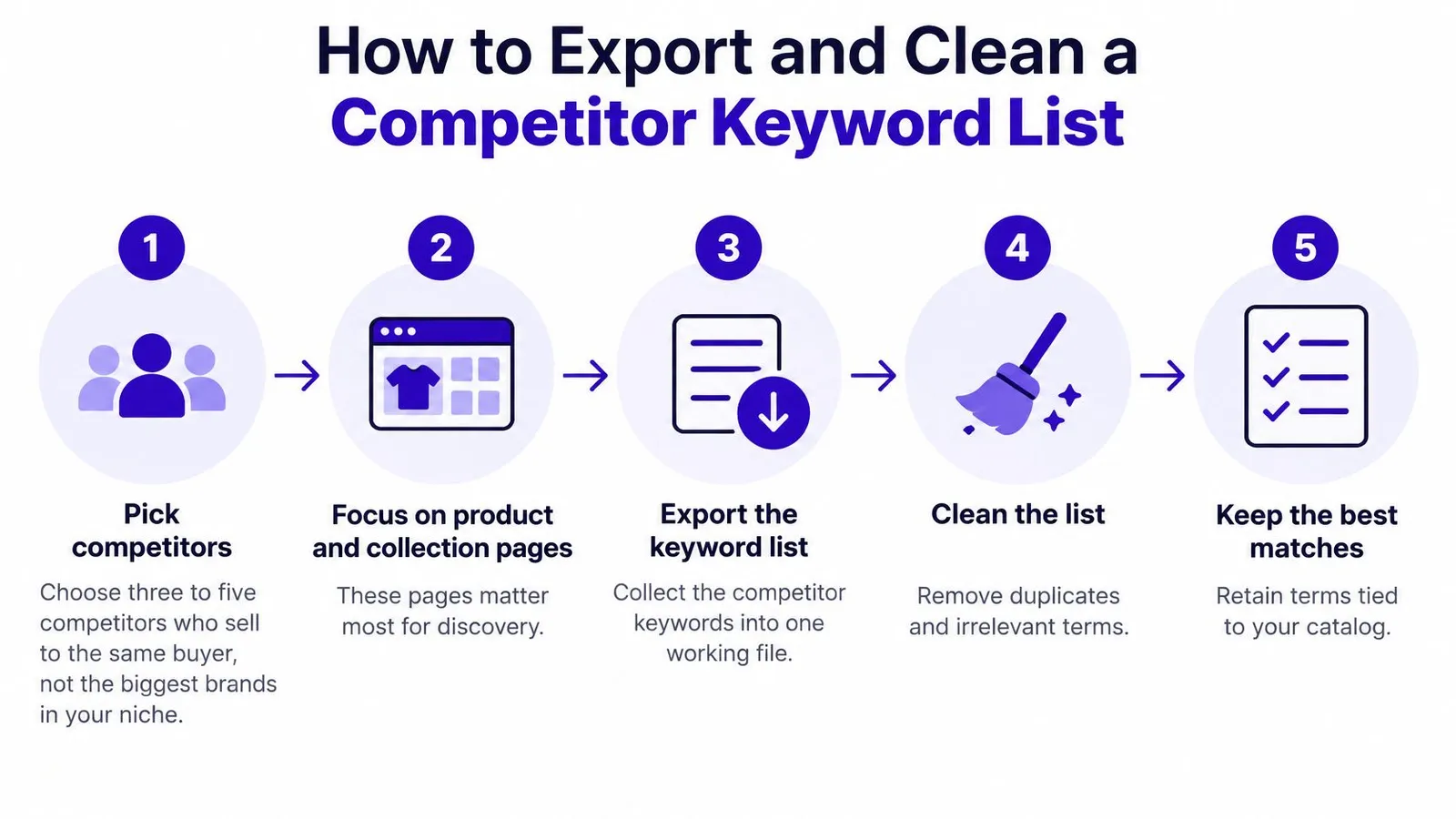
The Export Routine in Order
Pick three to five direct rivals. Choose stores selling to the same buyer at a similar price, not the biggest brands in the niche. A giant retailer's footprint describes its catalog, not a small store's opportunity, and its product and collection pages matter most for Shopify discovery.
Export organic keywords per domain. Filter to the target country and language before downloading. A United States ranking tells a merchant selling in Germany almost nothing about demand, intent, or difficulty in that market.
Remove branded queries. Delete rival brand names, misspellings of them, and navigational phrases such as store name plus login or returns. Those terms won't convert for another store and they inflate the list.
Keep only credible page matches. Retain a term when the competitor's ranking URL is a product, collection, or article type the store could realistically create. If there's no matching product to link to, the row goes.
Merge near-duplicates. Combine singular and plural forms and obvious word-order variants into one row, then group the survivors by topic. One strong page per topic beats five thin articles chasing slight rewordings.
Build one working sheet. Use columns for keyword, volume, difficulty, competitor position, ranking URL, and a blank column for SERP notes. That last column stops the team from rechecking the same results page twice.
Repeat monthly. Rankings move, rivals publish, and seasonal terms enter the footprint. A quarterly check misses the collection pages competitors launch before peak periods.
Where Exports Usually Fail
A homepage-only export misses the blog and collection pages where most useful gaps sit. An unfiltered export from a large domain creates the opposite problem, thousands of rows covering unrelated topics the rival happens to rank for incidentally. Both errors make prioritization harder than the research itself.
A usable sheet holds a few hundred rows, and nearly every row points to a specific competitor URL worth beating, matching, or deliberately ignoring.
That discipline matters because cleaning isn't cosmetic. It's the first relevance filter, and every irrelevant row removed here saves scoring time later and prevents a weak topic from reaching the content calendar.
Score Each Keyword for Relevance and Difficulty
Volume alone is a weak filter. A low-volume phrase tied to a best-selling collection can outsell a high-volume term that attracts curious readers who never buy. Scoring works when each keyword is judged on several criteria together, with catalog match considered essential.
Why Position Changes the Value
Clicks concentrate at the top, and a large-scale analysis of approximately 4 million Google search results reported by the Rank.AI Google search statistics summary found that the first organic result receives an average click-through rate of 27.6%, while the second receives about 15.8% and the third about 11%. Together, the top three positions capture 54.4% of all organic clicks. A competitor sitting in position three on a commercial phrase therefore leaves a measurable prize for a stronger page, while one holding position one with a current guide demands far more effort for the same gain. Shoppers rarely rescue a page buried beyond page one either, so realistic ranking potential has to sit beside demand in every decision.
Difficulty only means something relative to who's ranking. A results page held by small, recent specialist pages is winnable with a thorough, product-linked article. Three large authority domains with broad category pages, strong links, and fresh content usually aren't, whatever a tool's difficulty score suggests. Merchants who want that winnable end of the market can use criteria for spotting keywords with weaker current competition as a starting filter, then verify each result manually.
Applying the Thresholds
| Criterion | Strong signal | Weak signal | Action |
|---|---|---|---|
| Search volume | Any volume tied to a clear buying query | Under 10 searches with no buying context | Keep when catalog match is strong, otherwise skip |
| Keyword difficulty | Top results held by small or recent specialist pages | Top three held by large authority domains | Start with low-difficulty terms and defer the rest |
| Competitor position | Ranking 4 to 10 on a thin or outdated page | Ranking 1 to 3 on a strong, recent page | Target positions 4 to 10 first |
| Catalog match | Maps to a product or collection you sell | Loosely related to your range | Publish only with links to a matching product |
| Demand trend | Steady or rising in Google Trends | One-off or fading spike | Plan seasonal terms ahead of their peak |
Treat those thresholds as starting points, not universal cutoffs, and adjust them for the niche and margin involved. A high-priced product can justify a keyword that a low-priced accessory can't. What shouldn't flex is the catalog-match rule, because traffic with nowhere relevant to click rarely converts.
Keep-or-park rule: Keep a keyword when it scores strong on catalog match and at least two other criteria. Park the rest for the next monthly review instead of deleting them outright.
That parking step protects seasonal terms and phrases that may become winnable as the store's authority grows. It also keeps the active list short enough to act on, which is the entire point of scoring.
Check the Results Page Before You Commit
A high-volume keyword isn't automatically a good article target. Search the term in a private window with the target country set, and the layout often tells a different story from the spreadsheet. What Google puts above and around the organic results decides how many clicks a new page can realistically win.
The view below shows the kind of results page worth studying before any writing starts.
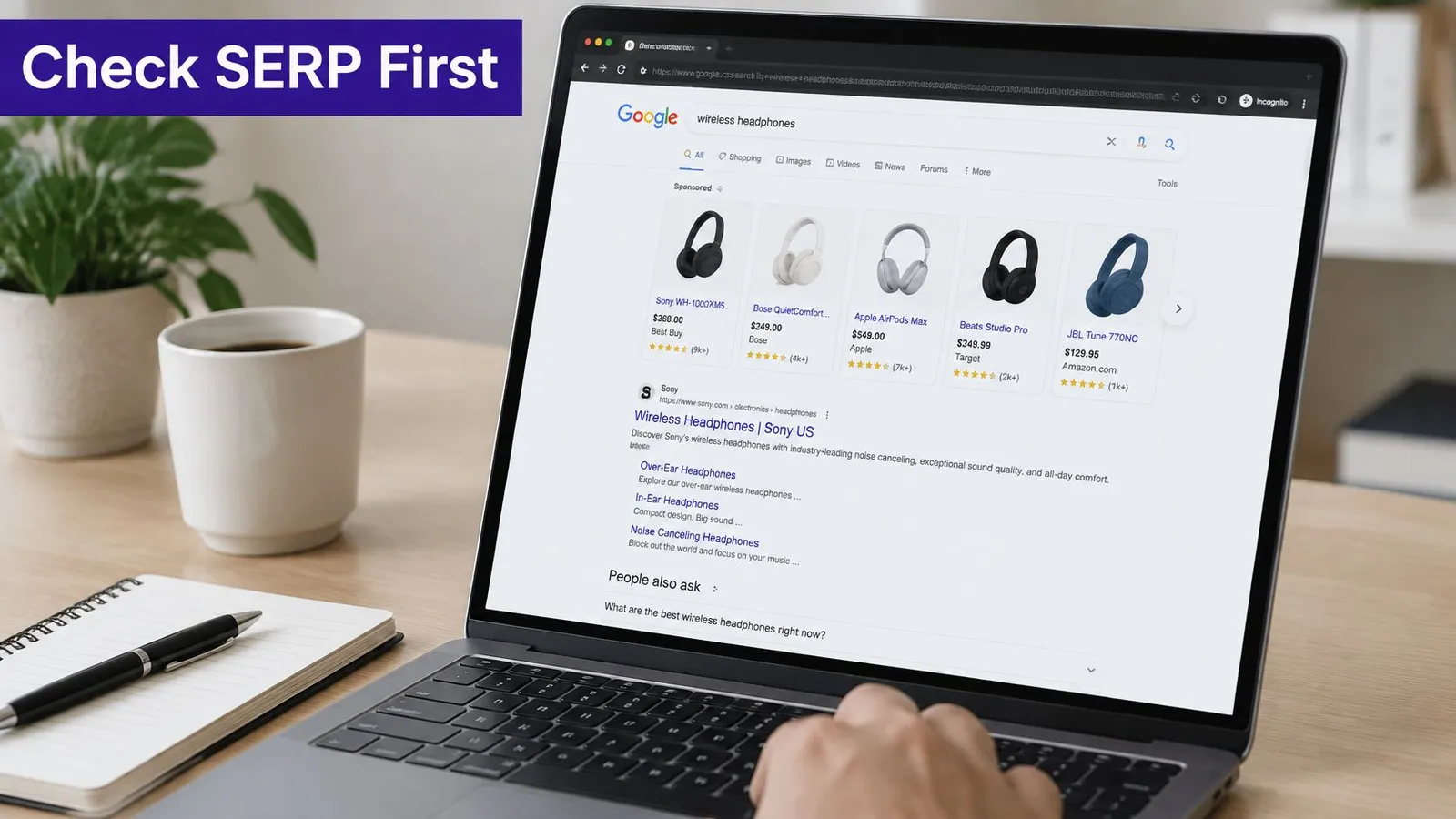
Layout Changes the Click Maths
Features change the prize substantially. Historical CTR research summarized in the Advanced Web Ranking organic CTR study reported that the average first-position click rate varied from 13.7% to 46.9% depending on search intent and the features displayed. Commercial searches showing Google Shopping had an average first-position CTR of 13.7%, while searches with sitelinks reached 46.9%, featured snippets averaged 23.3%, and knowledge panels 16.7%. Two keywords with identical volume can therefore deliver very different traffic once shopping units, answer boxes, or AI-generated answers take their share.
That has a practical consequence for page type. If a shopping block dominates, a general blog post fights for leftover clicks, so a collection page or a comparison built around specific products fits the intent better. If an AI Overview appears, the goal shifts toward becoming a cited source, with clear specifications and a direct answer near the top. Understanding how search engine positioning works across a full results page helps here, because position one inside a crowded layout isn't the same asset as position one on a clean one.
The walkthrough below shows how to read those features before choosing a page format.
A Three-Line Note per Keyword
Give every shortlisted term three short notes in the sheet. Record the dominant intent (buy, compare, or learn), the features present, and the page type ranking now. Those lines take a minute and prevent a month of writing toward the wrong format.
Say a store selling digital kitchen scales finds its head term filled with shopping ads and marketplace listings. Rather than forcing a blog post into that layout, it targets a learning query about how scale accuracy is measured, where informational pages rank. The final test stays simple, does the results page leave a gap a well-built page could fill?
Sort Keywords by Buyer Task and Page Type
A ranking proves a competitor published a page. It doesn't prove the query converts, matches another store's catalog, or deserves a page at all, which is the central warning in the Tianwen SEO competitor keyword research guide on separating genuine product demand from informational or irrelevant visibility. Sorting by buyer task first, then validating against first-party evidence, closes that gap.
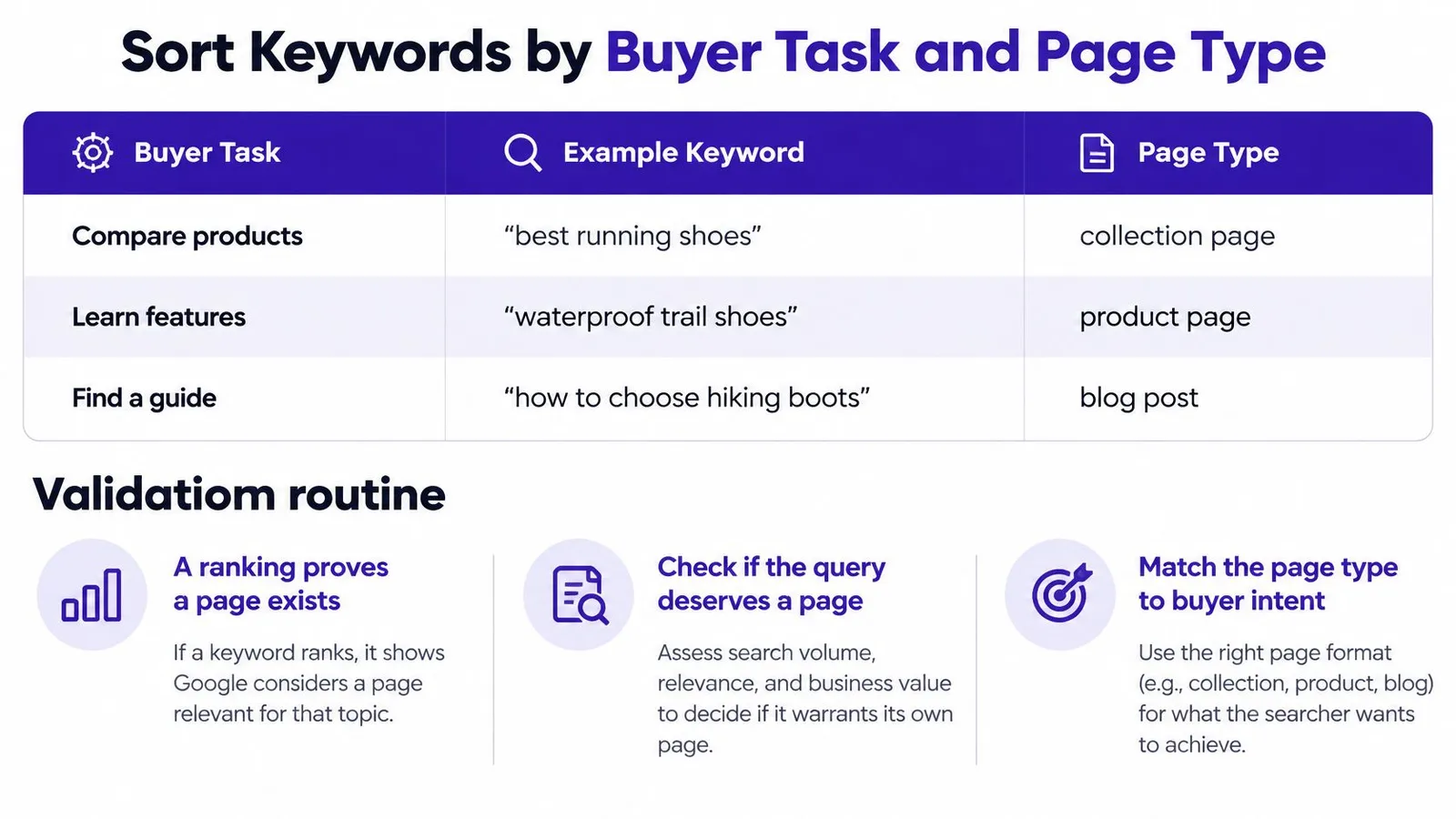
Match the Task to the Page
Classify each term by what the buyer is trying to do, such as product selection, specifications, price, certification, use case, or supplier research. Each task points to a different page type, and forcing a buying phrase into a blog article, or a research question into a collection page, usually satisfies neither Google nor the shopper. Longer, task-specific phrasing often carries the clearest signal, which is why criteria for using long-tailed keywords in product-led content pair naturally with this sorting step.
| Buyer task | Example keyword | Best page type |
|---|---|---|
| Product selection | best soy candle for bathrooms | Collection page or buying guide |
| Specifications | soy candle burn time | Product page FAQ or sizing article |
| Price | affordable soy candle sets | Collection page; article only for tier comparisons |
| Certification | soy candle safe for pets | Blog article linking to certified products |
| Use case | candle gift for a new home | Blog article linking to matching sets |
| Supplier research | candle wax wholesale manufacturer | No store page; drop the keyword |
Validate Before Publishing Anything
Run four checks in order, and let the store's own evidence overrule the competitor list.
Search Console impressions: Check whether existing pages already appear for the term, even at low positions. Existing impressions show Google sees a connection worth strengthening.
Google Trends pattern: Confirm interest is steady or predictably seasonal rather than a single spike. A fading term rarely justifies a new page.
Customer language: Search support emails, chat logs, and sales questions for the same wording. Customers often use the exact phrase competitors rank for, and that repetition is stronger evidence than volume.
Paid search queries: Review ad search terms if campaigns are running. Queries people clicked and bought from reveal purchase language that organic exports hide.
Say a candle store finds soy candle safe for pets in a rival's list, and customer emails repeat that question almost word for word. It becomes a blog article linking to two suitable candle sets. Candle wax wholesale manufacturer gets dropped, because it signals supplier research, not a retail buyer. A keyword with impressions, a clear task, and a matching product earns a page, and one without customer language behind it doesn't.
Build Your Gap-Based Shopify Content Plan
A validated list becomes useful only when it's sequenced, mapped to products, and measured. The six steps below turn surviving keywords into a four-week plan that mixes quick wins with harder terms, instead of publishing whatever scored highest on volume.
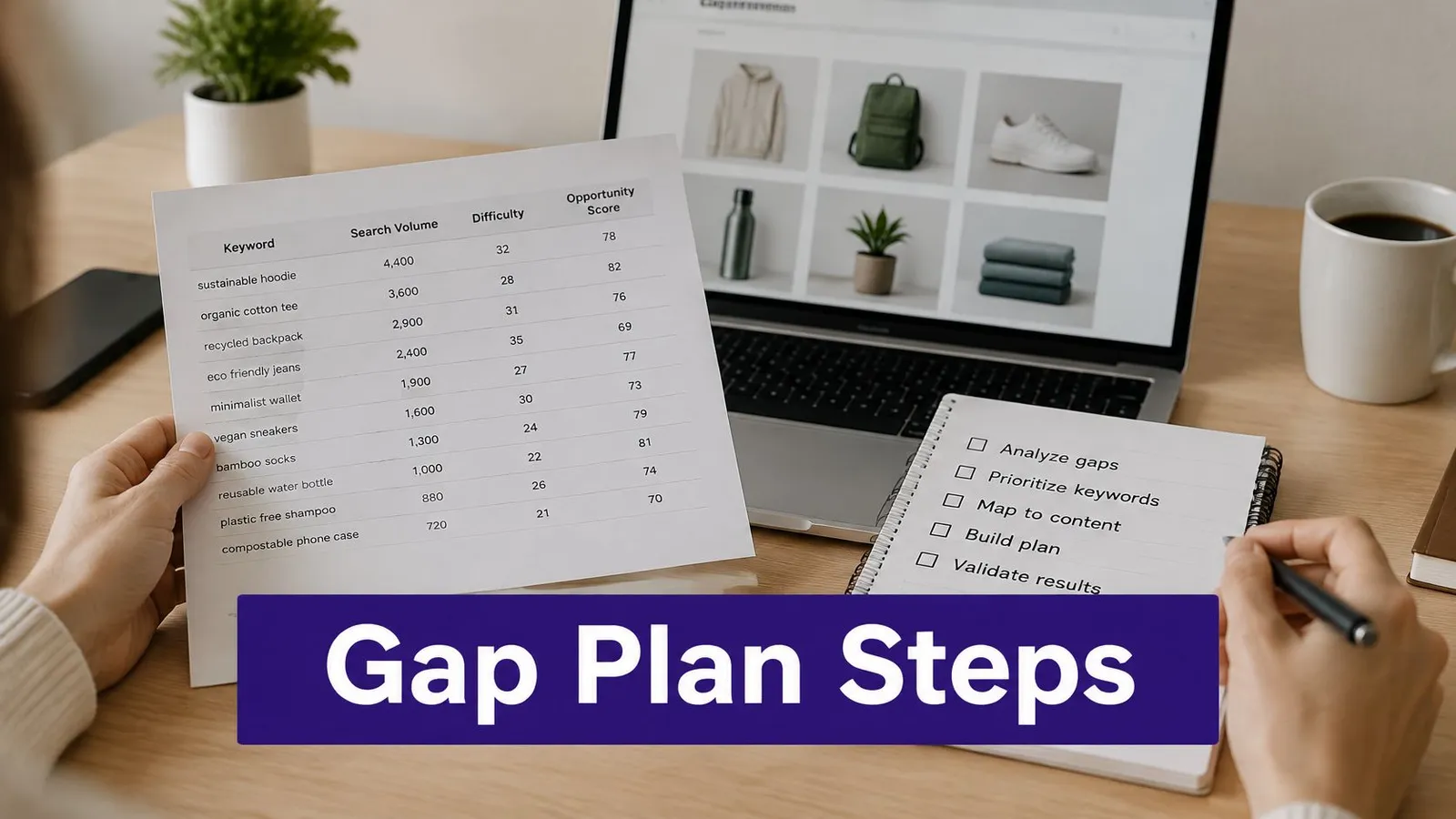
Six Steps From List to Calendar
Score the survivors. Keep only terms passing catalog match plus at least two other scoring criteria, and park the rest. This final cut is where a structured content gap analysis against competing stores keeps the plan focused on genuine gaps rather than topics the store already covers.
Assign the page type. Use the buyer-task sorting to choose a blog article for learning and comparison questions, a collection or product page for buying terms, and no page for supplier research.
Map products before writing. Link each article to two or three relevant products or collections in the brief itself. Deciding links after drafting produces articles that read well and sell nothing.
Schedule ten topics over four weeks. Mix quick wins from weaker competitor pages with longer-term terms. Publishing only low-intent articles builds traffic reports, not revenue.
Track at 30, 60, and 90 days. Watch Search Console impressions and average position before judging clicks, since impressions move first. Rankira's dashboard tracks clicks, impressions, positions, and Domain Rating, powered by Google Search Console and Ahrefs, and Rankira performs keyword research on autopilot, studying the store's products, competitors, and Google Search Console data to find keywords with search volume and difficulty scores.
Measure AI visits separately. Note which competitors get cited when AI tools answer buyer questions from the plan, such as which product suits a specific use, sizing, or compatibility.
That last step needs its own measurement discipline. One 2026 benchmark in the Naridon state of AI search in e-commerce report reports AI referrals reaching 14.7% of sampled e-commerce discovery traffic, up from 4.2% in early 2025, while another source reports much smaller overall web-traffic shares. Conflicting estimates like those argue for tracking AI-referred sessions as a separate segment instead of trusting any single benchmark. The opportunity sits in questions where competitors lack first-party facts, comparisons, or clear next steps, because a store supplying those details can become the cited source. Rankira also provides a calendar of researched keywords with volume and difficulty scores that the user can drag, swap, or lock days on, or accept as prepared, which suits that mix of planned and reactive topics.
A keyword earns a page only when it has a matching product, a clear buyer task, and impressions or customer language behind it.
The one-week action is deliberately narrow. Run steps one to three on the top twenty keywords this week, assign each survivor a page type and its product links, and schedule from that short list. Twenty validated terms beat two hundred untested ones every time.
Rankira handles this competitor-led workflow inside Shopify, researching keywords from a store's products, competitors, and Search Console data, then scoring and scheduling them on a calendar merchants can adjust before anything publishes. For stores that want to check competitors keywords without living in spreadsheets, Rankira turns validated gaps into linked, product-aware articles and tracks their clicks, impressions, and positions afterward.
Keep reading
All articles
Shopify SEO
10 Proven Ways to Increase Traffic Site in 2026
Discover 10 proven ways to increase traffic site visits through search, content, and email, with practical steps for Shopify stores.
15 min read

Shopify SEO
Meta Description Check: How to Audit and Fix Yours
Run a meta description check in page source or an SEO editor, judge length and query fit, and rewrite only the descriptions that mislead or repeat across pages.
10 min read
Shopify SEO
Title Tags SEO: How to Write Titles That Earn Clicks
Title Tags SEO explained: what a title tag is, how Google picks the title shown in results, and how to write titles that earn clicks.
10 min read
Put your Shopify blog on autopilot
Rankira researches keywords, writes SEO articles, adds internal links, and publishes them to your store — every week. Start with a 7-day free trial.