How to Check Keywords of a Website: A 2026 Guide
Learn how to check keywords of a website with Google Search Console and SEO tools, read the data correctly, and turn it into a clear content plan.
Published 10 min read
In this article
- Table of Contents
- Pick the Right Source for Each Keyword Question
- How to Pull Your Own Keywords From Search Console
- How to Read Impressions, Clicks and CTR Together
- How to Find Competitor Keywords Without Copying Their Plan
- Why Keyword Lists Miss Demand and How to Fill the Gaps
- Turn Your Keyword Findings Into a Publishing Plan
A Shopify merchant opens an SEO tool, enters the store's domain, and finds a keyword list that barely resembles the catalog. Meanwhile, a competitor seems to appear for every relevant search. The immediate question isn't which popular phrases to add to the blog. It's which searches already expose the store, which pages appear, and whether those pages deserve the clicks.
Learning how to check keywords of a website starts with separating measured visibility from estimated opportunity. A useful audit produces page-level decisions, not just a longer spreadsheet.
Table of Contents
- Pick the Right Source for Each Keyword Question
- How to Pull Your Own Keywords From Search Console
- How to Read Impressions, Clicks and CTR Together
- How to Find Competitor Keywords Without Copying Their Plan
- Why Keyword Lists Miss Demand and How to Fill the Gaps
- Turn Your Keyword Findings Into a Publishing Plan
Pick the Right Source for Each Keyword Question
The right tool depends on whose website the merchant is checking. Google Search Console shows first-party queries and clicks for an owned, verified site; Ahrefs and Semrush estimate visibility for other domains, including competitors. Manual checks and page inspection answer narrower questions that neither reporting system can settle alone.
Keyword checking sources compared
| Method | Best For | Data You Get | Main Limit |
|---|---|---|---|
| Google Search Console Performance report | Queries an owned site already gets | Queries, pages, impressions, clicks, CTR, average position | Limited query reporting; rare searches may be omitted |
| Ahrefs Site Explorer, Organic Keywords | Competitor keywords and content gaps | Estimated search volume, keyword difficulty, ranking URL | Volume and traffic are estimates, not measured clicks |
| Semrush Organic Research | Competitor keywords with intent labels | Estimated volume, intent, SERP features, ranking pages | Estimates may differ from Search Console for an owned site |
| Manual SERP check | Verifying a candidate keyword | Live results, page format, competing sites | Slow; results change with location and device |
| Page-source check of title, H1, and meta description | Confirming a page's stated targeting | Title, headings, meta description, URL | Shows what a page says, not whether it ranks |
Start with Search Console for an owned store, then use estimates to investigate gaps rather than forecast guaranteed traffic. For the narrower task of tracking known terms, Netco Design's keyword ranking guide from Netco Design LLC provides a useful companion resource; the website SEO software guide helps distinguish tools by job rather than feature count. Buying a broader platform won't resolve a poorly framed question, and an estimated traffic total isn't a traffic promise.
How to Pull Your Own Keywords From Search Console
Search Console is the starting point because it records the store's actual appearances in Google Search. Access requires a verified property or permission from its owner, so a public competitor domain can't be inspected this way.
Build a query-to-page export
Open Performance, then Search results. Select the correct property, keep the search type consistent, and choose a date range covering several months rather than a recent promotion alone. Google's Search Console reporting documentation states that Search Console retains up to 16 months of data, so older baselines need saved exports.
Select the Queries tab and sort by impressions. This brings frequently displayed terms into view, including searches that haven't generated many visits and therefore wouldn't stand out in a clicks-only review.
Enable all the performance metrics. Turn on Total clicks, Total impressions, Average CTR, and Average position so each query has context. Google's Performance report documentation describes these metrics and the query, page, country, and device views used to investigate them.
Click an important query, then switch to Pages. This reveals which URLs appeared for that search, making it possible to distinguish a relevant landing page from an accidental match.
Check the intended market. With a product-related query selected, inspect Countries and Devices separately. A global average can conceal weak mobile performance or visibility concentrated in a country the store doesn't serve.
Export the working table to a spreadsheet and preserve its context. Record the active date range, search type, and filters; a standard interface export doesn't automatically create a joined query/page/country/device dataset, so use filtered exports or an API request when those dimensions need to stay together.
The workflow is easier to repeat when the reporting sequence stays consistent.
Check the landing page before editing
Say a candy shop discovers impressions for vegan gummy bears, but the Pages tab shows a generic sweets collection rather than the dedicated product page. That isn't automatically an error: shoppers may prefer a selection, and the live results may favor collections.
The merchant should inspect the collection's product selection, the product page's availability, and the internal links connecting them. If the dedicated page better satisfies the search, clearer product information and descriptive links may help Google associate it with the query.
Practical rule: Identify the URL receiving visibility before changing the URL that seems most obvious.
How to Read Impressions, Clicks and CTR Together
No single metric decides whether a keyword is useful. Impressions describe appearances, clicks describe search-result visits, and CTR is clicks divided by impressions. Average position summarizes recorded appearances; it isn't a guaranteed rank for every person searching.
Low CTR also needs search-result context. In 2024, 58.5% of Google searches in the United States ended without a click on any result, according to SparkToro and Datos' clickstream analysis, as summarized in Christoph Olivier Consulting's SEO statistics roundup.
What metric patterns usually mean
| Pattern | What It Usually Means | Next Step |
|---|---|---|
| High impressions, high CTR | Established demand the page already satisfies | Protect the page and link to it from related posts |
| High impressions, low CTR | Title or snippet mismatch, intent mismatch, or a result that answers the search directly | Test a clearer title and meta description after checking the results |
| Impressions with weak average position | Google finds some relevance, but the page isn't strongly competitive | Improve useful content, page targeting, or relevant internal links |
| Clicks with flat impressions | Possible brand, seasonal, or result-presentation effects rather than broader exposure | Compare matched periods and separate branded from non-branded queries |
Match the fix to the pattern
A page with strong visibility and click-through doesn't need a rewrite merely because an SEO tool suggests more keywords. Preserve the information that makes it useful, keep product links current, and avoid changing its focus without a clear reason.
A heavily displayed result with weak click-through deserves a live search check before a title change. Shopping results, answer panels, brand recognition, and competing page formats can all affect whether a searcher clicks. A meta description is a candidate snippet, not text Google must display.
Separate ranking problems from click problems
Weak position calls for a different investigation: does the page answer the task, offer enough useful detail, and receive relevant internal links? A clearer title can improve presentation, but it can't substitute for missing sizing guidance, product specifications, or collection choices.
For spot checks, the guide to checking rankings on Google helps distinguish a live result from a reporting average. Before approving changes, compare the same query across equal-length periods with consistent country, device, and search-type settings.
A rising click count doesn't prove wider discovery. The merchant still needs to establish which searches generated those clicks.
How to Find Competitor Keywords Without Copying Their Plan
A competitor's keyword list is evidence of where that site appears, not a ready-made publishing calendar. Its rankings may reflect brand strength, backlinks, or an established page rather than a topic that suits another store.
Competitor review works best with a record of the ranking page and the reason each candidate deserves investigation.
Apply commercial filters before exporting
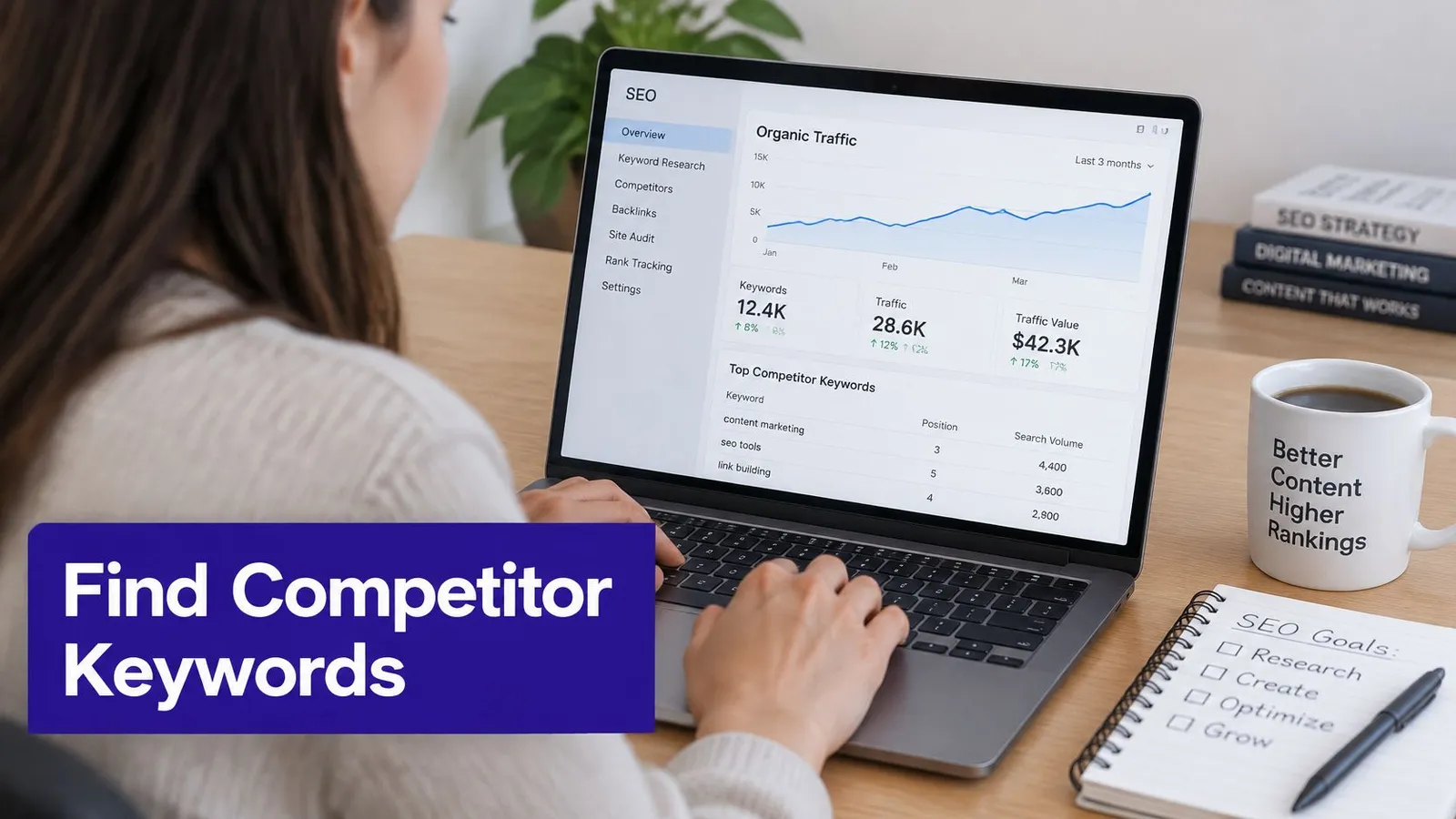
Enter a relevant competitor's domain into Ahrefs Site Explorer or Semrush Organic Research, select the target market, and open the organic keywords report. Use the platform's gap comparison to identify terms present for competitors but absent from the store's estimated rankings.
- Prioritize established competitor visibility. Filter toward leading organic positions rather than treating every detected appearance as a meaningful opportunity.
- Require catalog relevance. Keep candidates only when a product, collection, or customer problem creates a credible connection to the store.
- Flag homepage rankings. A competitor's brand homepage appearing for a generic phrase deserves closer inspection than a dedicated page that directly answers the search.
Ahrefs' Organic Competitors lesson frames competitor discovery as finding keywords competitors rank for that the target site doesn't. Those differences still require intent and product validation; an estimated gap alone doesn't prove buyer value.
For a more structured comparison, Bruce and Eddy's competitor analysis guide provides a supporting resource. The SEO competitor analysis workflow can help organize the domain and page review.
Test whether the store can satisfy the search
Say a pet supply store finds best dog harness for small breeds on a competitor's blog. The merchant should inspect whether searchers expect comparisons, fit advice, escape-resistance guidance, or a product listing before assuming a product page can answer better.
If the leading pages compare options, a product description alone probably won't satisfy the same task. The opportunity depends on providing useful selection criteria and a credible route to relevant merchandise.
A video walkthrough can support the report navigation.
Finally, assign each intent a primary URL. Several pages can legitimately mention harnesses, but near-duplicate pages targeting the same shopping task can leave Google choosing between them and spread internal links across competing destinations.
Why Keyword Lists Miss Demand and How to Fill the Gaps
An expected keyword is missing from Search Console. That absence doesn't establish that nobody searches for it, or even that the store has never appeared for it.
The interface reports a limited set of top queries and leaves out rare or anonymized searches entirely. The visible list is a working sample of demand, and several distinct gaps sit behind it.
Match each blind spot to a check
- Interface truncation: A larger API extraction can expose more rows than an interface download. It still won't recover every search, and extraction limits and dropped query data remain relevant.
- Privacy omissions: Review the landing page's overall performance and related visible queries. Neither a spreadsheet formula nor a third-party tool can reconstruct Google's hidden query records reliably.
- Expired history: Preserve exports outside Search Console on a regular schedule. Once a reporting period falls outside retention, changing the date selector won't bring it back.
- Market aggregation: Apply country and device filters when investigating international demand. A small market-specific signal may be difficult to notice in an unfiltered report.
Validate absence without inventing certainty
Compare matched periods, ideally the same stretch of weeks from a prior month or year, before calling a newly visible phrase a trend. Then inspect the live results for the intended location and check whether the store has an indexable, relevant page that could plausibly appear at all.
A manual search can confirm the current result format and sometimes the store's presence. Failing to find the store proves little on its own, because results differ across locations, devices and search history, and one quick check is no historical record.
Merchants building a candidate list can investigate visibility gaps with Kliqo AI, then validate each suggestion against the catalog and live results. A broader content gap analysis separates two problems that look identical in a spreadsheet: coverage the store lacks, which calls for a new page, and demand the interface never surfaced, which may already be earning impressions.
Evidence boundary: A keyword with no visible data is a hypothesis to test. Confirming or rejecting it takes more evidence than an empty report provides.
Turn Your Keyword Findings Into a Publishing Plan
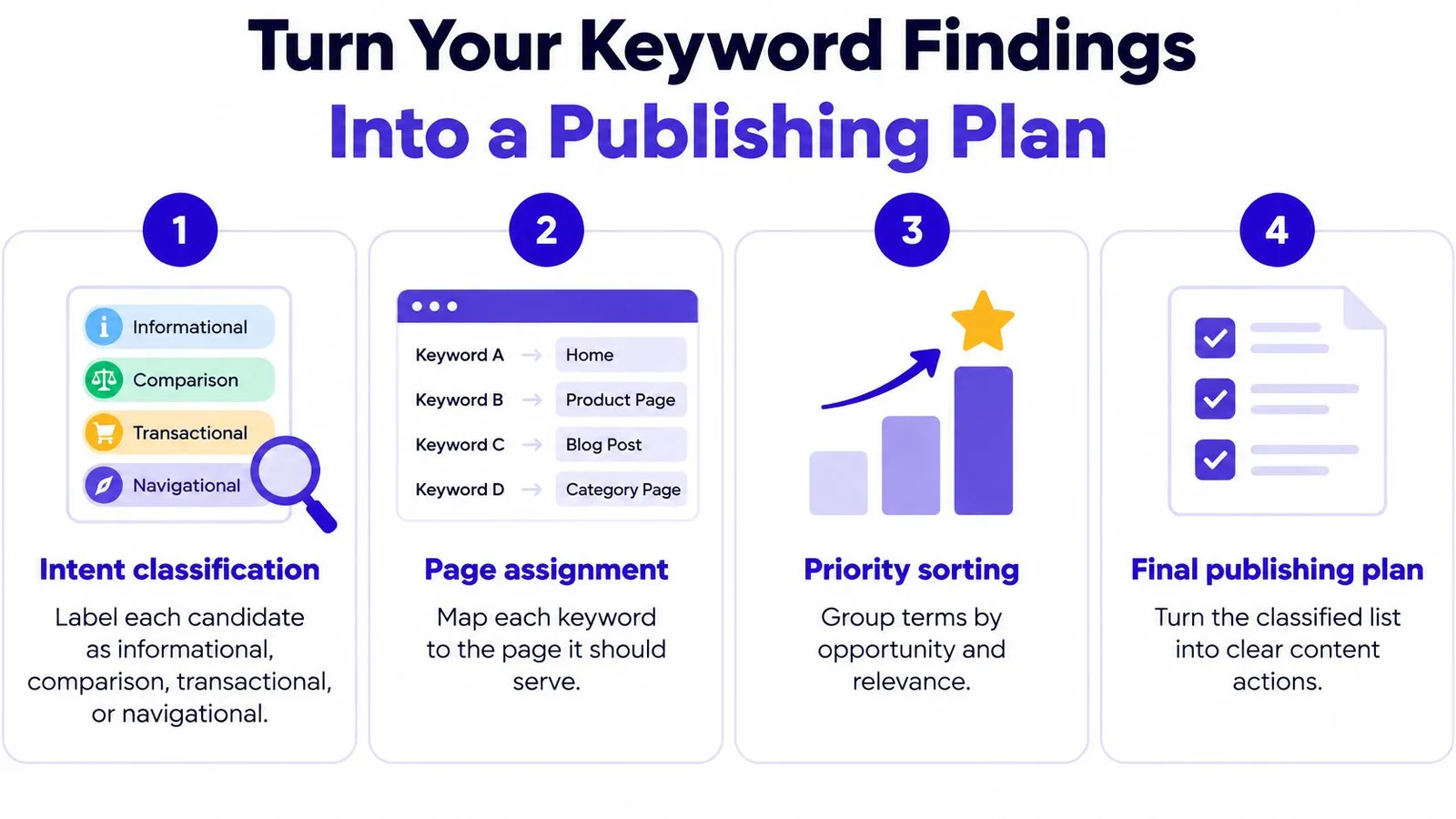
The final deliverable is a set of decisions tied to URLs. Classify each candidate as informational, comparison, transactional, or navigational, then identify the page that should serve that intent.
Keyword type and the action it calls for
| Keyword Situation | Signal | Action |
|---|---|---|
| Product term with impressions | Page exists, position is weak | Improve the existing product or collection page |
| Question with no matching page | Demand, but no content answers it | Write a guide and link it to relevant products |
| Competitor term with no product fit | Ranking without buyer relevance | Skip it |
| Store pages competing for the same term | Overlapping intent and landing-page visibility | Merge genuinely duplicate pages or name a primary URL |
| Branded navigational query | Existing customers searching for the store | Monitor it; no new content is needed solely for that query |
The publishing queue should separate page improvements from new articles.
Approve the page before publication
- Confirm a commercial destination. An informational article should have a useful, relevant product or collection link, not a forced sales reference.
- Verify the expected format. Inspect live results before approving a guide, comparison, collection, or product page.
- Check existing coverage. Search the store's content inventory for the same intent before commissioning another URL.
- Inspect the actual markup. Open page source and check the title, H1, and meta description for clear topic alignment and natural keyword use. For JavaScript-rendered content, inspect the rendered DOM too; an editor preview alone doesn't verify what the published page contains.
A content strategy workflow helps turn these decisions into a manageable schedule. Record the changed URL, intended query group, and publication or revision date so later comparisons have a clear baseline.
Rankira's Google Search Console connection links the merchant's Google account so Rankira can read search performance; access is read-only and can be disconnected at any time. Rankira recommends allowing two to three months of consistent publishing before judging results because SEO compounds slowly, not because a particular ranking is guaranteed.
The immediate task can stay small: select high-impression queries with weak CTR, inspect their result presentation, and improve a relevant title this week. Keep a record of the change instead of rewriting the entire site at once.
Rankira researches keywords around a Shopify store's products, competitors, and Search Console performance, then generates and publishes articles with relevant internal links. Visit Rankira to turn validated keyword opportunities into a content schedule while keeping page relevance and editorial review part of the process.
Keep reading
All articles
Shopify SEO
Search Engine Optimization Plan for Shopify: 2026 Guide
Build a search engine optimization plan for your Shopify store: set a baseline, pick keywords, publish in batches and measure results.
11 min read
Shopify SEO
SEO New Website Guide: From Launch to First Rankings
SEO new website plan that actually works: indexing, site structure, keyword targeting, content, Core Web Vitals, and tracking from launch to growth.
13 min read
Shopify SEO
Internal Linking Audit That Actually Improves Rankings
Run a practical internal linking audit to find orphan pages, fix broken links, and prioritize fixes that move revenue on your Shopify store.
10 min read
Put your Shopify blog on autopilot
Rankira researches keywords, writes SEO articles, adds internal links, and publishes them to your store — every week. Start with a 7-day free trial.