Meta Tag Keywords SEO: Do They Still Matter in 2026?
Meta tag keywords SEO no longer ranks pages. Learn why Google and Bing ignore the tag, its spam risk, and where keyword research belongs.
Published 10 min read
In this article
No, Google doesn't use the meta keywords tag for web ranking, a position it stated in 2009, and Bing declared the tag effectively dead for SEO value in 2014. The field shouldn't be treated as an optimization lever.
Advice about finding the perfect keyword list starts with the wrong question. For Shopify merchants, the useful question isn't which terms belong in a hidden field, but whether the page clearly delivers what shoppers searched for.
Table of Contents
- Do Meta Keywords Still Affect SEO in 2026
- Why the Meta Keywords Tag Failed
- Why a Leftover Keywords Field Still Carries Risk
- Where Keyword Research Belongs On the Page
- Meta Descriptions Are Previews Google Rewrites
- Audit Your Metadata Before Your Next Post
Do Meta Keywords Still Affect SEO in 2026
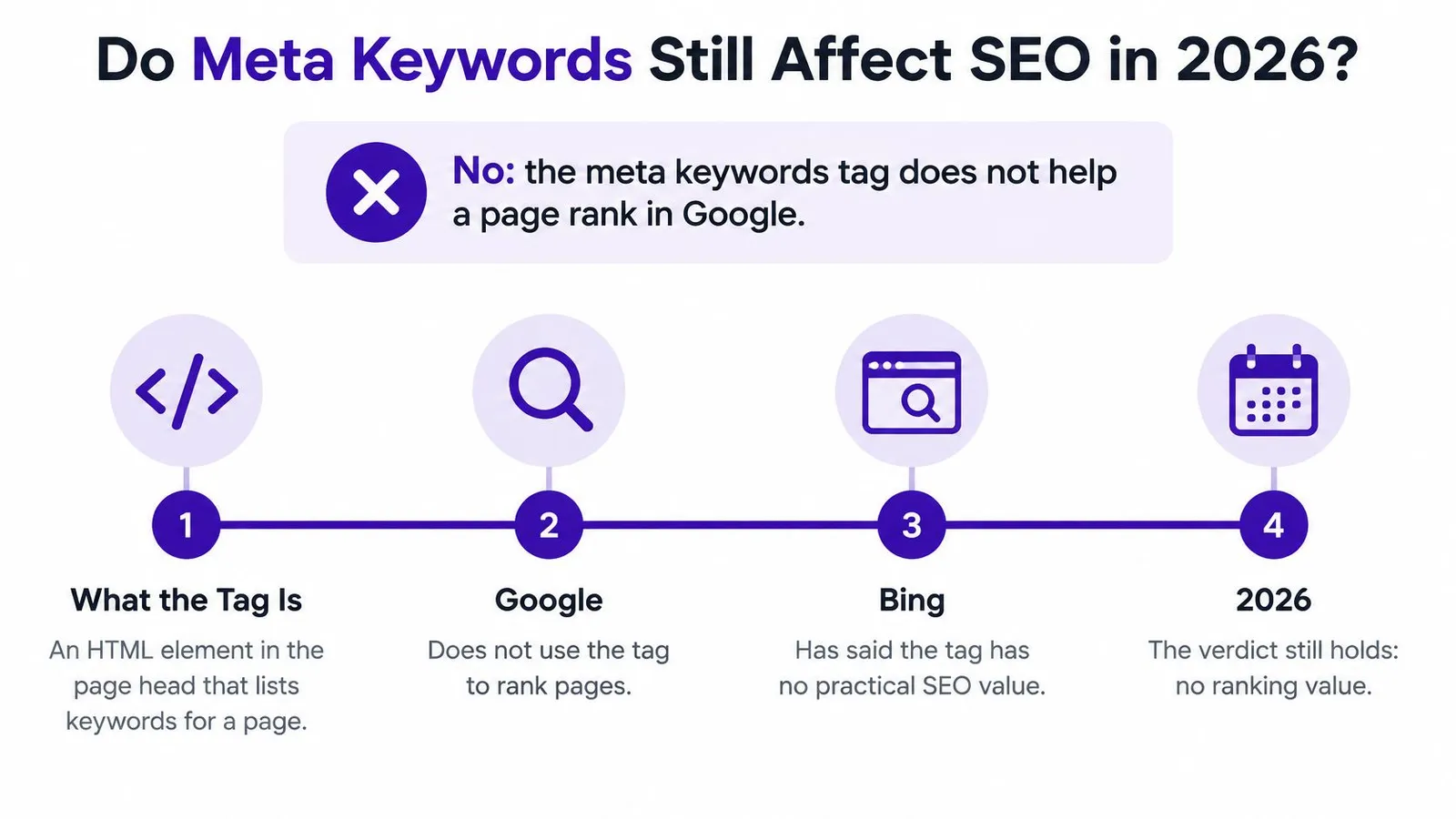
Meta keywords don't provide a Google ranking benefit. The historical record also separates engines that once supported the tag from engines that never adopted it as a ranking feature.
Search engine positions on the meta keywords tag
| Search engine | Position on meta keywords | Date |
|---|---|---|
| Infoseek | Supported the tag as an early crawler-based engine | By early 1996 |
| AltaVista | Supported the tag as an early crawler-based engine | By early 1996 |
| Lycos | Dropped support for the tag | 1998 |
| Never adopted it as a ranking feature; stated it is disregarded for web ranking | September 21, 2009 | |
| Bing | Stated the tag is effectively dead for SEO value | October 4, 2014 |
Google's announcement, published September 21, 2009, explicitly states that its web ranking doesn't use the keywords meta tag; Bing's October 4, 2014 update likewise rejected the tag's practical SEO value. Google's statement described an existing policy, not the removal of a previously useful ranking feature.
The verdict is straightforward.
What the field actually contains
The meta keywords tag is an HTML element in the page head that holds a comma-separated list of terms. Publishers used it to declare a page's topics, rather than showing those topics to readers.
Adding, expanding, or repeatedly editing that list shouldn't be expected to improve impressions, clicks, average position, or organic traffic in major search engines. A legacy theme or non-search application might still read the field, but software compatibility isn't evidence of search value.
Practical rule: An editable SEO field isn't necessarily a useful SEO signal.
For merchants searching for meta tag keywords SEO advice, the distinction matters: keyword research remains useful, but this particular destination for keywords doesn't. A sound SEO content writing process turns research into useful page content instead.
Measure impressions, clicks, and average position in Google Search Console. Evaluate conversions through the store's analytics or conversion reporting, rather than expecting Search Console's search-performance report to provide them.
Why the Meta Keywords Tag Failed
The tag failed because the design priced abuse at zero. A publisher could declare anything, pay nothing for a false claim, and leave the engine to verify the page anyway.
A jar label claims what's inside, but checking the claim requires opening the jar. If the person writing the label benefits whenever someone picks it up, there's an incentive to describe something more desirable than the contents.
Say a merchant sells ordinary rolled oats but labels the page with unrelated, popular product terms. The declaration costs little to create, and the hidden field doesn't require the merchant to explain or substantiate those topics on the page.
Search Engine Watch's history of the tag records support from Infoseek and AltaVista by early 1996, Lycos dropping support in 1998, and Google and FAST never adopting it as a ranking feature. The important distinction is that early adoption wasn't universal acceptance.
Why declarations weren't enough
The failure followed a predictable chain:
- Publishers controlled the claim. They could add topics without changing the product, article, or visible explanation.
- Unrelated terms reduced reliability. An engine couldn't safely assume that a declared keyword described the page.
- Verification required examining the contents. Once the engine evaluated visible text and links, the publisher's separate list offered little dependable evidence.
The problem wasn't merely that some lists ran too long. The mechanism depended on trusting a declaration that publishers could fabricate, which is why the field was widely abused for spam.
A hidden label never established that a page answered a question or deserved to outrank another page.
That explains the lasting transition. A declared list is cheap to write and hard to trust, while visible substance carries the cost of convincing a reader: what the product is, whom it suits, and whether the explanation really helps. The durable work is making the title, headings, copy, and preview describe the same page the searcher lands on.
Why a Leftover Keywords Field Still Carries Risk
Say a Shopify jewelry store sells handmade silver chains, but its legacy keywords field lists gold necklace, cheap necklace, best gift, free shipping, and summer sale. The field doesn't just contain unnecessary text. It contradicts the merchandise.
GeoToolbox's guide to SEO meta tags describes Bing's historical webmaster guidance treating meta keywords as a potential spam indicator, particularly when terms don't match visible content. That supports a cautious maintenance policy, not a claim that every populated field triggers a penalty.
The mismatch matters more than the field's existence
An automated system can compare a keyword list with the title, headings, body copy, and links. Unrelated terms offer an inexpensive clue that a publisher may be trying to attract searches the page doesn't satisfy.
Matching terms add little reassurance because they're easy to fabricate. For Google specifically, the documented position remains disregard for ranking, so a merchant shouldn't interpret this risk discussion as evidence of a Google meta-keywords penalty.
The jewelry store's practical response is to remove the obsolete declaration, not replace it with a longer silver-jewelry list. A review of how to avoid keyword stuffing should address the visible page as well as inherited metadata.
Operating rules for legacy fields
- Disable automatic population. An SEO application shouldn't copy every researched query into meta keywords by default.
- Flag suspicious leftovers. Repeated terms, competitor names, unusually long lists, and words absent from the page deserve review.
- Preserve documented dependencies. If another application genuinely requires the field, follow that application's format and classify the work as integration maintenance.
This is a risk-management decision, not an emergency cleanup campaign. An unused field creates another place for stale promotions and inaccurate product claims to survive, without a compensating Google ranking benefit.
Where Keyword Research Belongs On the Page
In 2024, 98.0% of desktop pages and 98.2% of mobile pages contained a title tag, according to HTTP Archive's Web Almanac SEO chapter. That prevalence doesn't prove a ranking effect, but it identifies a basic page element worth reviewing before an obsolete optional field.
Start with search intent, then choose wording. Search volume and difficulty help prioritize opportunities, while Search Console queries reveal how existing pages already appear in search.
A step-by-step keyword research process should produce a clear topic and a reader need, not merely a list of variants.
Give each placement a different job
On-page placements for keyword research
| Location | Put this | Keep this out |
|---|---|---|
| Title tag | Primary query near the front, written for readers, with a main topic | Comma-separated lists of keyword variants |
| H1 and H2 headings | Subtopics readers actually ask about, phrased naturally | The same exact phrase repeated under every heading |
| URL handle | Short words describing the product or topic | Dates, stop words, and numbers unrelated to the topic |
| Opening paragraph | The primary query and a direct answer in the opening sentences | Keyword strings that read as filler |
| Internal link anchor | A descriptive phrase naming the destination product or collection | Click here or bare URLs |
| Image alt text | A plain description of what the image shows | Keyword lists copied from the research |
For a Shopify silver-care article, a useful title might be Silver Chain Care: How to Clean Tarnished Sterling. It identifies the subject and task without stacking cleaning, polishing, care, and maintenance variants.
The headings can then separate cleaning methods from storage advice. How to clean a silver chain and When professional cleaning is safer serve different reader needs, rather than repeating the title under every heading.
A handle such as silver-chain-care keeps the topic recognizable. An opening paragraph should answer the cleaning question directly, including any necessary caution about stones or finishes, rather than delaying the answer with search phrases.
Connect the article to the store accurately
An internal anchor such as sterling silver chains should lead to that collection. An anchor such as silver-care instructions should lead to the care guide, not a product collection that lacks those instructions.
For a photograph showing a cloth wiping a chain, suitable alt text would describe that action. Decorative images can have empty alt attributes; not every image needs a keyword-bearing description.
Place a phrase where a reader would expect the information, not wherever another repetition can fit.
A primary topic keeps these decisions coherent, but it doesn't require identical wording everywhere. The page can cover related questions naturally while keeping its promise narrow enough to fulfill.
Meta Descriptions Are Previews Google Rewrites
A 2024 Ahrefs study, as reported by Nzouat's SEO statistics compilation, found that Google rewrote meta descriptions 62.78% of the time, including 65.62% for long-tail keywords. Those reported findings aren't a forecast for an individual Shopify store, but they challenge the assumption that entering a description guarantees its display.
Google's snippet documentation explains that snippets are generated automatically from page content, may use the meta description when it describes the page more accurately, and can change with the query; it also warns that long keyword strings reduce clarity and are less likely to be displayed. A description is therefore a proposed preview, not reserved advertising space.
Diagnose the query and page together
Why a meta description fails to show and how to fix it
| Symptom | Likely cause | Fix |
|---|---|---|
| Google shows body text instead | Description is generic or doesn't match the query | Write a specific sentence about what the page offers |
| Description never appears | The claim is missing from the visible page | Add the detail on-page, such as material, size, or availability, then rewrite the description |
| Description reads as a keyword list | Long keyword strings reduce clarity | Rewrite as a readable sentence |
| Same description on many pages | Duplicate, template-generated text | Write a unique summary for each product or article |
| Regional store shows awkward wording | Mechanical translation of a keyword list | Rewrite from the localized page content |
These are diagnostic possibilities, not proof of why a particular snippet appeared. Missing on-page details should be checked, but their presence won't force Google to display the description.
Say a product page's description promises lightweight sterling silver chains for everyday wear, while the visible copy says only handmade necklace. The useful repair is to confirm the material and wearing context on the page, provided both claims are accurate.
Changing punctuation in the description won't resolve that information gap. Nor should a merchant remove useful body copy merely because Google selected it for a snippet.
Write for an accurate click
A useful description distinguishes the page from neighboring products or articles. For a care guide, it might identify the cleaning method, the finish it suits, and the precautions covered, without pretending the article sells a cleaning service.
Meta description length guidance can help with editing, but accuracy should determine which details survive. Trimming a description shouldn't remove the qualification that makes its promise true.
For regional stores, write from the localized page rather than translating a keyword list mechanically. Product terminology, availability, and audience should agree across the description and visible content.
The less obvious conclusion is that snippet work often requires a page edit before a metadata edit. Improving the underlying explanation gives Google better material to select and gives shoppers a more reliable experience after the click.
Audit Your Metadata Before Your Next Post
Before editing a Shopify template, duplicate the theme so changes can be checked safely. Inspect the head section in theme.liquid and any SEO app settings, then view the page source of a product and an article.
Search for name="keywords" and name='keywords'. If the tag appears, trace it to the template or app setting rather than assuming that clearing a visible form will remove every instance.
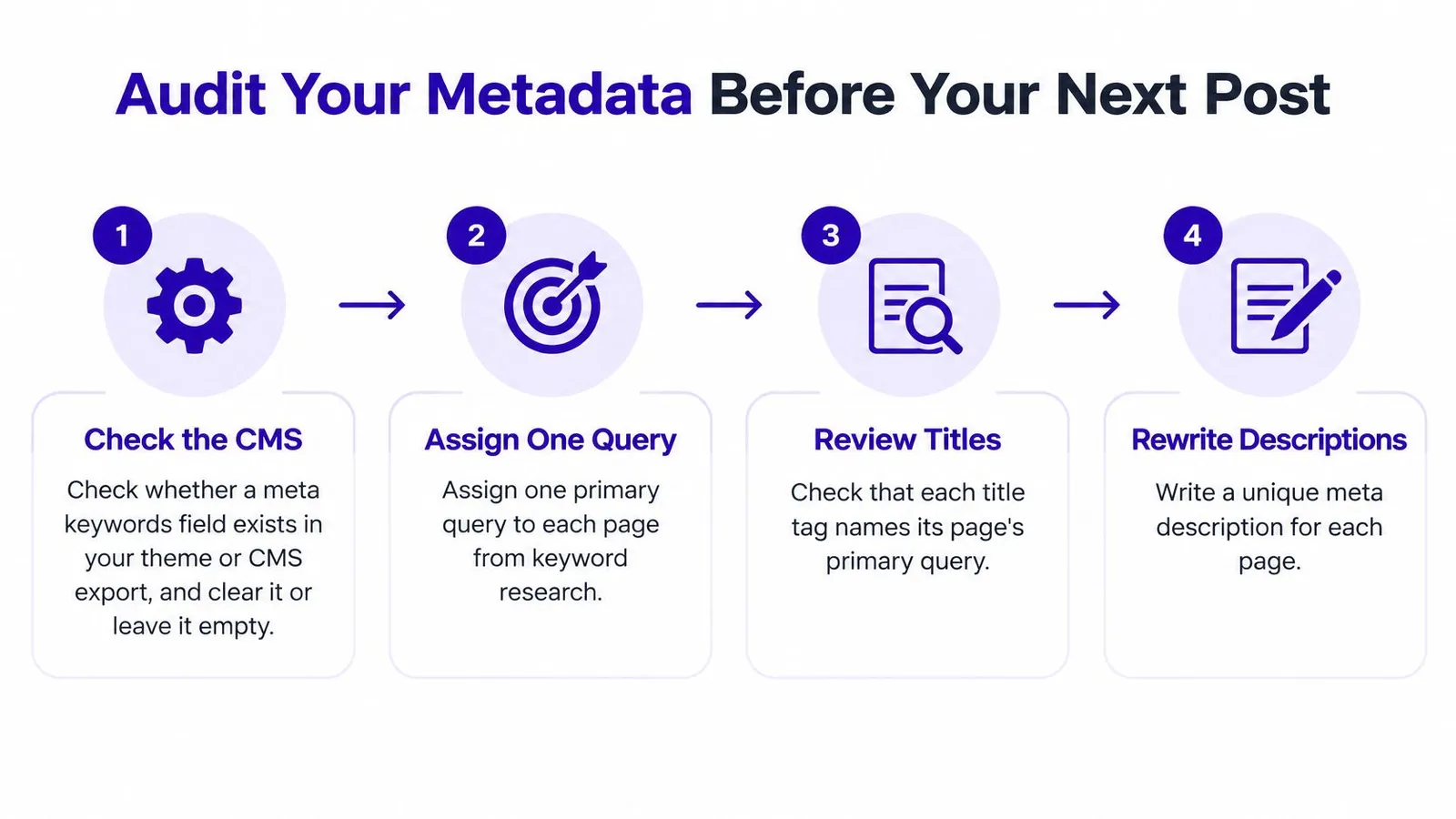
The audit starts with field cleanup, then moves to the elements that describe the page.
Run the publishing checks
- Clear the obsolete keywords field. Remove its template output or disable its app setting unless a documented non-search dependency requires it.
- Assign a primary query. Use keyword research and relevant Search Console queries to establish the page's intended job.
- Align the title, main heading, and opening. Correct mismatches so each describes the same product or informational task.
- Read the description aloud. Replace a list of variants with a specific, readable account of what the page delivers.
- Verify shopper details on-page. Confirm that material, size, availability, and intended audience appear visibly wherever they're relevant.
- Save a performance baseline. Record impressions, clicks, and average position for the URL in Search Console so later comparisons have a starting point.
A broader on-page optimization checklist can support this review without turning every publication into a template overhaul. The immediate priority is consistency between the search promise and the page.
The accompanying video provides another format for reviewing the workflow.
Judge outcomes without inventing a sequence
Rankira recommends giving consistent publishing two to three months before judging results because SEO compounds slowly. That recommendation is an evaluation window, not a ranking guarantee.
Review target-query impressions and position, then clicks, and finally conversions in store analytics. These measures don't have to improve in a fixed order: broader query coverage, changing demand, and different shopper intent can produce mixed results.
Record publication dates and substantive edits so comparisons remain interpretable. A change after publication doesn't, by itself, establish what caused the result.
The decision is to keep keyword work attached to page meaning, shopper information, and measurable outcomes. Stop tuning the meta keywords tag.
Rankira researches keywords around a Shopify store's catalog, generates structured articles with meta descriptions and internal links, and publishes them to the store's blog. Merchants seeking a repeatable content workflow can visit Rankira to connect keyword planning with useful pages rather than hidden keyword lists.
Keep reading
All articles
Shopify SEO
Search Engine Optimization Plan for Shopify: 2026 Guide
Build a search engine optimization plan for your Shopify store: set a baseline, pick keywords, publish in batches and measure results.
11 min read

Shopify SEO
10 SEO Software Platform Options for Shopify Stores
Compare 10 SEO software platform options by capabilities, use cases, and Shopify fit, from keyword research to publishing and reporting.
11 min read

Shopify SEO
Keyword Density SEO: How to Calculate and Use It
Keyword density SEO is a percentage, not a ranking target. See the formula, sample counts, and how to place phrases without stuffing.
12 min read
Put your Shopify blog on autopilot
Rankira researches keywords, writes SEO articles, adds internal links, and publishes them to your store — every week. Start with a 7-day free trial.