10 SEO Reports Templates: Which One Fits Your Store
Compare 10 SEO reports templates for monthly reports, dashboards, and audits. See each one's best use, covered metrics, and limitations.
Published 14 min read
In this article
- Table of Contents
- 1. Semrush Monthly SEO Report
- 2. Ahrefs SEO Audit Template
- 3. Databox SEO Dashboard Templates
- 4. AgencyAnalytics SEO Report Template
- 5. Windsor.ai Google Search Console Looker Studio Template
- 6. Supermetrics Google Search Console Template
- 7. Whatagraph SEO Report Template
- 8. DashThis SEO Report Template
- 9. Rank.ai Free Monthly SEO Report Template
- 10. DidYouSEO Google Sheets SEO Report Template
- How the ten SEO report templates differ by format, purpose, and access
- Match the Template to the Decision Before You Build the Report
A Shopify store owner opens a blank spreadsheet at month-end, copies in traffic figures, adds keyword movements, and still can't explain whether the blog deserves more investment. The report contains numbers, but no clear decision about what to publish, fix, or stop doing.
Choosing among SEO reports templates starts with that missing decision. An agency needs a client narrative that explains results and next steps. A developer needs a prioritized technical audit. A merchant checking whether buying guides are gaining visibility needs a focused Search Console view, not a sprawling presentation.
The distinction matters because reporting activity isn't the same as business measurement. In a 2025 survey of 170 U.S. marketers, 31.8% said they connected organic growth to value metrics such as revenue, conversion rate, or pipeline in stakeholder reporting, according to Omniscient Digital.
A useful template makes its limits obvious:
- Performance reporting explains changes in traffic, visibility, and business outcomes.
- Audit reporting identifies problems and assigns remediation work.
- Live dashboards help operators investigate changes without rebuilding a report.
The strongest choice isn't necessarily the template with the most widgets. It's the one that makes the next action easier to defend.
Table of Contents
- 1. Semrush Monthly SEO Report
- 2. Ahrefs SEO Audit Template
- 3. Databox SEO Dashboard Templates
- 4. AgencyAnalytics SEO Report Template
- 5. Windsor.ai Google Search Console Looker Studio Template
- 6. Supermetrics Google Search Console Template
- 7. Whatagraph SEO Report Template
- 8. DashThis SEO Report Template
- 9. Rank.ai Free Monthly SEO Report Template
- 10. DidYouSEO Google Sheets SEO Report Template
- How the ten SEO report templates differ by format, purpose, and access
- Match the Template to the Decision Before You Build the Report
1. Semrush Monthly SEO Report
Best for deciding what belongs in a recurring stakeholder update. The Semrush Monthly SEO Report suits teams already using Semrush for keyword research, backlink analysis, and technical monitoring.
Its customizable widgets bring organic traffic, keywords, backlinks, site health, and technical SEO findings into a repeatable reporting format. Google Analytics and Search Console integrations can add first-party performance data, while scheduled PDF delivery reduces recurring assembly work.
The main advantage is consistency. A merchant or agency can preserve the same reporting period, sections, and comparisons instead of rebuilding a spreadsheet whenever someone requests an update.
Where commentary still matters
A polished PDF doesn't explain why a collection lost visibility or whether a backlink change deserves attention. Semrush estimates, tracked keywords, and first-party analytics should remain clearly labeled rather than presented as interchangeable measurements.
- Keep the business summary short. Explain the meaningful change, the affected pages, and the proposed response.
- Separate performance from activity. Published articles and resolved crawl findings aren't equivalent to acquired visits or sales.
- Add competitive context selectively. A focused SEO competitor analysis can explain a search-result change, but competitor charts shouldn't crowd out store outcomes.
The trade-off: Semrush works well as a broad monthly reporting hub, particularly when the team already uses its ecosystem. It's less compelling when the only requirement is a lightweight view of Search Console clicks.
2. Ahrefs SEO Audit Template
A store with broken navigation links and indexation concerns needs a repair plan before it needs another traffic chart. The Ahrefs SEO Audit Template is built for that diagnostic job rather than monthly performance storytelling.
The template is available in document and spreadsheet formats, including Google Docs, Google Sheets, Excel, Word, and PDF. Operators gather the evidence, potentially using Ahrefs Webmaster Tools for crawling, then organize significant findings into priorities.
Its reporting units are issues, affected URLs, supporting evidence, and remediation priorities, rather than clicks, conversions, or revenue. For Shopify, useful additions include page type, responsible person, implementation status, and validation notes.
Practical rule: An audit finding becomes actionable when someone can identify the affected page, understand the consequence, and verify the fix.
An internal linking audit belongs naturally in this workflow. A buying guide that doesn't link to its relevant collection needs a different remedy from a broken product link or an inaccessible navigation path.
The limitation is manual interpretation. A crawler can identify a condition, but the operator must decide whether it matters commercially and whether the proposed fix fits Shopify's implementation constraints.
Choose Ahrefs for a technical work queue. Pair it with a performance report when stakeholders also need evidence of search growth. A completed audit alone doesn't establish that traffic or revenue improved.
3. Databox SEO Dashboard Templates
Databox fits the question “What changed, and where should the team investigate?” Its SEO dashboard templates provide starting points for monitoring Search Console, Google Analytics, Semrush, Ahrefs, and content performance.
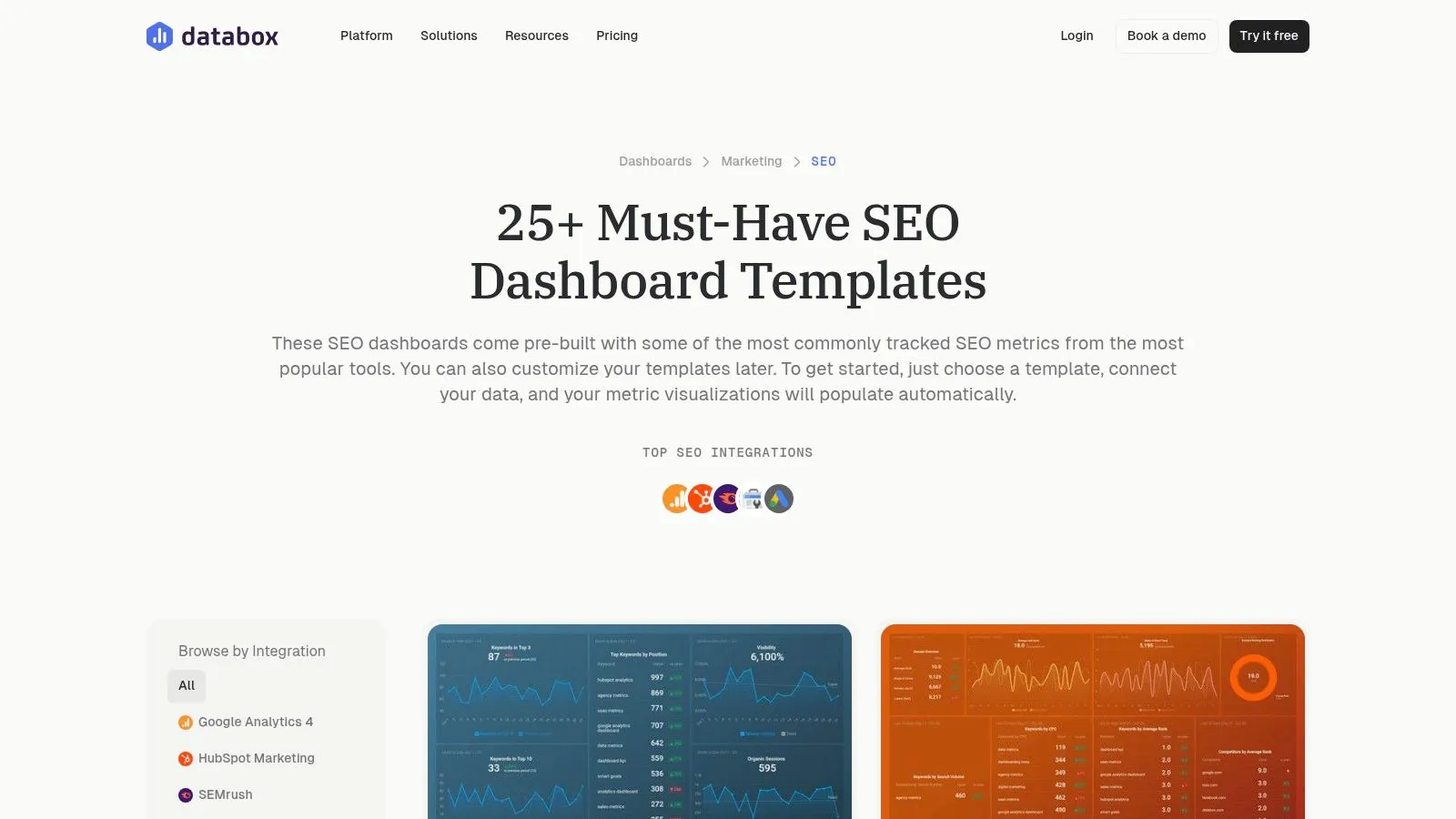
The benefit is interactive access to connected sources. A marketing manager can examine search visibility alongside website activity without waiting for a static monthly document.
Depending on the selected template and connections, the dashboard can cover clicks, impressions, CTR, average position, organic traffic, keyword performance, and content results. Custom visualizations help separate a campaign from overall store performance.
Keep the dashboard interpretable
Google's Search performance documentation defines clicks, impressions, CTR, and average position as distinct measures. They shouldn't be collapsed into a vague success indicator.
For a Shopify content dashboard, retain article URLs and distinguish blog posts from product and collection pages. Otherwise, a strong collection-page result can conceal weak editorial performance.
- What works: Shared monitoring across connected tools and reusable views for different stakeholders.
- What needs attention: Source permissions, refresh behavior, metric labels, and account or plan limits.
- What remains missing: A defensible explanation of cause and an agreed next action.
Databox is a monitoring environment, not an automatic client narrative. A dashboard can reveal that clicks fell on mobile; someone still needs to investigate the affected queries, pages, and commercial consequences before recommending a response.
4. AgencyAnalytics SEO Report Template
Agencies managing several Shopify stores face a different problem from solo merchants: maintaining consistent reporting without making every client report identical. The AgencyAnalytics SEO Report Template addresses that recurring delivery workflow.
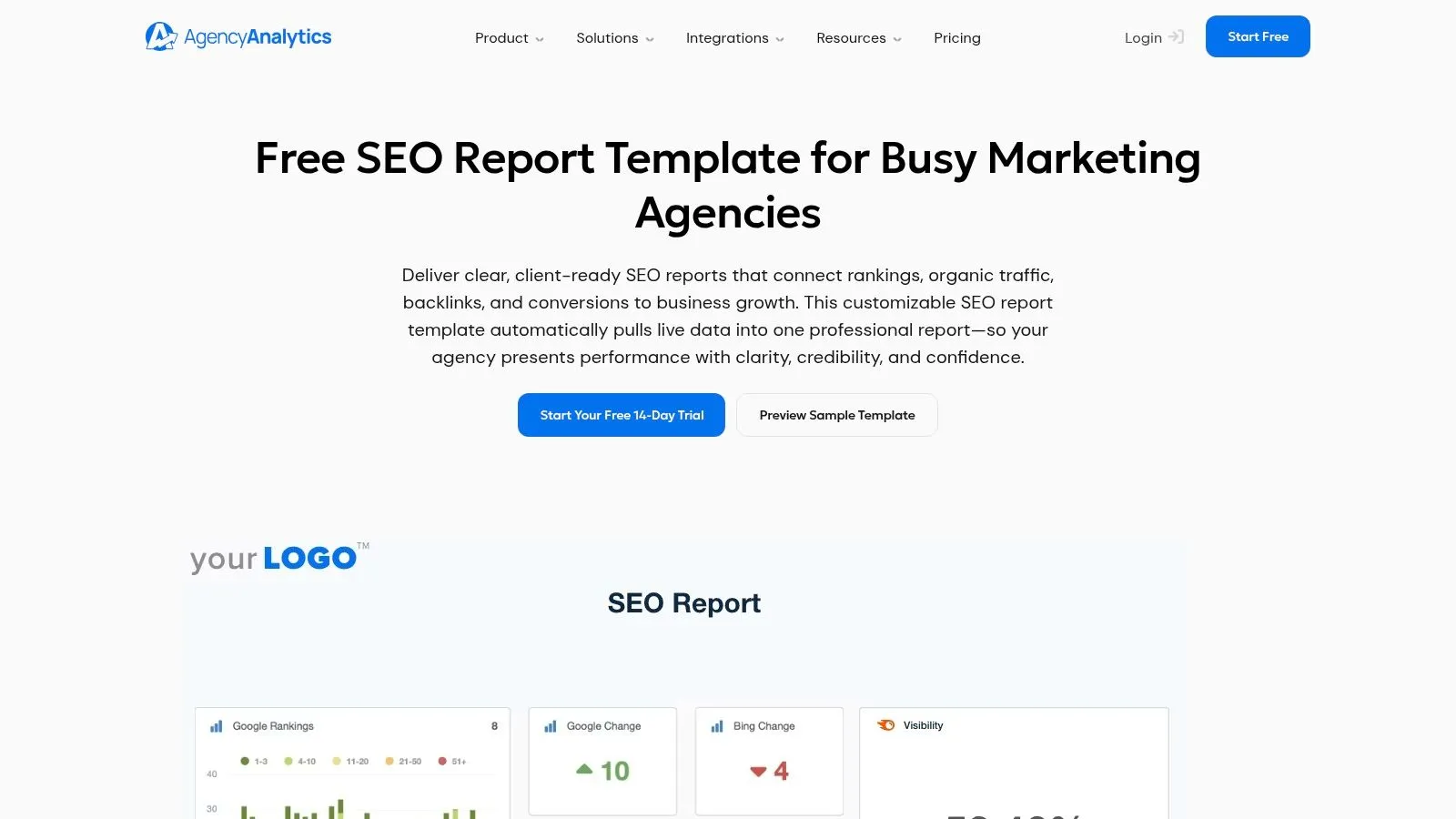
The platform combines connected SEO sources with goals, annotations, custom dashboards, branded presentation, and scheduled reports. Integrations include Google Analytics, Search Console, Ahrefs, Semrush, Moz, and Majestic, with Google Sheets and custom widgets available for additional information.
That makes it suitable for reporting search clicks, visibility, organic traffic, rankings, backlinks, and configured conversion outcomes in a client-facing format.
Standardize delivery, not conclusions
A shared layout should preserve definitions and comparisons. The interpretation should still reflect each store's catalog, markets, publishing activity, and priorities.
For example, an international retailer needs country-level context, while a store expanding its buying-guide library needs article-level analysis. Applying the same headline chart to both can hide the decision each client faces.
- Agency advantage: Branding and scheduled delivery support a repeatable service.
- Operational requirement: Someone must maintain integrations, annotate meaningful changes, and review the report before delivery.
- Main drawback: This is a subscription reporting platform, not a standalone downloadable file.
AgencyAnalytics is strongest when reporting operations themselves need structure. Its agency features can exceed a solo merchant's needs, and white-label presentation doesn't compensate for missing attribution or weak commentary.
5. Windsor.ai Google Search Console Looker Studio Template
For a merchant asking whether search visibility is improving by page, device, or country, a focused report is often enough. The Windsor.ai Search Console template provides a Looker Studio view centered on that task.
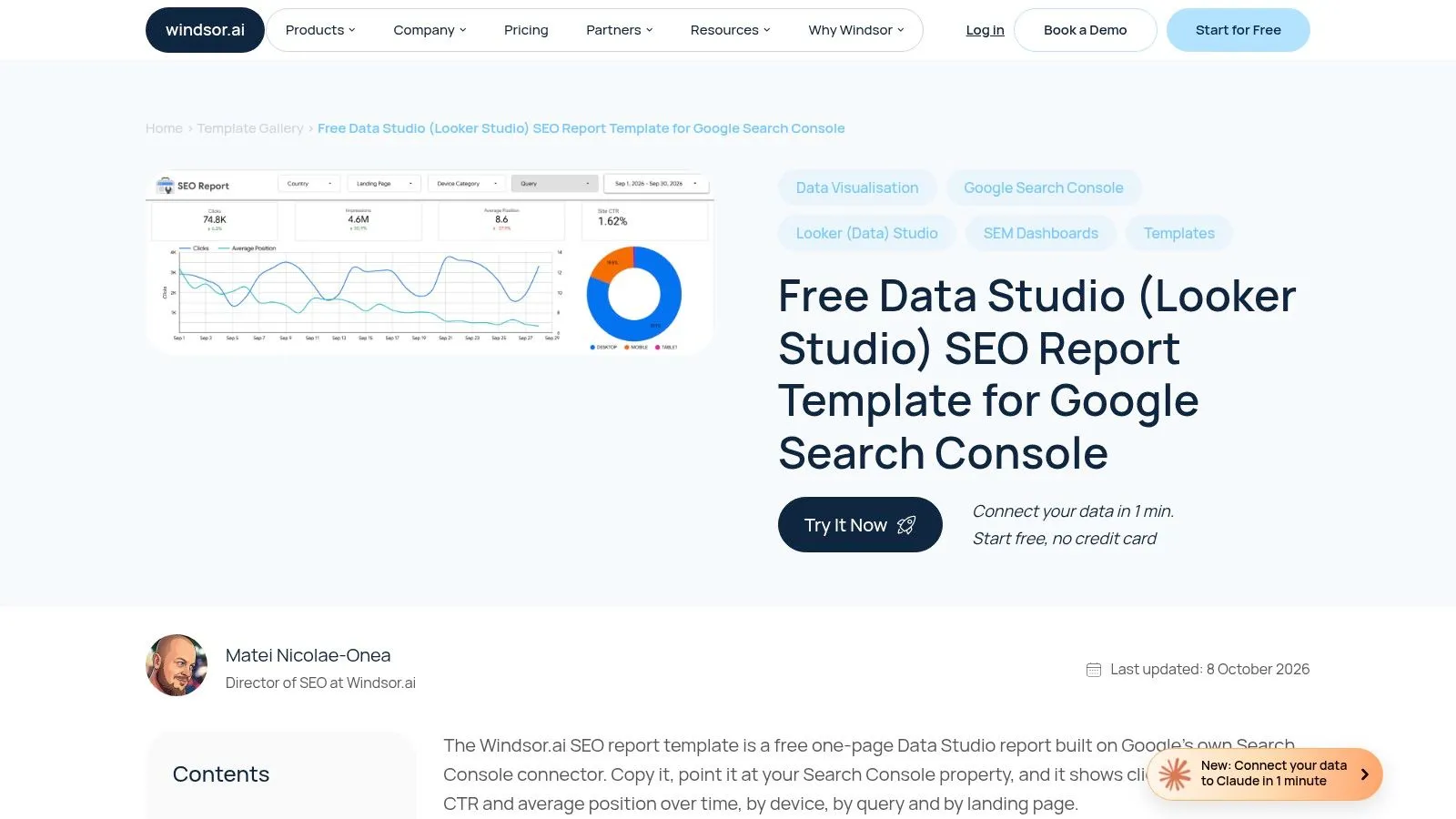
Its core measures are clicks, impressions, CTR, and average position, with query, landing-page, device, and country filtering. Date controls and comparisons make it useful for investigating a change rather than merely displaying a current total.
The template is offered free with Google's Search Console connector. Its narrow scope is an advantage when a store doesn't need a broader reporting platform.
A Search Console dashboard describes exposure and clicks from search. It doesn't establish what those visitors purchased.
Interpretation requires care. Google's Performance report documentation explains that average position depends on the selected grouping, so a site-level figure shouldn't be treated as the ranking of an individual URL.
What works: Investigating whether a decline is concentrated in a market, device group, query set, or landing page.
What doesn't: Evaluating revenue, assisted conversions, technical health, or backlink quality from the basic report alone. Adding GA4 can extend the analysis, but it introduces separate setup and measurement decisions.
This is a visibility investigation tool, not a complete ecommerce scorecard.
6. Supermetrics Google Search Console Template
Branded growth and non-branded discovery require different interpretations. The Supermetrics Search Console template is particularly useful when that distinction matters to the reporting decision.
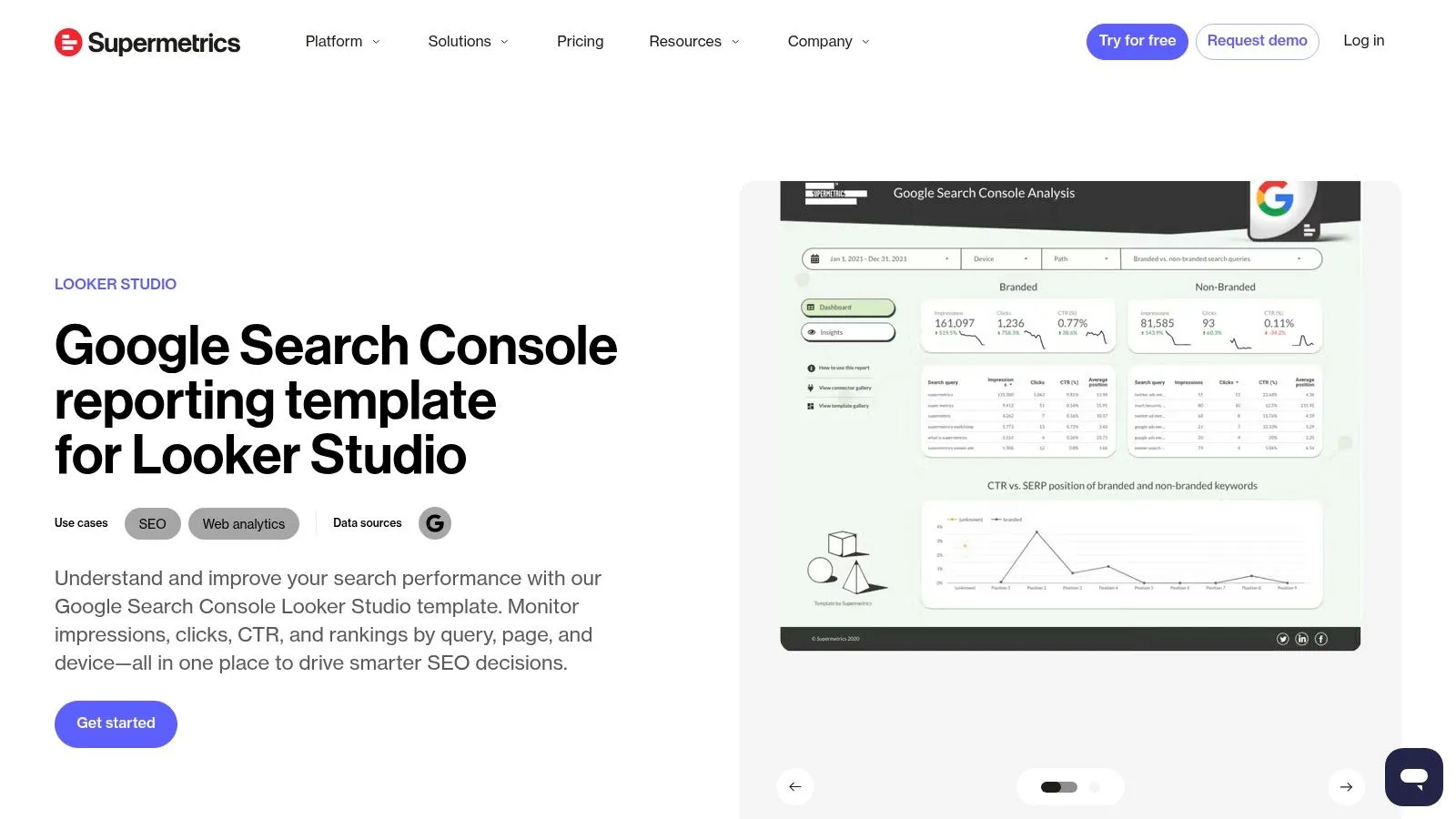
The interactive Looker Studio format reports impressions, clicks, CTR, and ranking position, with query, page, and device breakdowns. Setup includes authorizing the data connection and configuring brand keywords.
A useful brand definition includes the store name, distinctive spelling variations, and relevant proprietary product terms. A broad category term shouldn't be labeled branded just because the store sells that category.
Brand splits need coverage notes
Google's Search Console performance-data explanation states that anonymized queries are excluded from tables and that the interface displays a maximum of 1,000 rows. A visible query list therefore isn't a complete account of demand.
The report should distinguish identifiable branded queries, identifiable non-branded queries, and unclassified demand. Unexplained differences between chart totals and query sums shouldn't be assigned to either group without explanation.
A consistent method for checking a website's keywords helps maintain those definitions across reporting cycles.
The trade-off: Supermetrics provides focused search exploration, but not a full technical, backlink, or revenue report. Connector availability and account configuration also need attention before the template becomes a dependable reporting routine.
7. Whatagraph SEO Report Template
A buying guide can attract search visits without helping shoppers reach merchandise. The Whatagraph SEO Report Template is a stronger fit when stakeholders need visibility, on-site activity, and conversion outcomes in the same discussion.
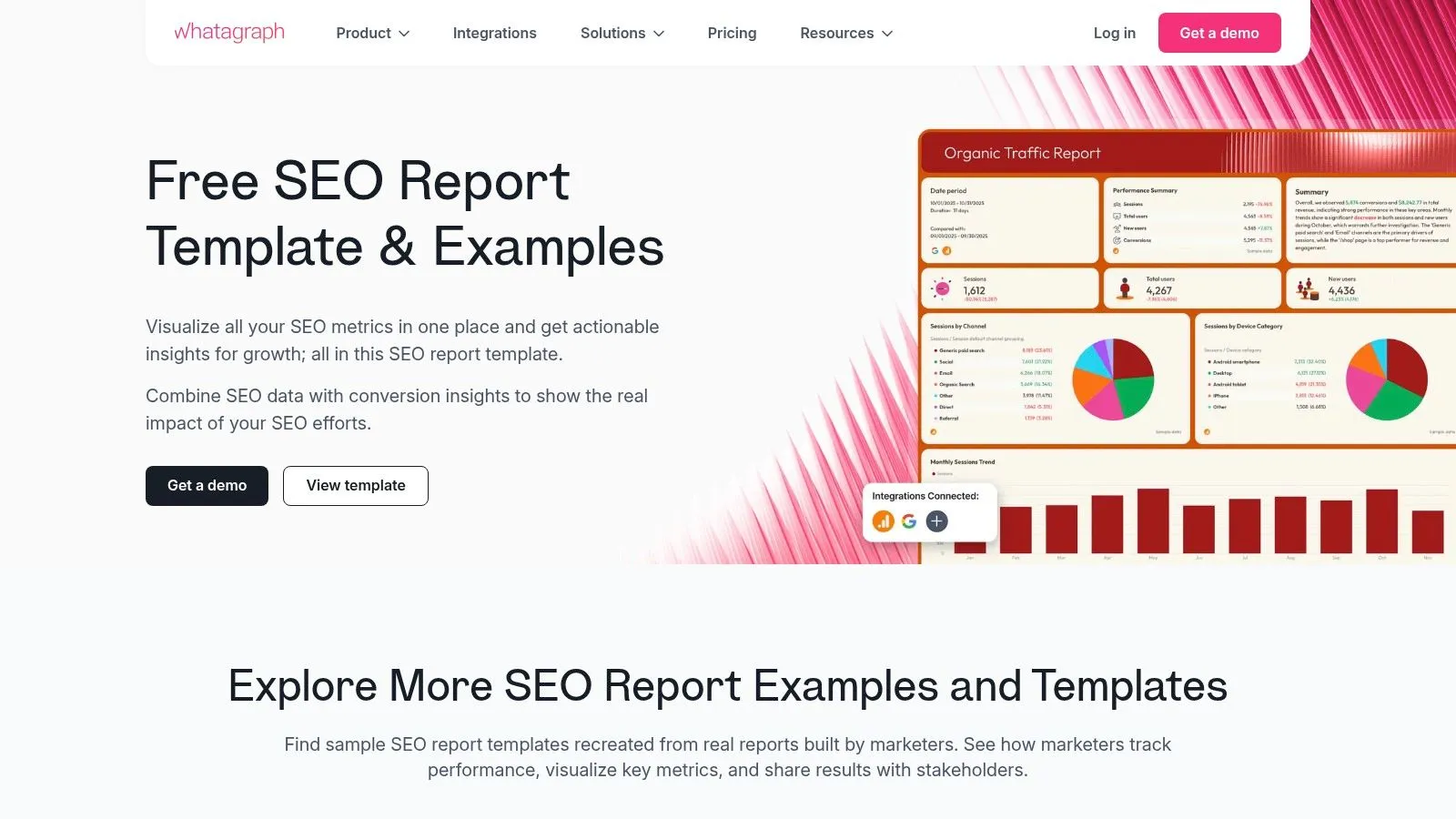
Its summary-first structure covers organic visibility, traffic, and conversions, using Search Console and GA4 data. Relevant measures include clicks, impressions, CTR, average position, sessions, and configured conversions.
The practical advantage is a clearer path from search exposure to business discussion. A store can distinguish content that attracts visitors from content associated with meaningful shopping activity.
Attribution is still a reporting choice
Connecting GA4 doesn't automatically establish that an article caused a purchase. The report needs explicit definitions for organic acquisition, conversion events, revenue, and any assisted contribution.
- For content decisions: Add article-level results and relevant product or collection destinations.
- For stakeholder summaries: Explain whether stronger search visibility translated into measurable on-site activity.
- For measurement gaps: Label missing events or unavailable revenue rather than presenting blanks as zero performance.
Google's guidance on AI features and website performance also provides context for an emerging reporting consideration. Any supplementary AI-answer visibility log should remain separate from measured sessions and sales; a mention isn't a conversion.
Whatagraph fits outcome-oriented reporting, provided the underlying tracking is sound. Without configured ecommerce events and attribution rules, the report still stops short of answering whether content contributes commercially.
8. DashThis SEO Report Template
DashThis is built around repeatability. Its SEO Report Template suits agencies and store teams that need to reuse a monthly reporting structure across clients, campaigns, or projects.
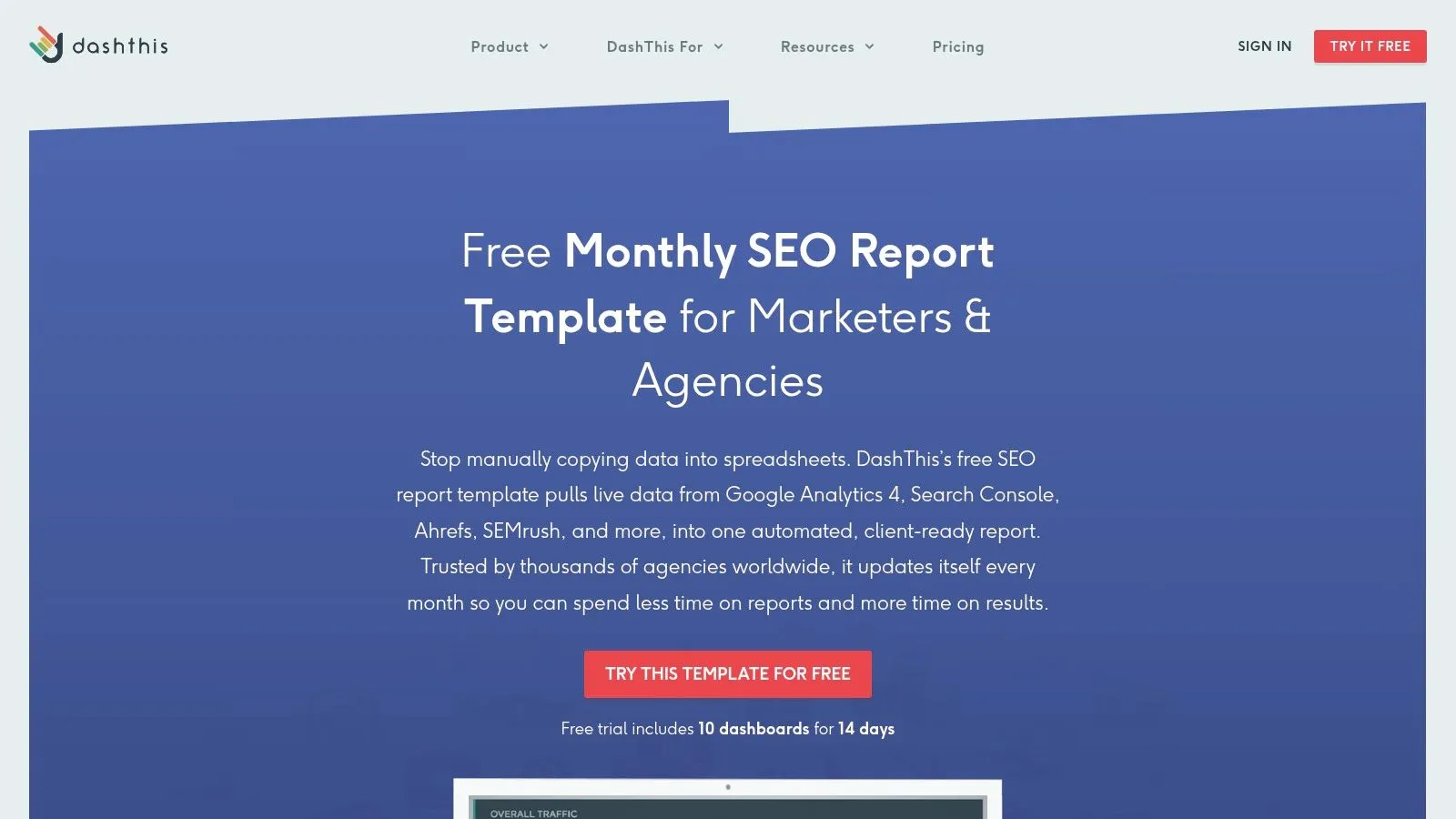
Connected sources can include GA4, Search Console, Ahrefs, and Semrush. Reports can combine organic traffic, search performance, keyword rankings, backlink metrics, and conversion data, subject to the available integrations.
Cloning, PDF export, and automated email delivery reduce repetitive formatting and distribution work. The template lives inside DashThis rather than functioning as an independent spreadsheet, and ongoing use is paid after the trial.
Clone the layout carefully
Duplicating a report also duplicates assumptions. A new client can inherit irrelevant keyword groups, inappropriate goals, or a comparison period that doesn't fit the store's trading pattern.
Before reusing the layout, confirm the property, market, currency where applicable, conversion definition, and reporting period. Keep the source labels visible so estimated platform metrics aren't mistaken for first-party traffic.
A documented keyword SERP tracking method is especially useful when reports include a selected keyword portfolio. Those tracked terms describe a chosen sample, not every query generating store impressions.
Delivery safeguard: Automated distribution should follow a review of the data connections and headline conclusions, not replace it.
DashThis works well when recurring production is the bottleneck. Its reporting depth still depends on the connected data, and automation won't identify the business explanation behind every movement.
9. Rank.ai Free Monthly SEO Report Template
Sometimes the missing component isn't another integration. It's a place to explain what happened.
The Rank.ai Free Monthly SEO Report Template provides a copyable narrative structure for Google Docs, Notion, or another writing workspace. Markdown copying and download options make it adaptable without adopting a dedicated reporting dashboard.
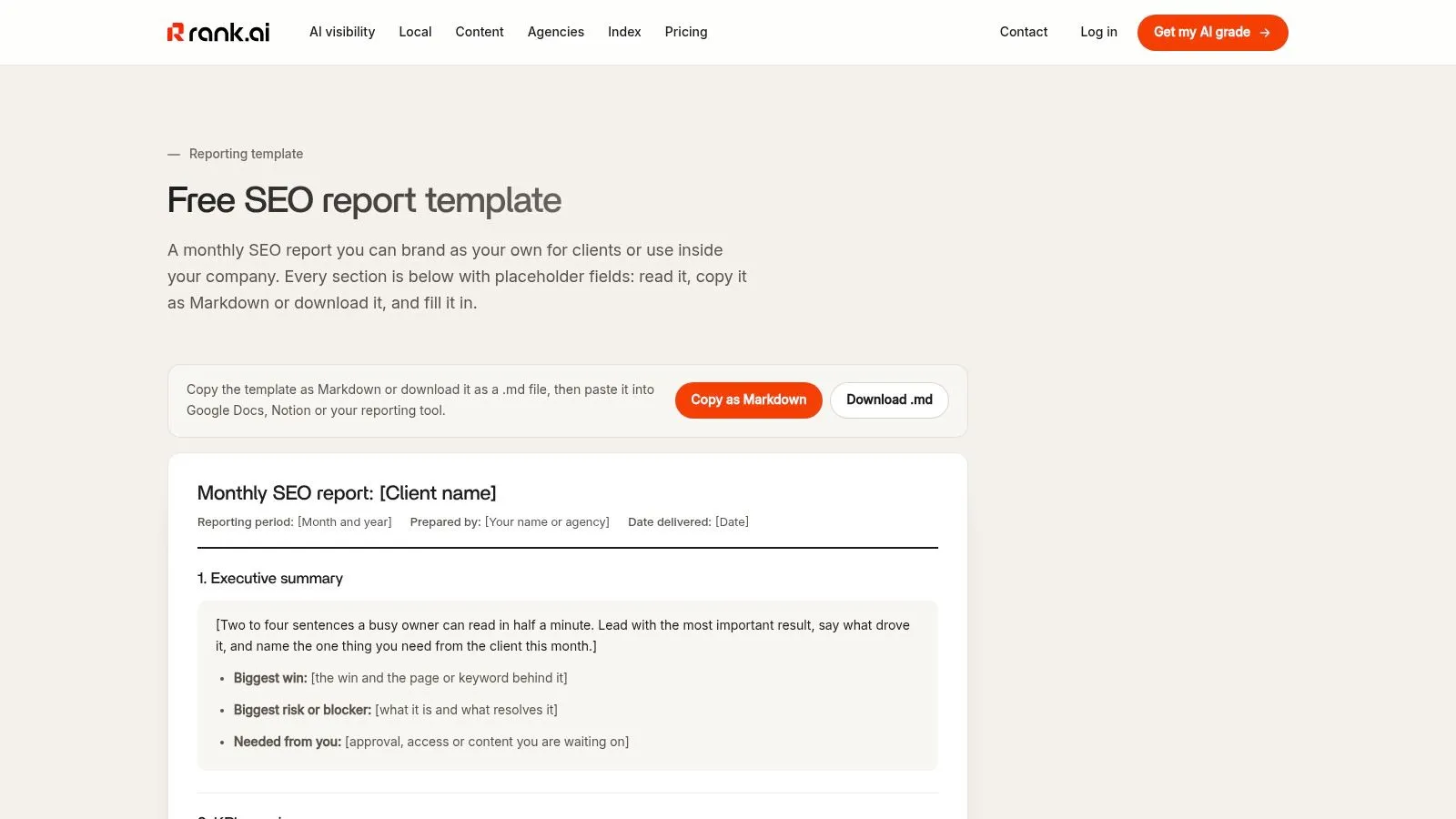
Its executive summary, KPI overview, results, and interpretation sections suit a client or management update. Metric coverage depends on what the operator enters, so clicks, impressions, organic sessions, rankings, and business outcomes need clearly identified sources.
A narrative needs evidence
The useful discipline is separating observation from explanation. A page gained clicks is an observation; an internal-link change caused the gain is a hypothesis unless the supporting analysis justifies that conclusion.
- State the result. Name the affected page group and the comparison period.
- Explain confidence. Distinguish measured changes from suspected causes.
- Finish with action. Assign the next task and explain what evidence will determine success.
A consistent process for checking Google rankings prevents the narrative from relying on an isolated manual search.
The benefit is flexibility; the cost is manual maintenance. Someone must collect, verify, and enter every figure. This template is strongest when a concise written explanation matters more than live monitoring, and weakest when the team expects automatic updates.
10. DidYouSEO Google Sheets SEO Report Template
Spreadsheet-based reporting remains useful when a merchant needs an editable working document rather than another reporting account. The DidYouSEO SEO Report Template organizes summaries, traffic, rankings, technical SEO, backlinks, content, and action items in a reusable workbook.
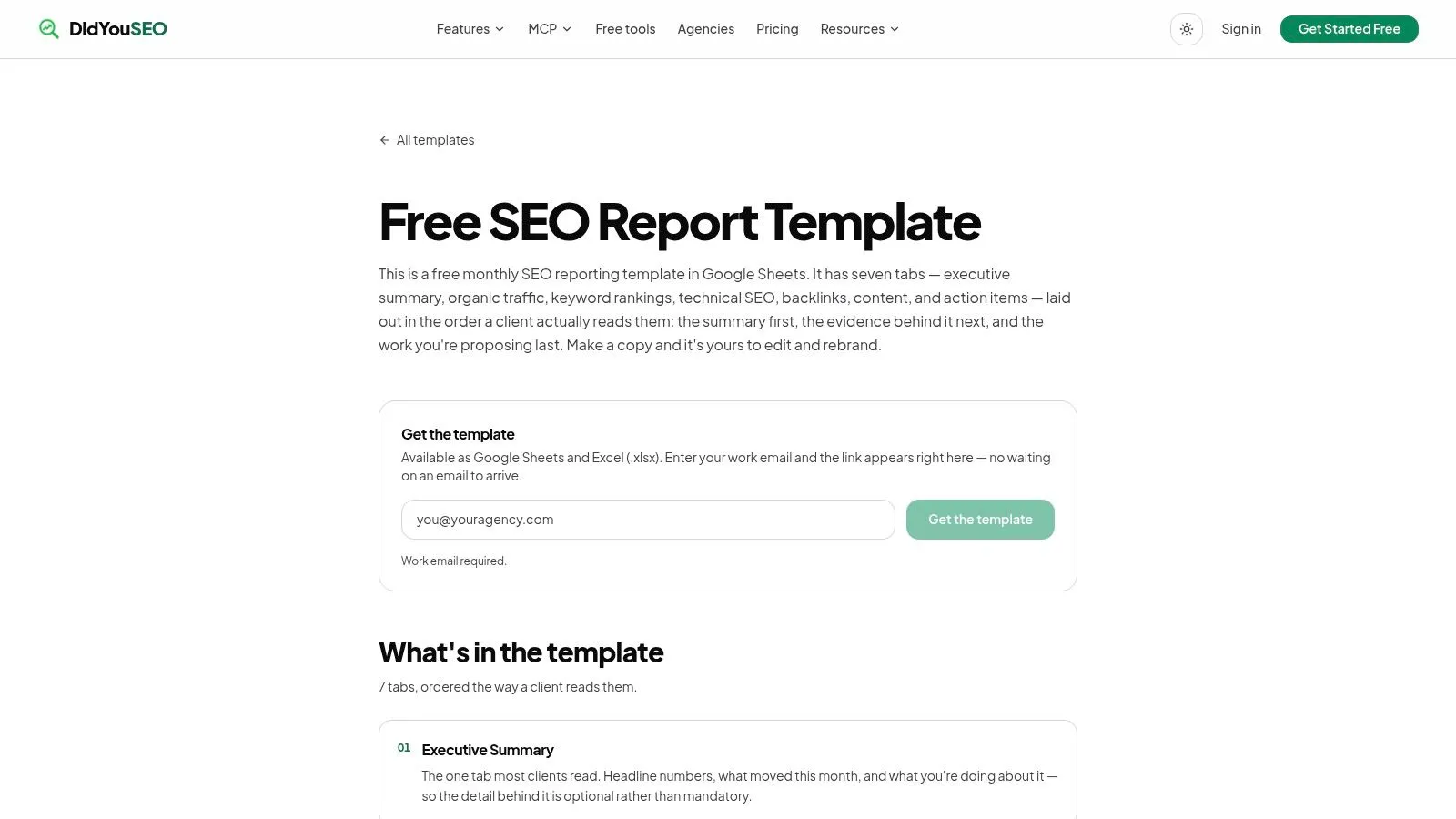
It can be adapted in Google Sheets or Excel and rebranded for a store or client. Access requires a work email, and the figures must be entered or pasted rather than automatically populated.
The decision it supports is resource allocation across SEO workstreams. Traffic and rankings can sit beside technical issues, content priorities, and backlink observations, making competing tasks easier to compare.
Preserve the underlying evidence
The workbook should retain the source, reporting window, export date, and comparison period beside imported values. Raw exports belong in clearly separated supporting sheets, with summary formulas protected against accidental edits.
Historical comparisons are particularly valuable for seasonal stores. A history of Google Search Console records the expansion of historical Search Analytics data to 16 months in January 2018, which enabled more useful year-over-year comparisons.
For Shopify content, useful added fields include article URL, publication date, target query, linked collection, and next action. Those fields make a traffic change easier to connect to editorial work.
The limitation is upkeep. A broad workbook can become a stale task archive unless someone owns the monthly refresh, checks formulas, and removes metrics that no longer support decisions.
How the ten SEO report templates differ by format, purpose, and access
| Item | Format | Best for | Data connection | Access model |
|---|---|---|---|---|
| Semrush Monthly SEO Report | Customizable monthly report with scheduled PDF delivery | Recurring SEO performance and technical-health reporting | Semrush data; optional Google Analytics and Search Console | Semrush reporting template with automated updates and PDF delivery |
| Ahrefs SEO Audit Template | Downloadable template for Docs, Sheets, Excel, Word, or PDF | Auditing and prioritizing website issues | Manual data collection; can pair with Ahrefs Webmaster Tools | Downloadable template |
| Databox SEO Dashboard Templates | Customizable interactive dashboards | Monitoring SEO performance across multiple platforms | Connects sources such as Google Analytics, Search Console, Semrush, Ahrefs, and Moz | Databox dashboard platform; value depends on plan and connected sources |
| AgencyAnalytics SEO Report Template | Branded dashboards and scheduled reports | Recurring, white-label agency client reporting | Integrates with Ahrefs, Google Analytics, Search Console, Semrush, Moz, and Majestic | Subscription reporting platform |
| Windsor.ai Google Search Console Looker Studio Template | One-page Looker Studio dashboard | Reviewing Search Console visibility and page or query trends | Google Search Console connector | Free Looker Studio template |
| Supermetrics Google Search Console Template | Interactive Looker Studio report | Exploring branded and non-branded Search Console performance | Requires an authorized Search Console connection; connector availability may vary by plan | Looker Studio template with account setup |
| Whatagraph SEO Report Template | Dashboard-style report | Connecting search visibility with traffic and conversions | Google Analytics 4 and Google Search Console | Whatagraph platform with connected data sources |
| DashThis SEO Report Template | Reusable monthly report with PDF export and email delivery | Recurring agency reporting across clients | Combines sources such as GA4, Search Console, Ahrefs, and Semrush | DashThis platform; paid ongoing use after trial |
| Rank.ai Free Monthly SEO Report Template | Copyable narrative template for Docs, Notion, or Markdown | Writing tailored monthly updates with context and interpretation | No automatic connection; figures are entered manually | Free copyable template |
| DidYouSEO Google Sheets SEO Report Template | Editable seven-tab spreadsheet for Google Sheets or Excel | Structured reporting across traffic, rankings, technical SEO, backlinks, and content | Manual entry or pasted figures | Copyable spreadsheet; work email required |
Match the Template to the Decision Before You Build the Report
The right template depends on the question waiting for an answer. A client asking whether the investment is working needs interpretation and commercial context. A developer deciding what to fix needs evidence, priorities, and validation criteria.
For client narratives, Rank.ai offers a flexible writing structure, while Semrush, AgencyAnalytics, and DashThis support recurring reporting workflows. For technical remediation, Ahrefs is the clearer fit because its audit structure keeps findings and priorities central rather than treating technical problems as another performance chart.
For live search investigation, Windsor.ai and Supermetrics provide focused Search Console views, while Databox supports broader connected monitoring. Whatagraph is useful when the discussion must extend into on-site activity and conversions, and DidYouSEO suits teams that prefer an editable spreadsheet.
Keep the reporting contract consistent
Every format needs a stable measurement basis. The store, property, date range, comparison window, page grouping, and metric definitions should remain visible, especially when reports combine several tools.
A defensible report separates:
- Measured outcomes: Search clicks, recorded sessions, and configured conversion or revenue events.
- Diagnostic evidence: Crawl findings, query movements, page changes, and internal-link gaps.
- Interpretation: Plausible explanations, confidence levels, and proposed next actions.
None of these templates automatically proves why a result changed. A stronger report states what can be observed, what remains uncertain, and which investigation or implementation should happen next.
Consistency also makes comparison easier. Keeping the same format across reporting cycles reduces the risk that a redesigned chart, changed filter, or new keyword sample gets mistaken for a performance change.
Keep publishing and measurement connected
For merchants who mainly need their content workflow and search figures together, Rankira's Home dashboard shows clicks, impressions, positions, and best-performing articles with Google Search Console connected. Its single $39 monthly plan includes keyword research, article generation, scheduling, publishing, internal linking, and the Search Console dashboard without a separate report build.
Rankira recommends two to three months of consistent publishing before judging results, and its Search Console connection requires a couple of days to collect data. That publishing evaluation window shouldn't be confused with testing whether a reporting template is usable.
The final test is practical: can the report support a specific publishing, optimization, or repair decision? If stakeholders still can't identify the next action, adding another metric is unlikely to solve the problem.
Rankira helps Shopify merchants research keywords, generate articles, and publish content with links to relevant products and collections. Merchants looking to connect recurring content production with search performance reporting can visit Rankira to explore its Shopify-based workflow and Search Console dashboard.
Keep reading
All articles
Shopify SEO
Search Engine Optimization Plan for Shopify: 2026 Guide
Build a search engine optimization plan for your Shopify store: set a baseline, pick keywords, publish in batches and measure results.
11 min read
Shopify SEO
10 SEO Software Platform Options for Shopify Stores
Compare 10 SEO software platform options by capabilities, use cases, and Shopify fit, from keyword research to publishing and reporting.
11 min read

Shopify SEO
Keyword Density SEO: How to Calculate and Use It
Keyword density SEO is a percentage, not a ranking target. See the formula, sample counts, and how to place phrases without stuffing.
12 min read
Put your Shopify blog on autopilot
Rankira researches keywords, writes SEO articles, adds internal links, and publishes them to your store — every week. Start with a 7-day free trial.